In This Article
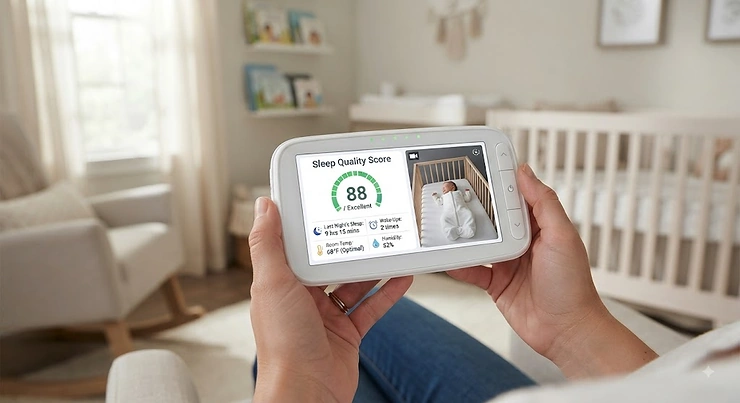
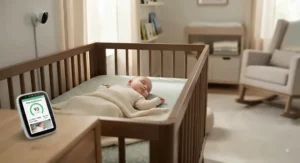
Somewhere around 2 a.m. on night four of parenthood, you will find yourself staring at a phone screen instead of a ceiling, wondering whether the little number glowing back at you — 78, maybe 82 — actually means anything. That number is a sleep quality score, and it’s become the headline feature on nearly every modern baby monitor sold in the US this year. In plain terms, a sleep quality score baby monitor is a camera, wearable, or under-mattress sensor that estimates how well an infant slept by combining data like total sleep time, number of wakings, movement, and sometimes breathing or heart rate into a single, app-friendly number. It won’t replace a pediatrician, and it definitely won’t replace the crib-safety basics every parent already knows. What it can do, when you pick the right one, is turn a foggy 3 a.m. guessing game into an actual pattern you can act on.
This guide breaks down seven real, currently sold monitors that generate some version of a sleep score, sleep efficiency reading, or overnight rest summary — from a $299 FDA-cleared wearable to a $60 clip-on sensor that does the job without a subscription. We’ll get into exact specs, real aggregated review themes, honest pros and cons, and the practical stuff nobody puts on the product page, like which devices actually survive a wiggly seven-month-old. According to the American Academy of Pediatrics’ 2022 policy statement, home monitors of any kind — including the wearable sleep trackers covered here — should never be treated as a substitute for following core safe sleep guidelines. Keep that in your back pocket as we go, because it shapes almost every buying decision below.
Quick Comparison Table
| Monitor | Tracking Method | Price Range | Subscription? | Best For |
|---|---|---|---|---|
| Nanit Pro | Overhead camera + Breathing Wear | $280–$400 | Optional, for full Insights | Detailed nightly sleep analytics |
| Owlet Dream Sock | Wearable pulse oximetry sock | $290–$330 | None required | Vitals + FDA-cleared readings |
| Cubo AI Plus | Overhead camera + AI safety detection | $190–$300 | Optional, after year one free | Active safety alerts plus sleep data |
| Miku Pro | Contact-free SensorFusion sensors | $250–$350 | Optional, ~$10/month | No-wearable breathing and sleep tracking |
| iBaby i7 | Contactless Yobi-PPG camera | $140–$200 | None | Budget contactless vitals tracking |
| Babysense 7 Connect | Under-mattress movement pads | $120–$160 | None | Non-WiFi, no-camera households |
| Sense-U Pro | Clip-on wearable sensor | $55–$90 | None | Budget-friendly sleep stage tracking |
Looking at this lineup, the split really comes down to how much you’re willing to touch your baby to get data: Nanit Pro, Cubo AI Plus, Miku Pro, and iBaby i7 watch from a distance, while Owlet Dream Sock and Sense-U Pro attach directly to the baby for more precise physiological readings. Babysense 7 Connect splits the difference with under-mattress sensors that need no contact and no WiFi at all. If subscription fatigue worries you, Owlet Dream Sock, iBaby i7, Babysense 7 Connect, and Sense-U Pro are the four that deliver sleep data without an ongoing bill.
💬 Bookmark this comparison — you’ll want to scroll back to it once you’ve read the full breakdown below.
Top 7 Sleep Quality Score Baby Monitors: Expert Analysis
1. Nanit Pro — most detailed sleep analytics in the category
The standout here is depth: Nanit Pro doesn’t just tell you baby slept, it tells you when they fell asleep, when they woke, and how many times they stirred in between, then rolls all of it into trend charts you can actually use. The overhead 1080p camera pairs with a sensor-free Breathing Wear swaddle or a Breathing Band that clips onto any sleep sack, which means there’s nothing touching baby’s skin overnight. A newly rolling-out Sleep Score feature condenses the whole night into one number with context, similar to what adult wearables have done for years, though the deeper trend history and breathing motion tracking require the Insights subscription rather than living entirely in the free tier.
Parents who’ve used Nanit Pro for months, not nights, report that the three numbers — sleep onset, wake time, and stir count — become a genuinely useful leading indicator for how the next twelve hours are going to go. That’s a meaningfully different value proposition than a monitor you check once and forget; it’s a monitor that shapes how you plan your day. Aggregated feedback across major retailers and review sites consistently praises the video and time-lapse quality while flagging the ongoing subscription cost as the most common gripe, especially once the introductory trial period ends.
Pros:
- ✅ Most granular sleep-stir-wake data of any camera monitor
- ✅ Sensor-free breathing motion tracking via wearable swaddle
- ✅ Sharp 1080p video with genuinely useful night-time lapse feature
Cons:
- ❌ Full sleep analytics and breathing history sit behind a paid Insights plan
- ❌ Breathing Wear needs re-buying as baby sizes up
At a price in the $280–$400 range depending on whether you add the 8-inch Home Display, Nanit Pro lands as a premium purchase, but for parents whose whole goal is understanding sleep patterns rather than just watching video, the depth of data justifies the tag.
2. Owlet Dream Sock — only FDA-cleared pulse oximetry sock on this list
What sets the Dream Sock apart immediately is medical-grade credibility: it’s built on pulse oximetry technology, the same category of sensor hospitals use, and Owlet states it has been clinically evaluated for SpO2 accuracy within plus-or-minus 3% of gold-standard arterial blood gas measurements across skin tones. Practically, that means the live pulse rate and oxygen readings streaming to your phone aren’t a rough estimate — they’re closer to what a NICU monitor would show, layered with sleep-state and waking data the app turns into a nightly Sleep Coach summary.
Based on the spec comparison against the rest of this list, the Dream Sock is the only device here with FDA clearance as an over-the-counter monitor, which matters most for parents managing a pediatrician-flagged concern or simply craving the reassurance that comes from actual physiological readings rather than movement inference alone. Reviewers consistently note a real learning curve around false alarms — cold feet, lotion residue, or a loosely fitted sock can all trigger notifications — and several sources point out this is the most emotionally loaded flavor of “sleep anxiety” a monitor can create if you don’t dial in the fit correctly during the first week.
Pros:
- ✅ FDA-cleared pulse oximetry — the only one on this list
- ✅ No monthly subscription required for core health readings
- ✅ HSA/FSA eligible, easing the upfront cost
Cons:
- ❌ False alarms are common until sock fit is dialed in
- ❌ No built-in camera — vitals only, no video
Priced in the $290–$330 range, Owlet Dream Sock is designed for infants roughly 1–18 months and 6–30 pounds, and it earns its premium price tag specifically for parents who want direct physiological data, not just an estimate built from movement.
3. Cubo AI Plus — best blend of active safety alerts and sleep reporting
The Cubo AI Plus was co-designed by a mother and a pediatrician after a real covered-face scare, and that origin story shows up directly in the feature set: it’s the most alert-forward monitor here, flagging covered faces, rollovers, and “danger zone” crib-edge climbing in real time, on top of a daily sleep tracking report showing total sleep duration, waking count, and caregiver events. The 135-degree wide-angle lens and 18-hour scrollable video playback mean you’re not just getting a number — you can actually go back and watch what happened around a rough patch of the night.
What most buyers overlook about Cubo AI Plus is that the free tier only includes one day of sleep analytics and ten days of moment history; the fuller 30-day sleep trend view lives behind the Premium plan, though new units typically bundle a full free year of it. Aggregated review sentiment across tech outlets is largely favorable on picture quality and the sense of “active” monitoring the safety alerts provide, with the most frequent critique being that the app and connectivity feel less polished than category leaders, occasionally lagging on notification speed.
Pros:
- ✅ Real-time covered-face, rollover, and danger-zone alerts
- ✅ 18-hour scrollable video history included
- ✅ First year of Premium sleep analytics typically bundled free
Cons:
- ❌ Full 30-day sleep trend history requires the paid tier after year one
- ❌ App polish lags behind the top-tier competitors
Running $190–$300 depending on the mount configuration, Cubo AI Plus is the pick for parents whose top priority is active safety detection first, with sleep scoring as a strong secondary feature rather than the headline.
4. Miku Pro — best contact-free breathing and sleep tracking, zero wearables
Miku’s whole pitch is built around what it removes: no sock, no clip, no swaddle, nothing to wash or charge separately. Its proprietary SensorFusion technology blends five different sensor types to read breathing motion and translate it into a real-time respirations-per-minute figure displayed right on your phone, alongside sleep and wake trend summaries. Because it’s entirely non-contact, Miku Pro also has no upper age limit — it keeps working long after a baby has outgrown a sock or clip sensor.
The spec sheet won’t tell you this, but user reports across several independent review sites describe the breathing-waveform view as genuinely calming for parents managing sleep anxiety, since there’s no wearable to forget or reposition at 2 a.m. On the flip side, Miku Pro is a hard-mounted device by design, meaning it’s meant to stay installed rather than travel with you, and the deeper sleep trend analytics and extended video storage sit behind the roughly $10-a-month Miku Membership rather than being fully free.
Pros:
- ✅ Completely contact-free — nothing worn, washed, or charged separately
- ✅ Works at any age, unlike sock or clip-based sensors
- ✅ Real-time breathing-rate waveform, not just a summary score
Cons:
- ❌ Deeper sleep analytics require an ongoing membership
- ❌ Hard-mount design isn’t built for travel between rooms
Typically priced $250–$350, occasionally dropping into promotional pricing, Miku Pro earns its spot for parents who’ve decided a wearable simply isn’t happening in their household, whether that’s a baby who fights every sock or a caregiver who prioritizes zero-maintenance monitoring.
5. iBaby i7 — budget contactless vitals and sleep tracking, no subscription
The iBaby i7 undercuts the contact-free category on price by leaning on Yobi-PPG, a second-generation optical technology that reads pulse waves from roughly 3 millimeters beneath the skin to estimate breathing and heart rate from up to a meter away, no wearable required. Layered on top is a sleep analysis engine that tracks eye movement and nighttime awakenings, then compiles it into weekly and monthly reports — a level of longitudinal tracking that’s unusual at this price point.
Here’s what most spec sheets skip: the i7’s breathing and vitals readings require a relatively clear, unobstructed view of baby’s face, so accuracy drops if they’re turned away from camera or under heavier bedding, a limitation the brand itself discloses. Based on the spec comparison against Miku Pro and Owlet, iBaby’s biggest differentiator is the complete absence of subscription fees — every analytics feature ships included, which matters over a two-year ownership window when competitors’ monthly plans start adding up.
Pros:
- ✅ Contactless breathing and heart rate tracking with no subscription ever
- ✅ Weekly and monthly sleep trend reports included free
- ✅ 360-degree camera view with 1080p night vision
Cons:
- ❌ Vitals accuracy depends on a clear, unobstructed view of baby’s face
- ❌ Smaller brand footprint means a thinner independent review base
At $140–$200, iBaby i7 is the value pick in the contactless tier, best suited to parents who want vitals-adjacent sleep data without committing to a recurring bill.
6. Babysense 7 Connect — best non-WiFi, no-camera sleep monitor
Babysense built the original under-mattress movement monitor category back in 1991, and the current Babysense 7 Connect still runs on that same core idea: two ultra-sensitive sensor pads placed beneath the mattress track breathing-related micro-movements across the entire crib, sounding an alarm if motion stops or slows abnormally for roughly 20 seconds. No WiFi, no camera, no wearable — just a closed radio link the brand states can’t be accessed remotely, paired with the Connect app layer that adds sleep analytics on top of the base alert system.
What most buyers overlook about this category is that a non-contact, non-video monitor is often the calmest option for parents who find a live video feed itself anxiety-inducing rather than reassuring. Aggregated reviews highlight the full-bed coverage and reliability of the alert system as strong points, while independent testers have flagged connectivity range as the weak spot on some Babysense video-bundle products — worth checking specifically if you’re pairing it with a camera unit rather than using the sensor pad alone.
Pros:
- ✅ Full-bed movement coverage from two under-mattress sensor pads
- ✅ No WiFi connection needed — closed radio link only
- ✅ HSA/FSA eligible and trusted across hospitals internationally
Cons:
- ❌ No video feed if used as a standalone movement monitor
- ❌ Bundled video-pairing options have shown weaker wireless range in testing
Priced $120–$160 as a bundle, Babysense 7 Connect is the pick for privacy-conscious households or anyone who’d rather not add another camera-equipped device to their home network.
7. Sense-U Pro — most affordable wearable with real sleep-stage data
Sense-U Pro clips onto a diaper or waistband in seconds and tracks abdominal breathing movement, sleep position, and skin-feel temperature via Bluetooth Low Energy, a radio protocol the brand states emits roughly a thousandth the radiation of a typical smartphone. The free companion app translates that raw movement data into a genuinely detailed sleep report — light versus deep sleep stages, awake windows, and an overall sleep quality read — which is a surprisingly full-featured offering for a device that costs a fraction of the camera-based options on this list.
On paper this means Sense-U Pro competes more directly with far pricier wearables than its price tag suggests, and reviewers note the seven-plus day battery life as a standout, especially compared to sock-style sensors that need nightly charging. The honest tradeoff: it’s a clip-on accessory, not a camera, so you get zero video reassurance, and it depends on staying properly attached through a night of rolling, kicking, and diaper changes.
Pros:
- ✅ Detailed light/deep sleep stage reporting at a budget price
- ✅ 7+ days of battery life on a single charge
- ✅ Sleep analysis included free, with no app subscription
Cons:
- ❌ No camera or video feed of any kind
- ❌ Clip can shift position during an active sleeper’s night
At roughly $55–$90, Sense-U Pro is the entry point into sleep-stage tracking for budget-conscious parents who still want more than a basic audio monitor delivers.
Top 7 Monitors: Specs & Value Snapshot
| Monitor | Contact Type | Video Included | Battery/Power | Value Verdict |
|---|---|---|---|---|
| Nanit Pro | Sensor-free wearable | Yes, 1080p | Wired | Best data depth, subscription needed |
| Owlet Dream Sock | Wearable sock | No | Rechargeable, nightly | Best vitals accuracy |
| Cubo AI Plus | Camera only | Yes, 1080p | Wired | Best active-alert value |
| Miku Pro | Contact-free camera | Yes, HD | Wired, hard-mount | Best zero-wearable option |
| iBaby i7 | Contact-free camera | Yes, 1080p | Wired | Best subscription-free contactless pick |
| Babysense 7 Connect | Under-mattress pads | Optional bundle | Wired/battery | Best privacy-first option |
| Sense-U Pro | Wearable clip | No | 7+ days per charge | Best budget wearable |
Stacked side by side, the pattern is clear: paying more generally buys you either FDA-grade physiological accuracy, as with Owlet Dream Sock, or richer longitudinal analytics, as with Nanit Pro, while the budget end of the table trades video and vitals for reliable, subscription-free basics. If total cost of ownership over two years matters more than day-one price, iBaby i7, Babysense 7 Connect, and Sense-U Pro avoid the recurring fees that quietly inflate the lifetime cost of Nanit Pro, Cubo AI Plus, and Miku Pro.
✨ Don’t Miss These Exclusive Deals!
🔍 Take your nursery setup to the next level with these carefully selected monitors. Click on any highlighted product above to check current pricing and availability before you decide. The right pick tonight can mean genuinely restful nights ahead for your whole family!
Practical Usage Guide: Getting Accurate Data From Night One
Unboxing night is not the night to trust your sleep score. Every camera-based monitor on this list — Nanit Pro, Cubo AI Plus, Miku Pro, and iBaby i7 — needs a clear, unobstructed overhead view of the crib with no glare from a nightlight or window, and manufacturers generally recommend a 24 to 48-hour settling-in period before the analytics stabilize into something meaningful. Mount height matters more than most parents expect: too low and a growing baby will eventually climb into blind spots, too high and micro-movements that indicate active versus restful sleep become harder for the algorithm to detect confidently.
For wearables like Owlet Dream Sock and Sense-U Pro, the single biggest driver of false alarms is fit, not defective hardware. A sock that’s even slightly loose lets the sensor slip against skin, generating garbage oxygen or movement readings that tank an otherwise accurate night’s score; a clip positioned too close to the diaper edge can shift as baby rolls. Spend the first three nights doing a physical fit-check right before bedtime rather than trusting the size chart alone, and expect the first week of data to be noisier than week two as both you and the device calibrate. Under-mattress systems like Babysense 7 Connect need the sensor pads centered beneath where baby actually sleeps — a common first-week mistake is placing them under the mattress edge rather than the true sleep zone, which can trigger avoidable false alerts.
Real-World Scenarios: Matching a Monitor to Your Family
If you’re a first-time parent managing a preemie or a baby with a pediatrician-flagged reflux or breathing concern, direct physiological data outweighs convenience — Owlet Dream Sock‘s FDA-cleared pulse oximetry gives you numbers a doctor can actually act on, not just an estimate.
If you’re the data-driven type who wants to actually solve a bedtime problem rather than just observe it, Nanit Pro‘s stir-count and sleep-onset trend charts are built exactly for that job, letting you correlate a rough week with teething, a growth spurt, or a schedule shift instead of guessing.
If you’re on a tight nursery budget furnishing a second bedroom or a grandparent’s house, Sense-U Pro or Babysense 7 Connect deliver real sleep-stage or movement data without a camera subscription eating into your budget every month, and both remain useful well past the newborn stage.
If your baby fights every wearable you’ve tried — kicking off socks, tugging at clips — Miku Pro or iBaby i7 solve that specific pain point by reading breathing and sleep entirely from a distance, with iBaby i7 as the more budget-friendly of the two.
Problem → Solution: Taming False Alarms and Sleep Disturbance Trackers
A sleep disturbance tracker is only as useful as its signal-to-noise ratio, and every monitor on this list generates some false positives in the first weeks of use. The most common complaint across Owlet Dream Sock reviews is oxygen or pulse alarms triggered by cold feet or lotion residue — the fix is a snugger sock size and warming baby’s feet gently before attaching it, which restores blood flow the sensor needs to read accurately.
For camera-based monitors like Nanit Pro and Cubo AI Plus, motion-triggered false wake notifications usually trace back to a sleep sack or loose blanket left in an empty crib during daytime naps elsewhere — closing the app or pausing alerts when baby isn’t in the crib eliminates most of these. Babysense 7 Connect users occasionally report alarms from a pet or older sibling briefly climbing into the crib, which is solved by keeping the sleep space genuinely exclusive to baby, consistent with core safe sleep practice anyway.
A subtler problem is emotional, not technical: a low overnight score after an objectively fine night can spike parental anxiety rather than ease it. Treat any single night’s number as noise and look at rolling weekly trends instead — nearly every monitor here, from Miku Pro to iBaby i7, exposes some form of weekly or monthly view specifically because single-night data is this volatile.
How to Choose a Sleep Quality Score Baby Monitor
- Decide contact versus contactless first. Wearables like Owlet Dream Sock and Sense-U Pro generally deliver more precise physiological data; contactless options like Miku Pro and iBaby i7 trade some precision for zero fuss.
- Check the subscription math over two years, not two months. A $10-a-month plan on Nanit Pro or Miku Pro adds up to $240 across a typical two-year usage window — compare that against upfront-only options like Owlet Dream Sock or Sense-U Pro.
- Match camera resolution to your actual use case. If you’re mostly checking a sleep number, 720p is plenty; if you want to review footage after a rough night, 1080p on Nanit Pro, Cubo AI Plus, or iBaby i7 earns its keep.
- Weigh WiFi against a closed radio link. WiFi-dependent monitors offer remote access from anywhere; non-WiFi options like Babysense 7 Connect trade that convenience for a connection that can’t be reached over the internet at all.
- Confirm the age range fits your plans. Sock and clip sensors like Owlet Dream Sock and Sense-U Pro are generally rated for infants up to around 18 months, while contactless cameras like Miku Pro keep working well beyond toddlerhood.
- Factor in HSA/FSA eligibility if your family qualifies. Owlet Dream Sock, Sense-U Pro, and Babysense 7 Connect are commonly HSA/FSA-eligible, which can meaningfully offset the sticker price.
- Read the false-alarm fine print before buying, not after. Every monitor here has a documented false-alarm pattern; knowing it in advance saves a frustrating first week.
Sleep Efficiency & Sleep Depth: What the Numbers Actually Mean
Sleep Efficiency Calculator Infant Metrics
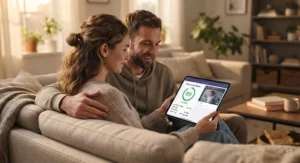
Most sleep quality score apps run some version of a sleep efficiency calculator behind the scenes: total time actually asleep divided by total time in the crib, expressed as a percentage. An infant efficiency reading in the 80–90% range is generally considered solid for a healthy baby beyond the newborn stage, though normal ranges shift dramatically by age since younger infants naturally wake more often to feed. Nanit Pro and Owlet Dream Sock both surface this kind of efficiency figure directly in their nightly summaries, while wearables like Sense-U Pro derive a comparable metric from movement and breathing data rather than direct sleep-stage sensors.
Sleep Depth Monitor Baby Data: Light vs Deep
A sleep depth monitor baby feature — most fully realized on Sense-U Pro and, to a lesser extent, Nanit Pro — attempts to distinguish restless light sleep from more restorative deep sleep, typically by analyzing movement frequency and breathing regularity rather than the brainwave data a clinical sleep lab would use. This method, broadly related to the actigraphy techniques used in adult sleep research, is inherently an estimate rather than a diagnosis; consumer monitors aren’t measuring brain activity, so treat depth breakdowns as a helpful trend indicator rather than a clinical measurement. The Safe to Sleep campaign’s decades of research into infant sleep patterns notes that back-sleeping alone cut SIDS rates by more than half since the 1990s — a reminder that sleep position, not just sleep depth scoring, remains the single highest-leverage factor parents actually control.
Common Mistakes When Buying a Sleep Quality Score Baby Monitor
The most expensive mistake is buying for the number instead of the household fit — a family that finds video feeds anxiety-inducing shouldn’t buy a camera monitor just because it has the flashiest sleep score, when a movement-only option like Babysense 7 Connect would serve them better emotionally and financially. A close second is ignoring the subscription fine print; Nanit Pro, Cubo AI Plus, and Miku Pro all gate their deepest analytics behind paid tiers after an initial free period, and parents who skip reading that detail are frequently surprised by a bill three months in.
Another common misstep is assuming a higher sleep score number automatically means a “better” or “healthier” baby — these scores are relative trend indicators, not medical benchmarks, and a lower-than-usual reading during a growth spurt or teething week is developmentally normal, not a red flag by itself. Finally, plenty of parents buy a wearable without checking the weight and age range first; Owlet Dream Sock‘s FDA clearance, for instance, applies specifically to infants between roughly 6 and 30 pounds, so a larger or older baby may simply age out of accurate readings sooner than expected.
Sleep Quality Score Baby Monitor vs Traditional Video Monitors
| Factor | Sleep Quality Score Monitor | Traditional Video Monitor |
|---|---|---|
| Sleep pattern data | Yes — scores, efficiency, wake counts | No — video only |
| Typical price | $55–$400 | $25–$170 |
| Ongoing cost | Often subscription-based | Rarely, if ever |
| Setup complexity | Higher — app pairing, WiFi, calibration | Lower — plug and view |
| Best for | Parents wanting pattern insight | Parents wanting a simple live view |
A traditional video monitor like a basic dedicated-screen model does one job extremely well — showing you baby in real time — without any app dependency, WiFi requirement, or recurring fee. A sleep quality score monitor asks for more setup and often more money in exchange for pattern data that a plain video feed simply can’t produce: trend lines across weeks, wake-count comparisons, and efficiency percentages. Neither option is objectively superior; the honest answer is that traditional monitors suit parents who want reassurance in the moment, while sleep-scoring monitors suit parents trying to solve a specific pattern problem, like inconsistent naps or frequent night wakings, over time.
Rest Quality Assessment by Parent Type
For anxious first-time parents, a rest quality assessment that leans too heavily on nightly alerts can backfire, amplifying worry rather than easing it — Babysense 7 Connect or Owlet Dream Sock‘s steady-glow Base Station, which only flashes when something’s actually outside preset ranges, tends to create less notification fatigue than a camera constantly surfacing minor movement alerts.
For sleep-training parents actively working on schedule changes, a more granular rest quality assessment matters more than alert minimalism — Nanit Pro‘s stir-and-wake trend charts let you see whether a new bedtime routine is actually reducing night wakings across a week, not just a single night.
For parents of a baby with a diagnosed medical concern, the assessment needs to be clinical-grade wherever possible, which again points toward Owlet Dream Sock‘s FDA-cleared pulse oximetry as the more defensible choice to discuss with a pediatrician than movement-inferred data alone.
For budget-focused or multi-caregiver households — think grandparents’ house or daycare-adjacent nanny share — a simpler rest quality assessment from Sense-U Pro or iBaby i7 covers the essentials without demanding every caregiver learn a complex app.
Sleep Health Metrics That Actually Matter (And Those That Don’t)
Sleep onset time and total sleep duration are the two sleep health metrics worth watching closely, because consistent shifts in either one are genuinely predictive of schedule problems, growth spurts, or early illness — this is the data Nanit Pro, Owlet Dream Sock, and Miku Pro all foreground for good reason. Wake count and average wake duration matter almost as much, since a baby waking briefly six times but self-soothing back to sleep is in a very different situation than one waking six times and needing full resettling each time.
What matters less than marketing suggests: the raw single-night sleep score itself, viewed in isolation. A single number can swing 15-20 points night to night based on nothing more concerning than a slightly warmer room or a missed nap, and reviewers across multiple sources note that fixating on one bad night’s score is a fast track to unnecessary parental stress. Heart rate variability, sometimes marketed as a premium metric on higher-end devices, is genuinely interesting data but has the thinnest evidence base for infant sleep decision-making of anything covered here — treat it as a bonus data point, not a decision-driver.
Long-Term Cost & Recovery Monitoring for Infants
Total cost of ownership diverges sharply across this list once you factor in an 18-to-24-month usage window. Owlet Dream Sock, Sense-U Pro, and Babysense 7 Connect are essentially one-time purchases, landing their full lifetime cost at the sticker price. Nanit Pro, Cubo AI Plus, and Miku Pro, by contrast, can add $120–$240 in subscription fees over two years on top of the hardware cost if you keep the premium analytics tier active the whole time — worth budgeting for explicitly rather than discovering after the free trial ends.
Recovery monitoring for infants — tracking how sleep patterns bounce back after illness, a vaccination, teething, or a growth spurt — is one of the more genuinely useful long-term applications of this category, and it’s exactly the kind of multi-week trend data that camera-based systems with historical dashboards, like Nanit Pro and Cubo AI Plus‘s Premium tier, are built to surface. A single rough night rarely tells you anything; a two-week dip that slowly climbs back to baseline is a recovery pattern worth showing a pediatrician if it doesn’t resolve within a reasonable window.
🌙 Ready to Track Better Sleep Tonight?
✨ Compare current pricing on today’s top pick and see which monitor fits your family’s routine, budget, and peace of mind. A small investment now can mean months of steadier, more predictable nights ahead!
Safety, Regulations & What “FDA-Cleared” Really Means
Only one device on this entire list, Owlet Dream Sock, carries FDA clearance as an over-the-counter pulse oximetry monitor — every other sleep quality score baby monitor covered here, however sophisticated its algorithm, is a consumer wellness product, not a regulated medical device, and none of them are approved to diagnose or treat any condition. That distinction matters because “FDA-cleared” specifically means a device met a defined accuracy and safety bar through formal review, while unregulated devices can market impressive-sounding technology without that same independent verification.
Regardless of which monitor you choose, the NICHD’s Safe to Sleep campaign is explicit that no monitor, wearable or otherwise, has been shown to reduce the risk of Sudden Infant Death Syndrome, and using one should never replace back-sleeping, a firm flat crib surface, or an otherwise empty sleep space. The honest takeaway for every product reviewed here: buy for insight and peace of mind, not as a safety net, and keep every crib bedtime routine anchored to the same evidence-based basics regardless of what your app’s sleep score says that night.
Frequently Asked Questions
❓ What is a good sleep quality score for a baby monitor to show?
❓ Do sleep quality score baby monitors actually work?
❓ Is a wearable or a camera monitor better for sleep tracking?
❓ Can a baby monitor sleep quality score replace a pediatrician visit?
❓ Do I need WiFi for a sleep tracking baby monitor to work?
Conclusion
Choosing among these seven monitors really comes down to answering one honest question first: are you buying for reassurance, for data, or for both? If it’s reassurance and direct physiological accuracy, Owlet Dream Sock‘s FDA-cleared pulse oximetry is hard to beat, subscription-free and built specifically for that job. If it’s deep, trend-driven data you’ll actually use to solve a bedtime problem, Nanit Pro offers the most detailed analytics in this lineup, at a price that reflects it. Parents wary of wearables altogether have real, well-reviewed options in Miku Pro and iBaby i7, while budget-conscious households can get genuinely useful sleep-stage or movement data from Sense-U Pro or Babysense 7 Connect without a monthly bill in sight, and Cubo AI Plus splits the difference nicely for parents who want active safety alerts front and center.
Whichever you choose, remember the data is a tool, not a verdict. A sleep score dips during teething weeks and growth spurts as a matter of course, and the real value shows up over weeks of trend-watching, not any single 2 a.m. glance at your phone. Pair whichever monitor fits your family with the same evidence-based sleep basics pediatricians have recommended for decades, and let the score be a helpful nudge rather than a source of nightly stress.
Recommended for You
- Sleep Cycle Tracking Baby Device: 7 Best Picks for 2026
- 7 Best Baby Sleep Analytics App Picks for 2026: Data Over Guesswork
- Air Quality Monitor Nursery: 7 Best Picks Parents Trust (2026)
Disclaimer: This article contains affiliate links. As an Amazon Associate, I earn from qualifying purchases. If you purchase products through these links, we may earn a small commission at no additional cost to you.
✨ Found this helpful? Share it with your friends! 💬🤗
