In This Article
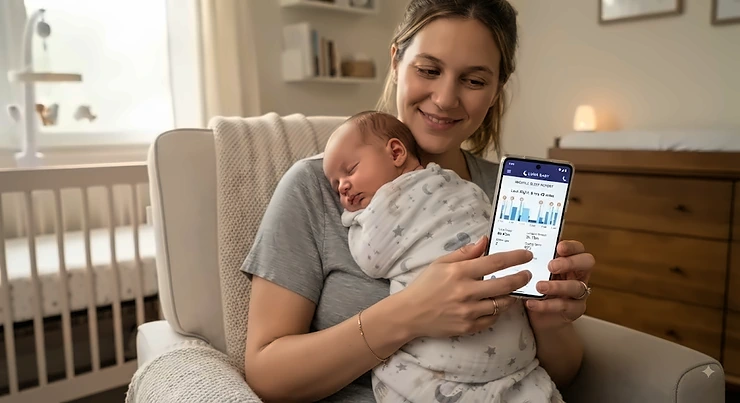
Somewhere around 2 a.m., every new parent asks the same exhausted question: is this normal? Is a 40-minute nap actually a nap, or just a stubborn refusal to commit? A baby sleep analytics app exists precisely for that moment — it turns the guesswork of infant sleep into something you can actually see, chart, and act on. Instead of relying on a fog-brained memory of “she woke up… twice? three times?”, these tools quietly log every stir, wake window, and long stretch, then hand you patterns instead of anxiety.
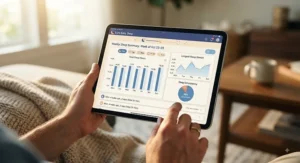
This isn’t about turning parenting into a spreadsheet. It’s about giving tired adults one less thing to track manually while giving pediatricians something concrete to look at during checkups. The market has matured fast in the last two years, and the difference between a basic night light with an app and a genuine sleep-analytics platform is bigger than most product pages let on.
Below, we’ve researched seven real, currently available options — spanning contact-free cameras, FDA-cleared wearables, and budget-friendly sock monitors — and broken down what the specs actually mean for a bleary-eyed household. Expect honest comparisons, real trade-offs, and zero invented five-star anecdotes.
What Is a Baby Sleep Analytics App?
A baby sleep analytics app is software — usually paired with a camera, wearable sensor, or under-mattress pad — that automatically logs an infant’s sleep sessions, movement, and sometimes vitals like heart rate or oxygen level, then converts that raw data into charts, trends, and recommendations parents can use to adjust routines or flag concerns for a doctor.
The category overlaps with the broader infant sleep data tracker space, but true analytics platforms go further than a simple timer. They correlate nap length against wake windows, flag deviations from a baby’s own baseline, and translate months of noisy nighttime data into something a sleep-deprived brain can actually parse in ten seconds.
Quick Comparison Table
| App/Device | Best For | Price Range | Subscription |
|---|---|---|---|
| Nanit Pro Smart Baby Monitor | Deepest sleep analytics engine | $250-$300 range | Optional, ~$7/mo for full insights |
| Owlet Dream Sock | FDA-cleared vitals + sleep | $300-$400 range | Optional, deeper reports via Owlet360 |
| CuboAi Plus | AI safety alerts plus sleep trends | $200-$300 range | Cubo Care needed for full AI |
| Miku Pro | True contact-free breathing data | $300-$400 range | Optional Miku Membership |
| Eufy SpaceView S340 | No-subscription budget pick | $80-$180 range | None required |
Look closely and a pattern emerges: the more clinical the data (oxygen, pulse, breathing motion), the higher the hardware price tends to run, while camera-only or sound-machine-based systems stay friendlier on a budget. Subscription structure matters just as much as sticker price here — a $250 monitor that quietly becomes $370 a year in fees isn’t actually the “budget” option it looked like at checkout. Before you decide, it’s worth weighing whether you need medical-grade vitals or simply a smarter, more automated infant sleep data tracker for pattern-spotting.
💬 One tap could save another exhausted parent hours of research — share this comparison if it helped!😊
Top 7 Baby Sleep Analytics Apps and Devices: Expert Analysis
1. Nanit Pro Smart Baby Monitor — best all-around sleep analytics engine
The Nanit Pro Smart Baby Monitor built its reputation on one thing: turning raw video into genuinely readable sleep data, and that reputation still holds up in 2026. The 1080p Wi-Fi camera pairs with a Flex stand system that snaps between wall mount, floor stand, and travel case without re-aiming, which sounds minor until you’re the parent packing for grandma’s house at 9 p.m. Core monitoring — live feed, two-way audio, temperature and humidity readouts — works free of charge, but the sleep-coaching layer that made Nanit famous sits behind the Insights Premium tier. Based on the spec comparison against competitors, what stands out is the multi-month trend view: instead of a single night’s chart, you get a rolling picture of how wake windows and total sleep are shifting as your baby grows. Reviewers consistently note the app’s clarity as its biggest strength, particularly for parents who get overwhelmed by cluttered dashboards elsewhere. This is the pick for data-driven parents who want a mature, actively maintained platform over a bare-bones camera. On the downside, unlocking breathing-zone tracking requires the optional Breathing Wear swaddle, and there’s no biometric data like heart rate — for that, you’re looking at a wearable instead.
Pros:
- ✅ Sleep analytics engine widely regarded as the category’s most detailed
- ✅ Camera detaches across wall mount, floor stand, and travel case
- ✅ Core video monitoring stays free without any subscription
Cons:
- ❌ Full sleep-coaching insights require the paid Insights plan
- ❌ No wearable vitals data like heart rate or oxygen
Expect to pay in the $250-$300 range for the camera and stand, with Insights Premium running roughly $7/month or about $50/year — a fair trade if the coaching layer is what you’re actually after.
2. Owlet Dream Sock — the only FDA-cleared vitals wearable
If Nanit is about video-driven pattern spotting, the Owlet Dream Sock is about the numbers underneath the sleep itself. The fabric sock wraps around a baby’s foot and uses pulse-oximetry-style sensing — the same underlying tech your doctor’s office uses on a fingertip clip — to track heart rate and blood oxygen in real time, then layers Predictive Sleep Technology on top to forecast wake windows. What most buyers overlook about this device is that it’s not primarily a camera system; it’s a biometric sleep metrics tracking device first, with an optional camera bundle (Dream Duo) for video. Aggregated buyer feedback repeatedly praises the peace-of-mind factor, with data from Owlet’s own product listing noting a high share of parents reporting better sleep once alerts are in place — though it’s worth reading that as parent-reported confidence rather than a clinical outcome study. The 256-bit encrypted app supports up to four caregiver logins, which matters more than it sounds for co-parenting or grandparent childcare days. On the flip side, the sock needs nightly charging on a roughly 16-hour battery, and active sleepers can occasionally trigger “sensor displacement” alerts that read like health scares but are really just a foot that wiggled loose.
Pros:
- ✅ Only FDA-cleared wearable tracking infant pulse rate and oxygen
- ✅ Predictive Sleep Technology forecasts nap timing and wake windows
- ✅ Up to four caregivers can view live data simultaneously
Cons:
- ❌ Requires nightly charging with roughly a 16-hour battery life
- ❌ Sensor displacement during active sleep can trigger false alerts
The sock alone runs in the $300-$400 range for the Dream Duo bundle with camera; the standalone sock sits a bit lower. Given the FDA clearance, this is the rare case where the premium price buys something competitors genuinely can’t replicate.
3. CuboAi Plus — sharpest AI safety detection layered onto sleep tracking
CuboAi Plus takes a different angle on the same problem: instead of maximizing sleep-coaching depth, it maximizes proactive danger detection, then adds sleep analytics as a strong second act. The AI camera actively flags face-covering, rollover onto the stomach, and objects intruding into the crib — real-time computer-vision alerts that a plain camera simply can’t generate. Here’s what to weigh: that AI layer is genuinely differentiated, but it depends on the Cubo Care subscription to unlock its full feature set, so the sticker price is really a down payment on an ongoing plan. The bird-shaped housing is a small but real design win for parents who don’t want a security-camera aesthetic staring down at the crib. Reviewers frequently describe the safety alerts as the standout feature, with sleep-trend graphs functioning as a useful bonus rather than the headline act — a fair trade-off if newborn safety anxiety is your primary driver rather than long-term data nerding. As a newer entrant compared to Nanit or Owlet, its independent long-term review dataset is thinner, so multi-year reliability claims deserve a slightly more skeptical read for now.
Pros:
- ✅ AI detects face-covering and rollover risks camera-only monitors miss
- ✅ Playful bird-shaped design blends into modern nursery decor
- ✅ Sleep analytics track overnight trends alongside real-time safety alerts
Cons:
- ❌ Cubo Care subscription needed to unlock the full AI feature set
- ❌ Smaller independent long-term review dataset than Nanit or Owlet
Pricing sits in the $200-$300 range for the camera itself, with the Cubo Care plan added on top — budget for the subscription as part of the real cost, not an afterthought.
4. Miku Pro — true contact-free breathing and sleep analytics
Miku Pro solves a specific anxiety: the fear that a wearable sock could fall off, irritate skin, or simply be forgotten mid-diaper-change chaos. Its SensorFusion technology combines five sensor types to detect breathing motion without any skin contact at all, reading through blankets, stuffed animals, and whatever sleep position your baby has contorted into that night. On paper this means the accuracy doesn’t degrade as your child grows out of a wearable’s size range — Miku’s own product data claims reliable use from newborn through roughly age seven, which is a genuinely different value proposition than a monitor you’ll replace in a year. What the spec sheet won’t tell you, but reviewers note, is that the free tier already includes real-time breathing and sleep trend summaries; the optional Miku Membership mainly adds extended video history and deeper analytics rather than gatekeeping core safety functionality. Dual-band Wi-Fi plus Bluetooth keeps the connection notably more stable than budget competitors relying on single-band setups. The trade-off is cost: this sits at the top of the price ladder among contact-free monitors, and deeper historical analytics still require that optional membership.
Pros:
- ✅ Truly contact-free breathing and sleep tracking, no wearable ever
- ✅ SensorFusion technology stays accurate through blankets and any sleep position
- ✅ Reliable use claimed from newborn through roughly age seven
Cons:
- ❌ Highest hardware price point among contact-free monitors in this list
- ❌ Deeper analytics history requires the optional Miku Membership
Expect the $300-$400 range at full price, though promotional pricing has occasionally dipped meaningfully lower — a case where checking current price before buying genuinely pays off.
5. Eufy SpaceView S340 — the no-subscription budget standout
Not every family wants — or can justify — a recurring bill for infant sleep optimization data, and that’s exactly the gap the Eufy SpaceView S340 fills. It ships as a one-time purchase with local storage as a genuine option, meaning footage and sleep logs don’t have to route through a third-party cloud server if privacy is a priority. Based on the spec comparison, the trade-off is depth: the sleep analytics here are noticeably more basic than Nanit or Miku Pro, offering wake/sleep timestamps and duration summaries rather than multi-month trend modeling or predictive coaching. For a first-time parent who mainly wants reliable video plus a simple sleep log — not a full behavioral-science dashboard — that’s a perfectly reasonable ceiling, not a dealbreaker. Aggregated buyer sentiment consistently highlights the value-for-money angle and the relief of avoiding “yet another monthly subscription” fatigue that’s become common across the smart-monitor category. If your priority list starts with “no recurring fees” and ends with “decent video,” this is very hard to beat.
Pros:
- ✅ One-time purchase with no mandatory monthly subscription
- ✅ Local storage option keeps data off third-party cloud servers
- ✅ Budget-friendly entry point into automated sleep tracking
Cons:
- ❌ Sleep analytics are noticeably shallower than Nanit or Miku Pro
- ❌ App insights lean basic compared to premium competitors
Pricing typically lands in the $80-$180 range depending on the exact model and bundle, making it one of the most accessible entries into the category.
6. Sense-U Smart Sock Shoe 2 — the most affordable wearable sleep tracker
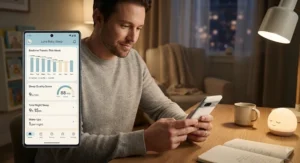
For families who want biometric-style data without an Owlet-level price tag, the Sense-U Smart Sock Shoe 2 is the pragmatic middle ground. Its transmissive PPG sensor — a step up from the reflective sensors in the original Sense-U sock — tracks heart rate and sleep patterns with what the manufacturer describes as improved accuracy, and critically, the sock works standalone with on-device light and audible alerts even without the app open. Here’s what to weigh: pairing it with the Sense-U Baby app unlocks the deeper sleep-analysis layer, but the device isn’t useless without your phone nearby, which is a meaningfully different design philosophy than fully cloud-dependent competitors. Reviewers frequently mention the price-to-feature ratio as the deciding factor, especially for budget-conscious households who still want more than a plain sound machine. The size range is the main constraint — it’s built specifically for babies roughly one to twelve months old, so it won’t grow with an older toddler the way Miku Pro‘s contact-free approach can. Bluetooth range is also shorter than Wi-Fi-based cameras, so a base station becomes worth adding once baby sleeps in a separate room.
Pros:
- ✅ Transmissive PPG sensor tracks heart rate with improved accuracy
- ✅ Works standalone with on-device alerts, no app required
- ✅ One of the most affordable wearable sleep trackers available
Cons:
- ❌ Sized only for babies roughly one to twelve months old
- ❌ Bluetooth range is shorter than Wi-Fi-based camera systems
At under $100 for the base sock, this is arguably the best entry point into wearable sleep metrics for parents easing into a data driven sleep training approach without a big upfront commitment.
7. Hatch Rest+ (2nd Gen) — best app-driven routine builder
Not every parent needs vitals or AI-powered danger detection — sometimes the actual problem is a toddler who doesn’t yet understand what “morning” means, and that’s where the Hatch Rest+ earns its spot on this list. It’s part sound machine, part night light, and fully controlled through the Hatch Sleep app, which is where the “analytics” angle comes in: the Routine Builder logs bedtime and wake patterns over time and adjusts light and sound cues accordingly, functioning less like a clinical tracker and more like a coaching companion for building consistent sleep habits. What most buyers overlook about this device is that it scales with age — the same unit that soothes a newborn with white noise later becomes a toddler’s time-to-rise alarm clock, extending its useful life well past the infant stage most competitors on this list are built for. Alexa integration means hands-free adjustments during a 3 a.m. diaper change, a small but genuinely appreciated convenience. Aggregated reviews are broadly positive on ease of setup, though a vocal minority reports connectivity hiccups after the 2nd-gen firmware update, worth flagging honestly rather than glossing over.
Pros:
- ✅ Combines white noise, night light, and routine builder in one app
- ✅ Grows with your child from newborn soothing into toddler wake training
- ✅ Alexa-enabled for hands-free control during nighttime changes
Cons:
- ❌ Tracks sleep routines rather than biometric or breathing data
- ❌ Some parents report connectivity issues after the 2nd-gen update
Pricing generally falls in the $70-$90 range, making it one of the more affordable entries — provided you understand you’re buying routine coaching, not medical-grade sleep metrics.
Top 7 Products: Full Comparison
| Product | Data Type | Price Range | Subscription | Best For |
|---|---|---|---|---|
| Nanit Pro Smart Baby Monitor | Video + sleep trends | $250-$300 | Optional | Long-term pattern tracking |
| Owlet Dream Sock | Pulse, oxygen, sleep | $300-$400 | Optional | Vitals-focused families |
| CuboAi Plus | Video + AI safety + sleep | $200-$300 | Recommended | Newborn safety priority |
| Miku Pro | Contact-free breathing + sleep | $300-$400 | Optional | Long-term, no wearable |
| Eufy SpaceView S340 | Video + basic sleep log | $80-$180 | None | No-subscription budget |
| Sense-U Smart Sock Shoe 2 | Heart rate + sleep | Under $100 | Optional | Affordable wearable data |
| Hatch Rest+ | Routine + sound/light | $70-$90 | None | Toddler routine coaching |
Scanning this table side by side, the split becomes obvious: Owlet Dream Sock and Miku Pro compete on clinical-grade data depth, Nanit Pro Smart Baby Monitor and CuboAi Plus compete on smart-camera intelligence, and Eufy SpaceView S340, Sense-U Smart Sock Shoe 2, and Hatch Rest+ compete on accessibility for families who don’t want a second mortgage’s worth of nursery tech. None of these is objectively “the best” — the right pick depends entirely on whether your top concern is vitals, safety alerts, or simply not paying a monthly fee.
Practical Usage Guide: Getting Real Data From Day One
Setting up any baby sleep analytics app well in the first week matters more than most parents expect, because the algorithms behind sleep-pattern analysis for a baby need a baseline before their predictions get genuinely useful. Start by placing the camera or sensor exactly where the manufacturer recommends — off-angle camera placement is a leading cause of “missed” wake detections in early reviews across nearly every brand on this list. During the first 30 days, resist the urge to reset or reconfigure the app after every confusing data point; most platforms need seven to ten consecutive nights of logging before wake-window predictions stabilize. A common mistake is skipping manual nap logging on days the device didn’t fully capture a sleep session, which quietly corrupts the dataset the app is learning from. For infant sleep optimization, set a simple weekly review habit — Sunday morning with coffee, five minutes, scanning for trend shifts rather than obsessing over single nights. Battery maintenance matters too: wearables like the Owlet Dream Sock and Sense-U Smart Sock Shoe 2 need a consistent nightly charging routine, or you’ll end up with gap-riddled data that looks like erratic sleep when it’s really just a dead battery.
Real-World Scenarios: Matching the Setup to Your Family
Consider a first-time parent of a colicky newborn who’s mainly anxious about breathing and safety through the night — for that household, CuboAi Plus or Miku Pro make more sense than a pure sleep-coaching app, since the priority is reassurance and real-time alerts over long-term trend graphs. Now picture a parent of a six-month-old who’s hit a sleep regression and wants to understand exactly what changed — that’s the ideal use case for Nanit Pro Smart Baby Monitor‘s multi-month trend view, which can reveal whether nap timing drifted before the regression started rather than after. A third scenario: a budget-conscious family expecting their second child, who already knows the basics of infant sleep and mainly wants a functional camera without recurring fees — Eufy SpaceView S340 covers that need without asking for a monthly commitment. And for a family managing a toddler’s bedtime resistance more than an infant’s biometrics, the Hatch Rest+‘s routine builder acts as a genuine parenting insights platform for behavior patterns, not vitals, which is exactly what that stage of parenting actually needs.
Problem → Solution: Common Infant Sleep Struggles, Solved With Data
Problem: Naps that seem to happen at random. Solution: log every nap for two weeks in Nanit Pro Smart Baby Monitor or Eufy SpaceView S340‘s app and look for the actual wake-window pattern hiding under the apparent chaos — most “random” naps follow a rhythm once enough data accumulates.
Problem: Anxiety about breathing or SIDS risk overriding sleep. Solution: a contact-free option like Miku Pro or an AI-alert camera like CuboAi Plus directly targets that fear with real-time notifications, which tends to reduce nighttime phone-checking far more than a plain video feed.
Problem: Frequent night wakings with no obvious cause. Solution: cross-reference wake times against room temperature and humidity data, which Nanit Pro Smart Baby Monitor logs automatically — a surprising number of “unexplained” wakings correlate with a nursery running a few degrees too warm.
Problem: Uncertainty about whether a wearable is comfortable. Solution: check aggregated review sentiment before buying — both Owlet Dream Sock and Sense-U Smart Sock Shoe 2 report generally positive comfort feedback, but a small subset of reviewers note skin sensitivity, so a short supervised trial period is worth building into your data driven sleep training approach.
Problem: Sleep data that never turns into an actual routine. Solution: pair raw tracking with a structured tool like Hatch Rest+‘s Routine Builder, which converts logged patterns into consistent light and sound cues instead of leaving data to pile up unused.
How to Choose a Baby Sleep Analytics App
- Decide what “data” actually means to you. Vitals like heart rate and oxygen point toward Owlet Dream Sock; pure sleep-pattern analysis for a baby points toward Nanit Pro Smart Baby Monitor or Miku Pro.
- Budget the subscription, not just the hardware. A $200 camera with a $150/year plan may cost more over 18 months than a $350 no-subscription device.
- Match the age range to the product. Wearable socks like Sense-U Smart Sock Shoe 2 top out around 12 months, while contact-free options like Miku Pro scale years further.
- Weigh safety alerts against sleep-coaching depth. CuboAi Plus leans safety-first; Nanit Pro Smart Baby Monitor leans coaching-first — few products do both equally well.
- Check caregiver-sharing support. Multi-caregiver households benefit from apps like Owlet’s, which supports up to four simultaneous logins.
- Consider data privacy preferences. Local-storage options like Eufy SpaceView S340 avoid third-party cloud dependence entirely.
- Read the return policy before the first night, not after. Comfort and fit for wearables genuinely vary baby to baby, and a lenient return window removes most of the risk.
Common Mistakes When Buying a Baby Sleep Analytics App
The single most common mistake is buying based on the sleekest app screenshots rather than what the hardware actually measures — a gorgeous dashboard built on basic motion-detection data isn’t the same as clinical-grade vitals tracking, and marketing rarely makes that distinction obvious. A close second is underestimating subscription costs; several products in this category advertise an appealingly low device price while quietly requiring $7-$13 a month to unlock the features that made you want it in the first place. Parents also frequently buy a wearable sized for their baby’s current age without checking the growth ceiling, then find themselves shopping again in eight months. Another overlooked pitfall: assuming every “AI” claim means the same thing — CuboAi Plus‘s computer-vision safety detection and a generic camera’s basic motion alerts are not remotely equivalent, despite sometimes sharing similar marketing language. Finally, some parents skip reading aggregated review sentiment around connectivity reliability, only to discover after purchase that a specific Wi-Fi router setup causes dropped connections — a five-minute search before buying would have flagged it.
✨ Ready to Build Your Nursery Tech Stack? 🔍 Compare the picks above side by side and check current pricing before you commit — availability shifts fast, and your future well-rested self will thank you.
Baby Sleep Analytics App vs Traditional Sleep Diaries and Guesswork
Before this category existed, “sleep tracking” meant a notebook by the crib and a parent’s frazzled memory — and it’s worth being honest about what’s genuinely improved versus what’s just marketed as improved. A traditional paper log or note-taking app captures what a parent remembers to write down, which research on sleep-diary reliability has long shown skews toward memorable events (a terrible night) over routine ones (a fine but unremarkable nap), creating a distorted picture over time. An automated infant sleep data tracker removes that bias entirely by logging every session regardless of how memorable it was, which is precisely why pediatricians increasingly ask for exported app reports rather than a parent’s verbal recap during checkups. That said, traditional methods have one advantage device-based tracking can’t replicate: zero cost, zero setup, and zero risk of a dead battery skewing a night’s data. For families who want the accuracy of automated pattern analysis without fully trusting an algorithm’s judgment calls, the most effective approach in practice is hybrid — let the sleep metrics tracking device handle the raw logging, and keep brief manual notes for context an app can’t capture, like teething or a schedule disruption from travel.
Long-Term Cost & Maintenance
Total cost of ownership tells a very different story than the sticker price alone, and it’s the calculation most product pages conveniently leave out. A Nanit Pro Smart Baby Monitor at roughly $275 with an annual Insights Premium plan near $50 lands around $325 in year one — reasonable, provided you actually use the coaching features enough to justify it. Owlet Dream Sock and Miku Pro sit higher on hardware alone, and while their optional membership tiers add real functionality, skipping them still leaves core safety and sleep tracking intact, so the “mandatory” cost is lower than it first appears. CuboAi Plus is the outlier worth flagging honestly: its most valuable AI features are effectively gated behind Cubo Care, making the subscription closer to mandatory than optional despite how it’s marketed. On the other end, Eufy SpaceView S340 and Hatch Rest+ both avoid recurring fees almost entirely, which over a three-year window can mean a meaningful gap — potentially $200-$400 — compared to subscription-dependent competitors. Maintenance-wise, wearables need periodic sensor cleaning and battery health checks, while camera systems mostly need firmware updates applied promptly, since outdated firmware is a disproportionately common cause of “my monitor stopped working” complaints across brands.
Features That Actually Matter (And Those That Don’t)
Genuinely useful: multi-week trend graphs that reveal drift over time, real-time vitals alerts for families with specific medical concerns, and local storage options for privacy-conscious households. Also genuinely useful, and underrated: caregiver-sharing support, since a sleep metrics tracking device that only one parent can check defeats half the point of automated logging. Less useful than the marketing suggests: hyper-granular minute-by-minute movement logs that most parents never open past the second week, and AI-generated “personality insights” some apps have started bolting on, which read more like novelty content than actionable data. Also worth skepticism: any claim that a product can “guarantee” better sleep — reputable brands, including several featured here, are careful to frame results as parent-reported confidence rather than clinical outcomes, and any listing that oversells certainty is worth reading more critically. The features that actually move the needle on tired-parent quality of life are almost always the boring, reliable ones: consistent connectivity, clear notifications, and a dashboard you can understand in ten seconds flat.
Safety, Privacy & Regulatory Guide
Only one product in this roundup, Owlet Dream Sock, carries FDA clearance for its vitals-tracking claims — that’s a meaningful distinction worth understanding rather than glossing over, since “FDA-cleared” and “wellness device” are not interchangeable marketing terms. Products marketed as wellness or safety aids, including CuboAi Plus and Miku Pro, can still offer genuinely useful alerts, but they aren’t positioned as medical diagnostic tools, and neither should replace guidance from a pediatrician. On the privacy side, cloud-dependent apps store video and sleep data on manufacturer servers, while local-storage options like Eufy SpaceView S340 keep that data on-device — a meaningful trade-off for privacy-conscious households to weigh deliberately rather than by default. Regardless of which device you choose, safe sleep fundamentals still apply above and beyond any app: the American Academy of Pediatrics’ safe sleep guidance still recommends a firm, flat sleep surface free of loose bedding regardless of what a monitor detects, and no analytics app should be treated as a substitute for those basics. For deeper background on infant sleep research generally, the NICHD Safe to Sleep campaign is a solid, government-run starting point that predates and outlasts any single product on the market.

Frequently Asked Questions
❓ Is a baby sleep analytics app worth buying?
❓ Do baby sleep tracking devices work with both iPhone and Android?
❓ How accurate are baby sleep analytics apps compared to a clinical sleep study?
❓ Can I use a baby sleep analytics app without paying a subscription?
❓ What is the best baby sleep analytics app for a newborn?
Conclusion
There’s no single “best” baby sleep analytics app here — there’s a best fit for your specific household, budget, and anxiety level. If deep, coached sleep-pattern analysis for a baby is the goal, Nanit Pro Smart Baby Monitor remains the most mature option on the market. If clinical vitals matter more than video, Owlet Dream Sock is the only FDA-cleared choice among wearables. Families prioritizing proactive safety alerts should look hard at CuboAi Plus, while those wanting a wearable-free approach that scales for years will find Miku Pro the most future-proof pick. Budget-conscious households shouldn’t feel like they’re settling with Eufy SpaceView S340, Sense-U Smart Sock Shoe 2, or Hatch Rest+ — each solves a real problem without the recurring-fee trap some premium competitors quietly build in.
Whatever you choose, remember that the device is a tool, not a substitute for pediatric guidance or established safe sleep practices. Used well, a good infant sleep data tracker turns three months of foggy, uncertain nights into a legible story — one that helps you, and eventually your baby, actually rest.
Recommended for You
- Air Quality Monitor Nursery: 7 Best Picks Parents Trust (2026)
- Smart Humidifier for Nursery: 7 Best Picks for 2026
- Smart Nursery Thermostat: 7 Picks Parents Trust in 2026
Disclaimer: This article contains affiliate links. As an Amazon Associate, I earn from qualifying purchases. If you purchase products through these links, we may earn a small commission at no additional cost to you.
✨ Found this helpful? Share it with your friends! 💬🤗
