

In This Article
An interactive storybook tablet for toddlers is a device — a screen-based tablet, a screen-free audio player, or a pen-and-book system — that brings stories to life through sound, touch, and animation instead of static pages alone. If you’ve ever handed your two-year-old your phone just to survive a grocery run, you already know the appeal, and also the guilt that comes with it.

Here’s the honest truth: not every interactive storybook tablet for toddlers is built the same, and the “best” one depends far more on your family’s habits than on any single spec sheet. Some parents want a full Android tablet with games and video baked in. Others want something that looks and feels nothing like a screen at all. This guide covers seven real, currently available devices — spanning budget Android tablets, screen-free audio players, a book-reading robot, and a stylus-based system — with honest analysis of what each one actually does well, and where it falls short. We dug into verified specs, aggregated review sentiment, and current research on how young readers actually build print awareness — the understanding that squiggly lines on a page represent spoken language — before writing a single word here, so you’re getting analysis, not a rewritten product listing.
Whether you’re weighing a touch-and-tap storybook device for toddlers against a screen-free option, or just trying to figure out whether an interactive reading tablet for kids is worth the money at all, you’ll find a clear comparison, real pricing, and honest pros and cons below.
Quick Comparison: Interactive Storybook Tablet for Toddlers at a Glance
| Product | Type | Best For | Price Range |
|---|---|---|---|
| Amazon Fire HD 8 Kids Tablet | Full-featured kids’ tablet | All-around value | $140-$160 |
| LeapFrog LeapPad Academy | Learning-first tablet | Curriculum-aligned learning | $110-$130 |
| Contixo A10 | Budget Android tablet | Budget-conscious families | $70-$100 |
| Yoto Player 4th Gen | Screen-free audio player | Cutting screen time | $99-$115 |
| Toniebox 2 | Screen-free figure player | Youngest toddlers (1+) | $139-$160 |
| Luka Reading Robot | Physical book-reading robot | Bilingual families | $150-$220 |
| LeapFrog LeapStart | Touch-and-tap pen system | Tactile, screen-free play | $25-$35 (+books) |
Looking at the table above, the Amazon Fire HD 8 Kids Tablet delivers the broadest value if you want one device that plays video, games, and stories, while the Yoto Player 4th Gen and Toniebox 2 are worth the switch if screen time is the actual problem you’re solving for. Budget-conscious families shouldn’t overlook the Contixo A10, which undercuts the premium tablets by $50-$80 without giving up a real story library.
💬 Just one click — help others make better buying decisions too!😊
Top 7 Interactive Storybook Tablets for Toddlers: Expert Analysis
We picked these seven specifically to span budget, mid-range, and premium options, plus a mix of screen and screen-free formats, because “best” genuinely depends on what your family is trying to solve.
1. Amazon Fire HD 8 Kids Tablet — best all-around value with a year of stories included
The Amazon Fire HD 8 Kids Tablet wraps an 8-inch HD screen in a chunky foam bumper case, and that bumper is doing real work — testers who put it through weeks of toddler abuse report it shrugging off drops onto hardwood and concrete without a scratch. Under the hood you get a hexa-core processor, 32GB of storage expandable via microSD, and a battery Amazon rates at 13 hours, though real-world testing lands closer to 12 hours of straight reading and roughly 10 hours of video. That’s genuinely enough runway for a cross-country flight plus a week of bedtime stories before it needs a charge.
What most buyers overlook about this model is that the price already includes a full year of Amazon Kids+ — thousands of ad-free storybooks, read-along ebooks, and learning apps — plus a two-year worry-free guarantee that swaps the tablet for free if it breaks. For toddlers just getting comfortable tapping and swiping, that combination of durability and a huge pre-loaded reading library is hard to beat. Reviewers consistently note that once the free year of Kids+ ends, the $5.99-a-month renewal is where the real cost lives, and a few parents flag that the interface feels a step behind Android’s smoother kids’ launchers.
Pros:
- ✅ A full year of ad-free storybooks and learning apps included
- ✅ Rugged foam case survives real toddler drop tests
- ✅ Two-year worry-free replacement guarantee
Cons:
- ❌ Subscription cost creeps in once the first free year ends
- ❌ Limited to Amazon’s Appstore, so app selection trails Android
Expect to pay in the $140-$160 range for the tablet and case bundle, and given everything included in that price, the Amazon Fire HD 8 Kids Tablet remains one of the stronger value plays on this list.

2. LeapFrog LeapPad Academy — most learning-focused curriculum for ages 3-8
The LeapFrog LeapPad Academy leans hard into “learning first, entertainment second,” and that shows the moment you turn it on: the home screen organizes content by skill — reading, math, coding, creativity — rather than by app icons competing for a toddler’s attention. The 7-inch, 1024×600 display and Android 10 base aren’t going to win spec-sheet contests in 2026, and independent reviewers have flagged some lag loading heavier apps on the second-generation hardware. But the tablet ships with roughly $175 worth of educator-approved content already installed, and access to the LeapFrog App Center adds hundreds more titles built specifically around early reading milestones like letter-sound matching and sight words.
Based on the spec comparison with general Android tablets, the tradeoff here is intentional: LeapFrog sacrifices raw horsepower and app variety for a walled garden a first-time parent doesn’t have to police as closely. Aggregated reviews split along exactly that line — families who want a dedicated, curriculum-aligned device rate it highly, while parents hoping it would “grow” with their child past age 6 or 7 often say the hardware and library feel outgrown fast.
Pros:
- ✅ Roughly $175 in preloaded, educator-approved learning content
- ✅ Curriculum aligned specifically to reading and math milestones
- ✅ Strong, granular parental controls right out of the box
Cons:
- ❌ Dated 1024×600 display and slower processor versus general tablets
- ❌ App library limited almost entirely to LeapFrog’s own ecosystem
At around $110-$130, the LeapFrog LeapPad Academy earns a strong value verdict specifically for ages 3-6, less so for households planning to hand it down to an 8-year-old.
3. Contixo A10 (2026 Model) — most affordable full Android tablet with a real story library
The Contixo A10 is proof that a budget Android tablet can still show up with a legitimate reading library attached — it bundles a trial of Epic!, a subscription service with thousands of digital picture books, alongside Lingokids and 14 in-house Contixo Academy apps covering language, math, and early coding. Spec-wise it punches above its price bracket: Android 15, an octa-core processor, 4GB of RAM, and 64GB of storage expandable up to 1TB, wrapped around a 10.1-inch HD display.
Here’s what to weigh: this is a general Android tablet with a kids’ shell layered on top, not a purpose-built learning device, so parental controls are more basic than Amazon’s or LeapFrog’s — no remote management or usage reports, according to independent testing. For a toddler who mostly wants to tap through storybooks and simple games, that’s a reasonable tradeoff for the price. What reviewers note most often is that the free trials for Epic! and Lingokids are genuinely useful on day one, but both convert to paid subscriptions after 30 days, so the “included” library isn’t permanent unless you keep paying.
Pros:
- ✅ Full Android tablet performance at a fraction of premium prices
- ✅ Ships with Epic! and Lingokids trial access built in
- ✅ Expandable storage up to 1TB for growing libraries
Cons:
- ❌ Parental controls are basic compared with Fire or LeapFrog
- ❌ Story-app trials convert to paid subscriptions after 30 days
Priced in the $70-$100 range, the Contixo A10 is the pick for budget-conscious parents who want a real tablet experience without a premium price tag.
4. Yoto Player 4th Gen — best screen-free option for read-along audio
The Yoto Player 4th Gen solves a very specific parenting problem: how do you get read-along, storybook-style content in front of a toddler without putting a screen in front of them? The device is essentially a speaker with a card slot — kids physically insert a Yoto card to trigger a story, song, or podcast, and a small pixel-art display shows simple, non-video visuals tied to the audio. This generation adds a physical Green Button for hands-free story requests, aimed squarely at toddlers who can’t yet navigate an app menu.
Reviewers who’ve run it for years alongside competing devices report battery life around 24 hours per charge, which dwarfs most screen-based tablets. Based on the spec comparison, the tradeoff is content cost: individual cards run $9.99-$14.99, though the built-in Yoto Daily, Yoto Radio, and free licensed audio reduce how often you need to buy new ones. What most buyers overlook is that lost or damaged cards can be re-downloaded to a replacement card via the companion app, unlike some competing figure-based systems.
Pros:
- ✅ Genuinely screen-free, reducing reliance on video content
- ✅ Roughly 24-hour battery life on a single charge
- ✅ Lost content can be re-downloaded to a replacement card
Cons:
- ❌ Individual story cards add up if you buy heavily
- ❌ No built-in video option if your toddler wants that later
Expect to pay in the $99-$115 range for the player itself, and for parents actively trying to cut screen time, the Yoto Player 4th Gen earns its reputation as the category benchmark.
5. Toniebox 2 — easiest for the youngest hands to operate independently
The Toniebox 2 is built around the single easiest interaction of any device on this list: set a soft, huggable figure called a Tonie on top of the box, and audio starts immediately. Lift it off, and the audio stops. There’s no menu, no card to align just right, and no button sequence to memorize — exactly why it’s certified for children as young as one, younger than every other device here. The redesigned second-generation box charges over a universal USB-C cable instead of the original’s proprietary charger, and battery life lands around 10 hours of continuous play.
The padded, rounded shell is genuinely durable — one reviewer reported hers surviving an accidental bath. What most buyers overlook is that Tonieplay, the new interactive game layer added in this generation, requires a separate controller accessory and physical game pieces that are easy for a toddler to misplace, so it’s worth budgeting storage space for those parts. Aggregated reviews consistently praise how quickly toddlers as young as 10-12 months learn to operate it themselves, giving them real ownership over story time.
Pros:
- ✅ Certified for children as young as 1 year old
- ✅ Simplest possible interaction — no screen or menu at all
- ✅ Durable, huggable design built for rough toddler handling
Cons:
- ❌ Individual Tonies figures cost around $15-20 each regardless of length
- ❌ Tonieplay game pieces are small and easy to lose
Starter bundles run $139-$160, and while that’s a real up-front investment, the Toniebox 2 remains one of the few devices genuinely designed around a 1-year-old’s motor skills rather than a preschooler’s.

6. Luka Reading Robot — best for reading real books aloud in two languages
Where every other device on this list plays digital content, the Luka Reading Robot does something different: it reads your family’s actual physical picture books aloud, page by page, using onboard cameras and recognition software its developer says can identify more than 20,000 English and 70,000 Chinese titles. Shaped like a friendly owl, it’s designed to sit on a shelf and narrate whatever book a child sets in front of it, in any page order, which mimics the unpredictability of a real bedtime read far more closely than a fixed digital storybook does.
For bilingual families, or any parent trying to build Mandarin exposure without being fluent themselves, this is a genuinely different value proposition than a tablet or audio player — reviewers who’ve used it for years describe it as a language lifeline for households without a native-speaking parent at home. Here’s what to weigh: recognition isn’t universal, so books outside its library trigger a generic response rather than the actual story, though parents can record their own narration to cover the gap. It’s also a one-time purchase with no ongoing subscription, a rarity in this category.
Pros:
- ✅ Reads thousands of real, physical picture books aloud automatically
- ✅ Strong bilingual English-Mandarin content library
- ✅ One-time purchase with no required subscription
Cons:
- ❌ Books outside its recognition library aren’t narrated accurately
- ❌ Higher upfront price than most screen-free competitors
Pricing typically falls in the $150-$220 range depending on the model, and for language-focused or book-collecting families, the Luka Reading Robot fills a gap nothing else on this list touches.
7. LeapFrog LeapStart — best tactile, pen-based alternative to a screen
The LeapFrog LeapStart is the truest touch-and-tap storybook device in this roundup, because it isn’t a screen at all — it’s a stylus that reads invisible dot patterns printed on the pages of compatible activity books, triggering audio, questions, and games as a child touches words, pictures, or answer choices. That tactile, book-in-hand format is exactly what many parents are chasing when they search for a screen-lighter alternative to a full tablet.
The system ships with a sample book and grows through a library of more than 25 titles sold separately, each built around a specific skill — letters, counting, problem-solving — with two difficulty levels per book so it can stretch from age 2 through first grade. Reviewers repeatedly highlight the stylus’s chunky, grip-friendly design as genuinely helpful for building proper pencil grip before a child ever picks up a real pencil. What most buyers overlook is that the base unit is nearly useless without buying additional books, so the real cost of building out a library adds up faster than the low entry price suggests, and each new book requires a computer with internet access to activate.
Pros:
- ✅ Genuinely screen-free while still feeling interactive
- ✅ Chunky stylus helps build proper pencil grip early
- ✅ Library spans preschool through first-grade skill levels
Cons:
- ❌ Individual activity books cost $15-20 each and add up fast
- ❌ Requires a computer with internet access to activate new books
The base system runs $25-$35, but budget for a growing shelf of books at $15-20 apiece — the LeapFrog LeapStart rewards families willing to invest in the full library, not just the pen.
Top 7 Products: Specs, Price, and Best-Fit Comparison
| Product | Age Range | Screen? | Price Range | Best For |
|---|---|---|---|---|
| Amazon Fire HD 8 Kids Tablet | 3-7 | Yes | $140-$160 | All-around value |
| LeapFrog LeapPad Academy | 3-8 | Yes | $110-$130 | Curriculum-aligned learning |
| Contixo A10 | 3-12 | Yes | $70-$100 | Budget shoppers |
| Yoto Player 4th Gen | 3-12 | No | $99-$115 | Cutting screen time |
| Toniebox 2 | 1+ | No | $139-$160 | Youngest toddlers |
| Luka Reading Robot | 2-8 | No | $150-$220 | Bilingual households |
| LeapFrog LeapStart | 2-7 | No | $25-$35 (+books) | Tactile, screen-free play |
Four of these seven picks are entirely screen-free, which tells you something about where this category has moved in 2026 — plenty of parents now want the “interactive” part of an interactive storybook tablet for toddlers without the screen attached to it. Cost of ownership varies wildly too: the LeapFrog LeapStart has the lowest entry price but the highest long-run cost once you’re buying books regularly, while the Amazon Fire HD 8 Kids Tablet front-loads its cost but includes a full year of content for free.
Setting Up Your New Storybook Device for Success
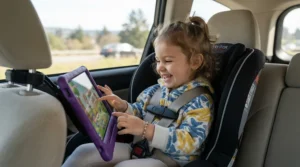
Whatever you pick, the first 30 days matter more than the spec sheet. Start by registering the device under a parent account before your toddler ever touches it — every tablet on this list, and even the Yoto and Toniebox apps, gate content behind a setup step that’s much easier to do without a two-year-old pulling at your sleeve. Load 5-10 pieces of content up front rather than the full library; a toddler faced with 200 icons will freeze, while five well-chosen storybooks or Tonies figures get explored fully.
Build a simple charging routine immediately — a designated shelf or basket by the door works better than “wherever it ends up,” since a dead battery at bedtime is the single most common first-month complaint across every device type here. For screen-based tablets, set daily time limits in the parental dashboard on day one rather than waiting until habits form; it’s far easier to hold a limit from the start than to introduce one later. For pen-and-book or figure-based systems, do a quick weekly wipe-down — sticky toddler fingers and stylus tips are a common source of misreads, and a soft cloth resolves most of them. Finally, resist the urge to buy the entire book or card library at once; most kids fixate on two or three favorites for weeks before wanting more, so staggered purchases save money without limiting engagement.
Which Storybook Player Fits Your Family: Three Real-World Scenarios
The bilingual household with a non-native-speaking parent. If you’re raising a child in two languages but aren’t fluent yourself, the Luka Reading Robot solves a problem no tablet touches — it reads your existing Chinese-language picture books aloud with native pronunciation, letting you keep bedtime reading in the home language even if you can’t do it yourself.
The family actively trying to cut screen time. If your goal is genuinely to reduce time in front of any screen, pair the Yoto Player 4th Gen for car rides and quiet time with the Toniebox 2 for a toddler under two who isn’t ready for cards. Both plug directly into a bedtime routine without opening the door to video content by accident.
The budget-conscious family with two kids at different stages. If you’re outfitting a 2-year-old and a 5-year-old on one budget, the Contixo A10‘s broader age range (3-12) and expandable storage let one device stretch further than a narrowly targeted product like the LeapPad Academy, while still leaving room in the budget for a LeapFrog LeapStart as a screen-free supplement.
✨ Don’t Miss These Exclusive Deals!
🔍 Take storytime to the next level with these carefully selected picks. Click on any highlighted item to check current pricing and availability. These devices help build genuine reading habits your whole family will enjoy!
How to Choose an Interactive Reading Tablet for Kids
Picking the right device comes down to seven practical questions, in roughly this order of importance:
- Decide screen or screen-free first. This single choice eliminates half the market immediately and should be driven by your household’s actual screen-time goals, not marketing copy.
- Match the age certification to your child, not your hopes. A device rated 3+ used by a 15-month-old will frustrate everyone; the Toniebox’s 1+ certification exists for a reason.
- Check the real ongoing cost, not just the sticker price. Subscription renewals, card libraries, and activity books can double the effective price within a year.
- Look at durability specifically for toddler use. Foam bumpers, sealed batteries, and huggable shells matter more here than raw processing power.
- Confirm parental control depth. Remote time limits and content filtering vary enormously between brands, and this is the wrong place to assume “it’ll be fine.”
- Weigh battery life against your actual use case. A car-ride device needs different battery specs than a bedside player charged nightly.
- Consider whether the device grows with your child. Some systems, like LeapStart, explicitly scale in difficulty; others are built for a narrower window and get outgrown fast.
Interactive Storybook Tablets vs Traditional Print Books: What the Research Says
The honest answer is that neither format wins outright — they build different, complementary skills. Traditional print books are still where children develop the deepest print awareness, the earliest understanding that written language carries meaning, largely because a caregiver’s voice, pacing, and pointing at words during a shared read are hard for any device to fully replicate. Interactive storybook tablets and audio players add something print alone doesn’t: independent replayability, built-in pronunciation modeling, and — for devices like Luka — narration in a language the parent may not speak fluently.
| Feature | Interactive Storybook Devices | Traditional Print Books |
|---|---|---|
| Best For | Independent play, travel, bilingual exposure | Shared reading, deep print awareness |
| Replayability without adult help | High | Low |
| Builds parent-child reading bond | Moderate | High |
| Portability | Varies by device | Very high |
| Ongoing cost | Often recurring | One-time per book |
Looking at the comparison above, the practical answer most literacy specialists land on is “both, deliberately” — using an interactive storybook tablet for toddlers during independent play or travel, while protecting a nightly print-book routine as the anchor for the deeper relational and print-awareness benefits. Devices that read physical books aloud, like Luka, or ones that mimic a book’s page-and-pen mechanics, like LeapStart, sit in an interesting middle ground between these two poles.

Common Mistakes When Buying an Interactive Storybook Tablet for Toddlers
The single most common mistake is buying based on the age range printed on the box rather than your specific child’s fine motor skills and attention span — a “3+” tablet can genuinely frustrate a young, impatient three-year-old who hasn’t developed the tap precision the interface assumes. A close second is ignoring the subscription math entirely; a $110 tablet that requires $6-$15 a month in content fees can cost more over two years than a $220 one-time purchase like the Luka Reading Robot.
Parents also frequently underestimate durability needs, buying a sleek adult-style tablet case instead of a purpose-built kids’ bumper, which shows up fast as cracked screens within the first few months. Another overlooked issue is assuming “interactive” automatically means “educational” — some flashy touch-and-swipe apps offer little more than digital busywork, so it’s worth checking whether a device’s content library was actually built around literacy or numeracy milestones versus generic entertainment repackaged as learning. Finally, many families buy for the child they have today without checking whether the device’s content library or difficulty scales — a mistake that leads to an expensive device gathering dust within a year.
Read-Along Technology and Early Literacy Skills: What Actually Transfers to Reading
Read-along technology — audio or on-screen narration that highlights or pronounces words as a child follows along — genuinely does build measurable pre-reading skills, but the research is specific about which ones. Devices that pair spoken words with visible text or tactile page-turning tend to support vocabulary growth and phonological awareness, the ability to hear and manipulate the individual sounds in words, more reliably than passive video content does. That distinction matters: a storybook app where a child taps a word to hear it sounded out is doing something structurally different from a cartoon playing in the background, even though both technically involve a screen.
Independent research on early screen exposure backs up this nuance rather than condemning devices outright — a mixed-methods study on caregiver awareness of screen time recommendations found that parents who understood current guidance made meaningfully different choices about what their toddlers used and for how long, which is exactly why content quality, not just screen presence, is the variable worth optimizing for. In practice, this means devices like the LeapPad Academy, LeapStart, and Luka Reading Robot — all built specifically around letter-sound correspondence and page-by-page narration — are doing more literacy-specific work than a general entertainment tablet loaded with the same storybook apps, even if the hardware looks similar from the outside.
Screen Time, Safety & Pre-Reading Development: A Parent’s Compliance Guide
Current pediatric guidance has shifted meaningfully in the last two years, and it’s worth knowing where the goalposts actually sit before buying anything. The American Academy of Pediatrics’ updated 2026 digital media guidance now recommends no screens before 18 months, roughly one hour of high-quality content daily for ages 2 to 5, and moves the broader conversation away from a single time limit toward what a child is actually using and what it may be crowding out. That framing is genuinely useful when comparing devices on this list: an hour with a phonics-focused reading app is doing different work than an hour of passive video, even though both count as “screen time” on a stopwatch.
For pre-reading development specifically, safety comes down to three practical checks: confirm any tablet has robust parental content filtering (not just a “kids mode” toggle), avoid devices that push in-app purchases a toddler could accidentally trigger, and prioritize physical safety features like shatterproof screens and choke-hazard-free accessories for children under three. Screen-free options like the Yoto Player and Toniebox sidestep several of these concerns entirely by design, which is a meaningful part of their appeal for cautious first-time parents.
Long-Term Cost & Maintenance: What These Devices Really Cost Over Time
Sticker price is the least reliable number in this entire category. The Amazon Fire HD 8 Kids Tablet looks mid-range at $140-$160, but its included year of Amazon Kids+ means the effective first-year cost per month of content is actually lower than devices that charge from day one. The LeapFrog LeapStart, by contrast, has the cheapest entry point on this list at $25-$35, yet a family building even a modest 10-book library will spend $150-$200 within the first year — quietly becoming one of the pricier options here despite its low sticker price.
Screen-free audio systems split similarly: Yoto cards run $9.99-$14.99 each but content never expires and can be re-downloaded if lost, while individual Toniebox figures cost $15-20 and, per user reports, are not easily recoverable if a figure itself is lost or damaged. The Luka Reading Robot is the rare device with a genuinely flat long-term cost — no subscription, no per-book fees, since it reads books you already own or buy independently of the device. Maintenance-wise, expect to replace styluses and cards roughly once a year in high-use households, and budget for a case replacement on any device your toddler carries daily.

Frequently Asked Questions
❓ What age is best for an interactive storybook tablet for toddlers?
❓ Do interactive storybook tablets actually help with early literacy skills?
❓ Is a screen-free digital storybook player better than a tablet?
❓ How much should I expect to spend on an interactive reading tablet for kids?
❓ Can read-along technology replace bedtime reading with a parent?
Conclusion
There’s no single best interactive storybook tablet for toddlers — there’s a best one for your specific household, budget, and screen-time philosophy. If you want one device that does everything, the Amazon Fire HD 8 Kids Tablet remains the safest all-around bet in 2026. If cutting screen time is the actual goal, the Yoto Player 4th Gen and Toniebox 2 solve that far more directly than any tablet can. Bilingual families have a genuinely unique option in the Luka Reading Robot, while budget shoppers get real value from the Contixo A10, and tactile learners benefit from the LeapFrog LeapStart‘s pen-and-book format.
What all seven share, and what this category has quietly figured out since the earliest CD-ROM interactive storybooks of the 1990s, which targeted kindergarten-age readers, is that “interactive” only helps a young reader when it’s built around genuine early literacy skills — phonics, vocabulary, print awareness — rather than entertainment dressed up as education. Use the comparison tables above to shortlist two or three candidates, weigh the real long-term cost against the sticker price, and pick the one that fits the reading habit you’re actually trying to build.
Recommended for You
- 7 Best Language Learning Toys For Bilingual Toddlers In 2026
- Smart Building Blocks vs Traditional Blocks: 7 Honest Picks (2026)
- 7 Best Coding Toy for Kids Ages 4-6 Picks in 2026
Disclaimer: This article contains affiliate links. As an Amazon Associate, I earn from qualifying purchases. If you purchase products through these links, we may earn a small commission at no additional cost to you.
✨ Found this helpful? Share it with your friends! 💬🤗
