
In This Article
Somewhere between the toddler years and full-blown homework battles, there’s a sweet spot where a kid’s brain is basically begging to be handed a puzzle. That’s exactly the window a good coding toy for kids ages 4-6 is built for. Not because your four-year-old needs to learn Python before kindergarten — nobody’s suggesting that — but because the skill underneath “coding” is really just sequencing: first this, then that, then the other thing. Kids this age are already doing it when they line up dominoes or plan how to sneak a cookie past you.
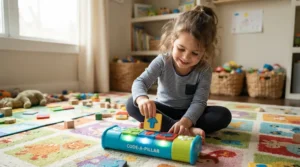
So what is a coding toy for kids ages 4-6? It’s a hands-on device — usually a small robot, a set of physical cards, or a caterpillar-shaped gadget with dials — that lets a preschooler give step-by-step commands and watch them play out in the real world, no reading or screen required. Think of it as training wheels for logical thinking, dressed up as a toy.
We dug through real product listings, manufacturer specs, and aggregated review sentiment across seven genuinely available options — from wooden Montessori-style robots to app-optional color-sensing cars — so you’re not left guessing between marketing copy and what actually holds up in a living room full of Legos. Every product below gets the specs-plus-context treatment: what the feature is, and what it actually means once a preschooler gets their hands on it. As early childhood researchers at NAEYC have pointed out, coding is only meaningful once foundational higher-order thinking skills are already in place, which is exactly why the right entry point matters more than the flashiest feature list.
Quick Comparison Table
Before the deep dive, here’s the 30-second version for parents who are currently being climbed on by a toddler and need the highlights fast.
| Toy | Best For | Screen-Free? | Price Range |
|---|---|---|---|
| Botley 2.0 | All-around first robot, ages 5-6 | Yes | $65-$85 |
| Cubetto+ | Montessori families, ages 3-6 | Yes | $150-$230 |
| Code & Go Robot Mouse | Budget-conscious maze lovers | Yes | $50-$85 |
| Sphero Indi | Growing with your child into app coding | Optional | $100-$125 |
| Bee-Bot | Classrooms and multi-kid households | Yes | $60-$100 |
| Code-a-Pillar Twist | True beginners, ages 3-4 | Yes | $40-$50 |
| Coding Critters Rumble & Bumble | Pretend-play kids who need a story hook | Yes | $40-$50 |
Looking at the spread, price and complexity track together pretty closely: the wooden Cubetto+ sits at the premium end because of its Montessori pedigree and rechargeable hardware, while Code-a-Pillar Twist and Coding Critters Rumble & Bumble anchor the budget tier for families who just want to test the waters. Sphero Indi is the outlier — it’s screen-free out of the box but has real headroom into app-based block coding later, which is worth the extra cost if you want one toy to last through age 8 or so.
Found a favorite already? Bookmark this page and come back before you buy — the comparisons below might change your mind.
Top 7 Coding Toys for Kids Ages 4-6: Expert Analysis
We picked these seven specifically to cover budget, mid-range, and premium price points, plus a mix of pure screen-free mechanics and one app-optional upgrade path. Every entry below is a real, currently sold product — no invented models, no filler.
1. Botley 2.0 — best all-around first coding robot
The screen-free remote programmer is the standout here, and it’s worth expanding on: kids press directional buttons on a separate controller, then watch Botley 2.0 execute the sequence, which means the “coding” step is fully separated from the “watching it happen” step — a distinction that mirrors real programming far more than toys where you just push a single button on the robot itself. The 78-piece activity set includes 40 coding cards, six double-sided maze boards, and stackable obstacle pieces, and the robot itself can store sequences up to 150 steps long across six directions. In practice, that step ceiling matters less for a five-year-old building a three-move path to a cup than it does for a six-year-old chaining together a full obstacle course — the toy has real room to grow.
Based on the spec comparison with cheaper single-function robots, Botley 2.0‘s 16 “secret” transformation modes (train, police car, ghost) are what keep kids returning to it after the novelty of basic movement wears off, since the coding challenge resets every time they chase a new disguise. One hands-on reviewer who tested the unit with a professional STEM teacher noted the black-line sensor stopped working reliably on their sample, so it’s worth a quick functionality check during setup rather than assuming everything works flawlessly out of the box.
Botley 2.0 is best suited for kids on the older end of the 4-6 range — Learning Resources markets it for ages 5 and up — who already have basic button-pressing dexterity and want a toy that scales in complexity rather than one they’ll outgrow in a month.
Pros:
- ✅ 150-step memory scales from simple to genuinely complex sequences
- ✅ 16 transformation modes keep replay value high long-term
- ✅ Fully screen-free remote programmer teaches true sequencing logic
Cons:
- ❌ One tested unit had a line-sensor reliability issue
- ❌ Requires 5 AAA batteries not included in the box
Botley 2.0 runs in the $65-$85 range depending on whether you get the 46-piece or 78-piece set, and check current price before buying since retailers rotate bundle sizes. For a first robot that won’t feel babyish by age six, it’s a strong value.
2. Cubetto+ — the Montessori-approved screen-free pioneer
The wooden, tactile block system is the standout feature, and it’s a genuinely different approach from anything plastic and button-based: kids physically place colored blocks — forward, left, right, function — onto an interface board, then press one button to send Cubetto+ rolling along the path they built. There’s no screen at any point in the process, not even for setup, which is rare even among “screen-free” competitors that still lean on a companion app for programming logic. The control board supports up to 18 steps in its main sequence, with additional steps available through function blocks, and the whole system is rechargeable via USB-C rather than relying on disposable batteries.
What most buyers overlook about Cubetto+ is that its appeal isn’t really about robot sophistication — it’s about accessibility for kids who can’t yet read or count reliably, since the color-and-shape coding language sidesteps literacy entirely. That’s precisely why Montessori schools worldwide adopted the original Cubetto as a pre-digital introduction to computer science concepts. Reviewers and adopting institutions consistently frame it as the “first” computer science product they’ve incorporated without hesitation, language that shows up repeatedly in classroom testimonials rather than isolated one-off praise.
The tradeoff is complexity ceiling: 18 steps is plenty for a four-year-old’s first maze, but it won’t keep a precocious six-year-old challenged for as long as a robot with a 150-step memory. Cubetto+ is best for families who prioritize screen-free purity and tactile, sensory-friendly materials over raw programming depth, and who don’t mind paying a premium for wood construction and USB-C rechargeability.
Pros:
- ✅ Zero screen exposure at any point, including programming
- ✅ Rechargeable USB-C battery avoids disposable battery waste
- ✅ No reading or counting fluency required to start playing
Cons:
- ❌ Premium price compared to plastic robot alternatives
- ❌ 18-step sequence ceiling limits long-term complexity growth
Expect to pay in the $150-$230 range depending on which bundle (Logic Pack, Adventure Pack) you add, and prices may vary by retailer, so check current price before checkout. For families who want the “purest” screen-free coding experience on this list, the premium buys real peace of mind.
3. Code & Go Robot Mouse Activity Set — best value maze-based coder
The 83-piece maze-building set is the standout, and here’s what that piece count actually buys you: 16 maze grid tiles that snap into a 20-inch by 20-inch board, 22 maze walls, and 3 tunnels, which means the layout changes every single session instead of being locked into one fixed track. Kids use 30 double-sided coding cards to plan out Colby, the robot mouse’s, path in advance — a “plan before you press play” workflow that builds prediction skills you don’t get from toys that let you course-correct mid-run. Colby himself supports sequences up to 40 steps, lights up, and offers two speed settings, with colored buttons that visually match the coding cards for easier cross-referencing during setup.
On Target’s platform, this set carries a 4.3 out of 5 star rating across 449 reviews, a healthy sample size that suggests the core mechanic holds up across a wide range of households and classrooms. Aggregated reviewer sentiment on Walmart is largely positive, though it’s honest to flag that a handful of buyers reported the mouse doesn’t always complete a full 90-degree turn depending on flooring texture, and one reviewer described the tunnel pieces as a loose fit. Reviewers consistently note that a simple nudge resets Colby back on track when a turn comes up short, so it’s a minor annoyance rather than a dealbreaker.
What most buyers overlook here is the price-to-piece-count ratio: at a lower price than several competitors, you’re getting one of the largest physical footprints of any set on this list, which matters if your child thrives on building and rebuilding the maze itself as much as programming the mouse.
Pros:
- ✅ 4.3-star rating across 449 reviews on a major retail platform
- ✅ Reconfigurable 20-inch maze board adds long-term replay variety
- ✅ Affordable relative to piece count and included accessories
Cons:
- ❌ Some reviewers report inconsistent 90-degree turns on certain floors
- ❌ A few buyers note the plastic tunnel pieces fit loosely
Price sits in the $50-$85 range, with the classroom bundle running considerably higher, so check current price for the specific configuration you want. For budget-focused parents who want maximum physical play value, this is hard to beat.
4. Sphero Indi — best for growing into app-based coding later
The color-tile sensor system is the standout feature, and it’s worth unpacking why it’s clever: Sphero Indi reads eight distinct silicone color cards through an onboard sensor, with each color triggering a specific action — light green for fast, yellow to slow, red to stop, plus 45- and 90-degree turn cards and a purple “celebrate” tile. Kids arrange these cards into physical sequences on the floor, which means the entire experience starts screen-free even though an app exists in the background. That app, Sphero Edu Jr, becomes relevant later: it introduces drag-and-drop block coding once a child outgrows pure color-card logic, which is the single biggest differentiator on this list — most screen-free toys have a hard ceiling, while Sphero Indi is explicitly designed to bridge into genuine block-based programming as your child ages toward 7 or 8.
Based on the spec comparison with Bee-Bot and Botley, Sphero Indi‘s rechargeable battery and built-in Bluetooth connectivity put it closer to a long-term STEM investment than a single-stage toy. One parent reviewer who tested it with a four-year-old noted the child had no trouble recharging it independently via the included USB cable, a small but telling detail about how approachable the hardware is for small hands. What the spec sheet won’t tell you, but reviewer accounts suggest, is that the celebration sounds and onboard speaker do a lot of heavy lifting for keeping younger kids engaged between coding challenges, functioning almost like positive reinforcement built into the hardware itself.
The tradeoff is cost: at $100-$125, Sphero Indi sits closer to premium territory, and getting the full app-based value out of it eventually requires a shared tablet or phone.
Pros:
- ✅ Screen-free color-tile coding with a genuine app-based upgrade path
- ✅ Rechargeable battery and Bluetooth connectivity built in
- ✅ Four-year-olds can operate and recharge it independently
Cons:
- ❌ Higher price point than most screen-free entry-level robots
- ❌ Full feature set eventually requires a shared tablet or phone
Pricing runs $100-$125 for the individual kit, and prices may vary between the robot-only and At-Home Learning Kit bundles, so check current price before deciding which bundle fits your budget.
5. Bee-Bot — most classroom-tested precision robot
Movement precision is the standout feature here, and the numbers back it up in a way most toys in this category simply don’t publish: Bee-Bot moves in exact 6-inch steps with a documented accuracy tolerance of about 5/16 of an inch, and turns 90 degrees with roughly 4% deviation. That level of specificity might sound like overkill for a preschool toy, but it’s precisely what makes Bee-Bot so trusted in classrooms — when a kindergarten teacher is running a lesson where twelve kids need consistent, repeatable results, “close enough” turns aren’t good enough. The robot holds a 200-step memory, more than most direct competitors, and it’s rechargeable via USB for roughly 500 charge cycles, which is a meaningful durability claim for a device that’s going to survive years of classroom rotation.
Here’s what most buyers overlook about Bee-Bot: it can detect and interact with other Bee-Bot or Blue-Bot units nearby, which opens up genuinely collaborative coding challenges between two kids rather than solo play — a feature that’s harder to find at this price tier. Real classroom feedback consistently describes it as “just the right size for small hands,” with directional buttons simple enough that new coders succeed quickly rather than getting frustrated by an overwhelming interface.
The honest downside is that a bare single-unit purchase doesn’t include a maze mat or activity cards, so most families end up buying a starter pack to get real play value, which pushes the effective price higher than the robot alone suggests.
Pros:
- ✅ Documented movement precision (±5/16″ forward, ±4% on turns)
- ✅ 200-step memory and roughly 500 rechargeable battery cycles
- ✅ Can interact with other Bee-Bot units for collaborative coding
Cons:
- ❌ Single-unit purchase excludes maze mat and activity cards
- ❌ Interface is more basic than color-tile or app-upgradeable options
A standalone Bee-Bot runs $60-$100, while starter packs with mats and cards climb toward $200, so check current price on the specific bundle before buying. If your household has more than one child or you’re buying for a classroom, its interaction feature earns its keep.
6. Fisher-Price Think & Learn Code-a-pillar Twist — best for true first-time coders
The twist-dial programming mechanic is the standout feature, and it solves a real problem: younger kids in the 4-6 range don’t always have the fine motor control or patience for card-matching or button-sequencing, but they can absolutely turn a dial. Each of Code-a-pillar Twist‘s body segments has a dial that selects a direction — straight ahead, turn left, turn right — or an effect like music or silly sound, and Fisher-Price advertises more than 1,000 possible coding combinations across the segment set. On paper this means near-infinite replayability from a relatively small toy, and in practice it means a preschooler can meaningfully change the outcome without needing to read a single instruction card.
What most buyers overlook is that this toy sidesteps the two biggest early-coding barriers at once — reading and precise sequencing input — by reducing the entire interface to twist-and-play. Reviewers on major retail platforms consistently praise the ease of use and educational value, though a recurring theme in aggregated feedback is that it performs better for kids on the upper end of the age range (closer to 4-6) than for true toddlers, since assembling the segments in the right order still takes some planning.
A few parent reviews also mention the sound effects can get repetitive during extended play sessions, which is worth knowing if you’re sensitive to noisy toys in a small living room. At under $50, it’s the most accessible true beginner’s coding toy on this list, and its low complexity ceiling is arguably a feature rather than a bug for a first-time coder who just needs to grasp cause and effect.
Pros:
- ✅ Twist-dial interface needs no reading or card-matching skills
- ✅ Over 1,000 possible coding combinations for genuine replay value
- ✅ Lowest price point among screen-free options on this list
Cons:
- ❌ Reviewers note it suits the upper end of the 4-6 range better than true toddlers
- ❌ Sound effects can feel repetitive during extended sessions
Code-a-pillar Twist typically runs $40-$50, and expansion segment packs are sold separately if you want to extend the sequence length later. For families testing whether their child is even interested in coding toys before investing more, this is the low-risk entry point.
7. Learning Resources Coding Critters Rumble & Bumble — best story-driven coder for pretend players
The dual Play Mode and Code Mode is the standout feature, and it’s a smart design choice for kids who love pretend play as much as puzzles: press the nose to activate Play Mode, where Rumble and Bumble act like interactive pets you can feed and pet, or switch to Code Mode and use the directional buttons to program specific movements toward a goal. The 23-piece set includes a storybook that frames each coding challenge as part of an ongoing narrative — helping Rumble reach a volcano launcher, or guiding Bumble through a break-apart cave — which gives kids a “why” behind the sequencing exercise instead of an abstract maze.
According to Learning Resources’ own customer-feedback summary, families report the set builds sequencing and directional-button skills alongside genuine problem-solving, since kids have to figure out exactly how many forward steps and turns get the dinosaur to its target. What most buyers overlook about Coding Critters Rumble & Bumble is how much the pretend-play layer functions as an on-ramp for reluctant coders — a child who isn’t initially interested in “programming a robot” may be very interested in “taking care of a dinosaur,” and the coding skill gets absorbed as a side effect of that motivation.
The tradeoff is scale: at 23 pieces, this is one of the smaller sets on this list, with less long-term maze complexity than Botley 2.0 or Code & Go Robot Mouse, so kids who master the basic playset quickly may need a follow-up toy sooner. It also requires AAA batteries that aren’t included, a small but recurring friction point across several toys on this list.
Pros:
- ✅ Dual Play Mode and Code Mode blends pretend play with sequencing
- ✅ Storybook-guided challenges give coding a narrative motivation
- ✅ Fully screen-free and portable for travel or grandparents’ houses
Cons:
- ❌ Smaller 23-piece set offers less long-term complexity than larger kits
- ❌ Requires AAA batteries not included in the box
Priced in the $40-$50 range, it’s one of the more affordable options here, and it pairs well as a “starter” purchase before graduating to a more complex robot down the line.
Top 7 Products: Full Specs Comparison
| Toy | Age Range | Coding Method | Battery | Price Range | Best For |
|---|---|---|---|---|---|
| Botley 2.0 | 5+ | Remote + button sequence | 5 AAA (not included) | $65-$85 | Growing complexity, ages 5-6 |
| Cubetto+ | 3-6 | Physical wooden blocks | USB-C rechargeable | $150-$230 | Montessori, screen-free purists |
| Code & Go Robot Mouse | 4+ | Coding cards + buttons | 3 AAA (not included) | $50-$85 | Budget, maze-building play |
| Sphero Indi | 4+ | Color tiles + optional app | Rechargeable | $100-$125 | Long-term app coding path |
| Bee-Bot | 3-7 | On-body directional buttons | USB rechargeable | $60-$100 | Classrooms, precision, multi-kid play |
| Code-a-pillar Twist | 3-6 | Twist-dial segments | Batteries (varies) | $40-$50 | True first-time coders |
| Coding Critters Rumble & Bumble | 4+ | Directional buttons + story | 3 AAA (not included) | $40-$50 | Pretend-play kids |
Stacked side by side, the pattern is clear: every screen-free option in this price range trades off complexity ceiling for accessibility, while Sphero Indi is the only one deliberately built to outgrow that ceiling through its optional app. If your household leans toward one dominant robot getting years of use, Sphero Indi or Botley 2.0 justify their higher price tags; if you’d rather buy small and often as your child’s interests shift, the sub-$50 tier (Code-a-pillar Twist, Coding Critters Rumble & Bumble) makes more financial sense.
💬 Which one caught your eye? Save this comparison so you can pull it back up before checkout.
Benefits vs Traditional Alternatives
| Approach | Screen Time | Hands-On Learning | Typical Cost |
|---|---|---|---|
| Screen-free coding toy | None | High — physical manipulation | $40-$230 |
| Coding tablet app (no toy) | Full session | Low — tapping a screen | Free-$10/month |
| Traditional building blocks | None | High, but no sequencing logic | $20-$60 |
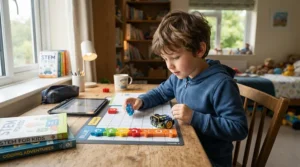
The middle row is worth sitting with for a second: a pure coding app costs less upfront, but it swaps physical manipulation for tapping glass, and it counts fully against the American Academy of Pediatrics’ media guidance for young children, which recommends age-based, quality-focused screen use rather than open-ended access. Traditional blocks build spatial reasoning beautifully, but they don’t introduce the specific concept of a sequence of commands executed in order — the core idea a coding toy for kids ages 4-6 is designed to teach. A screen-free coding toy essentially captures the tactile benefits of blocks while adding the sequencing layer that blocks alone can’t provide.
Practical Usage Guide: Getting Started With a Screen-Free Coding Toy for Preschoolers
The first thirty days with any coding robot set the tone for whether it becomes a shelf decoration or a daily favorite, so a little setup discipline pays off. Start with batteries and charging before your child ever sees the box — nothing kills momentum faster than a dead robot on Christmas morning, and several toys on this list, including Botley 2.0 and Coding Critters Rumble & Bumble, require AAA batteries that aren’t included. Next, run through one full sequence yourself first. It sounds unnecessary, but demonstrating the “plan, program, press play, watch” loop once gives your child a mental model before they’re fumbling with cards or dials solo.
Keep the earliest challenges absurdly simple — one forward move, one turn — because success in the first five minutes matters more than complexity. A common mistake in the first month is jumping straight to elaborate mazes; instead, let your child add one new command type per session. For maze-based sets like Code & Go Robot Mouse, build a maze together rather than handing them a finished layout, since the construction process itself reinforces spatial sequencing. For robots with rechargeable batteries like Cubetto+, Bee-Bot, and Sphero Indi, establish a charging routine — plug it in every night, right after playtime, the same way you might with a tablet — so battery life never becomes a barrier to spontaneous play. Finally, resist the urge to correct every wrong sequence immediately; the moment a robot bumps into a wall instead of turning is often the moment real debugging thinking begins, and stepping back lets that happen naturally.
Real-World Scenarios: Matching a Beginner Robot Toy for Kids to Your Child
If you’re a parent of a cautious four-year-old who gets overwhelmed by too many choices, a simpler beginner robot toy for kids like Code-a-pillar Twist or Coding Critters Rumble & Bumble removes decision fatigue — there are fewer buttons, fewer failure states, and a built-in story to follow. If you’re raising a methodical six-year-old who already loves building elaborate block cities and gets frustrated by toys that feel “too easy,” Botley 2.0 or Code & Go Robot Mouse give them enough steps and maze variety to stay genuinely challenged for months rather than days. If you’re a homeschooling family with two or three kids spanning ages 4 through 9, Sphero Indi is worth the higher price tag specifically because the same physical robot serves the youngest child through color tiles while quietly offering the oldest child a runway into real block-based app coding — one purchase, multiple developmental stages. And if your household is fully committed to zero screen time and values tactile, natural materials, Cubetto+‘s wooden construction and Montessori pedigree solve for that priority directly, even at a premium price.
Problem → Solution: Fixing the Most Common Coding Toy Frustrations
Robot won’t turn a full 90 degrees: this shows up most with card- or tile-based robots like Code & Go Robot Mouse on carpet or uneven flooring — move play to a hard, flat surface, and the accuracy improves immediately in most reported cases. Child loses interest after the first week: rotate in a new challenge type rather than a new toy — most sets, including Botley 2.0 and Bee-Bot, have secondary modes (transformations, collaborative multi-robot play) that reset novelty without spending more money. Batteries die constantly: prioritize rechargeable models going forward — Cubetto+, Bee-Bot, and Sphero Indi all use rechargeable batteries specifically to solve this recurring pain point across the category. Sibling squabbles over turns: robots that support multi-unit interaction, like Bee-Bot, let two kids each run their own device and “race” or collaborate rather than fighting over one controller. Toy feels too babyish too fast: this usually means the step-sequence ceiling was too low for your child’s actual skill level — sets with higher step counts, like Botley 2.0‘s 150-step memory, buy meaningfully more runway before a replacement purchase becomes necessary.
How to Choose a Coding Toy for Kids Ages 4-6
- Match the interface to your child’s fine motor stage. Twist dials (Code-a-pillar Twist) demand less precision than small directional buttons (Bee-Bot, Coding Critters Rumble & Bumble), so a younger four-year-old may do better starting with the former.
- Decide your screen-time comfort level upfront. If you want zero screen exposure ever, rule out anything with a companion app; if you’re comfortable with a future upgrade path, Sphero Indi‘s optional app becomes an asset rather than a liability.
- Consider battery type before price. Rechargeable options cost more initially but save money and frustration over a year of regular play compared to disposable-battery models.
- Check the step-sequence ceiling against your child’s current age. A four-year-old doesn’t need 150 steps of memory on day one, but a six-year-old will hit a low ceiling fast — buy for where your child will be in six months, not just today.
- Weigh physical footprint against your living space. Maze-based sets like Code & Go Robot Mouse need real floor real estate; compact robots like Sphero Indi or Code-a-pillar Twist work fine on a small table.
- Factor in whether siblings will share it. Multi-robot interaction (Bee-Bot) or app-based scalability (Sphero Indi) extend value across age gaps better than single-child-focused toys.
- Read aggregated review themes, not star ratings alone. A 4.3-star average tells you less than knowing the recurring complaint is “loose tunnel pieces” versus “the robot doesn’t work” — context changes whether an issue matters for your household.
Screen-Free Coding Toy for Preschoolers vs Beginner Robot Toy for Kids
These two phrases get used almost interchangeably in marketing, but there’s a real distinction worth understanding before you shop. A screen-free coding toy for preschoolers is defined by the absence of any digital interface anywhere in the play loop — Cubetto+ and Code-a-pillar Twist are the purest examples here, since programming, execution, and feedback all happen through physical objects. A beginner robot toy for kids is a broader category that simply means an entry-level robot appropriate for a young child’s skill level; it may or may not be screen-free. Sphero Indi fits squarely into “beginner robot toy” while only partially fitting “screen-free,” since its color-tile mode is screen-free but its full feature set leans on an app.
In practice, this distinction matters most for households with a firm no-screens policy versus households that see a future digital on-ramp as a feature. What the spec sheet won’t tell you is that the screen-free-only category tends to have a lower complexity ceiling by design — removing the screen also removes the easiest path to adding new commands or logic types, which is why Cubetto+ tops out at 18 steps while app-capable Sphero Indi can scale into full drag-and-drop block coding later. Neither approach is objectively better; it’s a genuine tradeoff between purity of screen-free play and long-term programming depth.

Common Mistakes When Buying a STEM Toy for Early Coders
The single most common mistake is buying based on box art rather than the actual coding mechanic — a cute dinosaur or caterpillar shape says nothing about whether the underlying sequencing logic will hold a specific child’s attention. A close second is ignoring the age range printed on the box in favor of “he’s advanced for his age,” which often leads to a frustrating first session with a toy whose interface genuinely requires more fine motor control than a young four-year-old has yet developed. Parents also frequently underestimate battery costs and hassle; a $40 STEM toy for early coders that burns through AAA batteries every few weeks isn’t actually cheaper over a year than a $100 rechargeable robot. Another frequent misstep is buying the single-unit version of a robot like Bee-Bot without realizing a maze mat or activity cards are sold separately, only to discover there’s not much to actually do with a bare robot on a bare floor. Finally, some parents assume any “coding” label guarantees real educational value — but as reviewers and educators alike note, the toy is only as good as the sequencing challenge behind it, so it’s worth reading past the packaging to what the coding mechanic actually asks a child to do.
Computational Thinking: What It Actually Means for Ages 4-6
Computational thinking is a mental toolkit — breaking a problem into smaller steps, spotting patterns, and building a clear sequence of instructions to reach a goal. Formally, the Computer Science Teachers Association defines it as decomposition, pattern matching, abstraction, and algorithm-building — decomposing problems into smaller pieces, finding repeating patterns, and creating step-by-step instructions. For a four- to six-year-old, none of that vocabulary matters; what matters is the lived experience of planning “forward, forward, turn, forward” to get Colby to a piece of cheese, then noticing it didn’t work and figuring out what to change.
This is precisely why the toy category earns its STEM label honestly rather than as marketing shorthand. Computational thinking, at its core, is the human ability to formulate problems so their solutions can be represented as clear computational steps — and a coding toy for kids ages 4-6 is essentially a physical, low-stakes sandbox for practicing exactly that formulation before a child ever touches an actual programming language. Reviewers across nearly every product on this list independently mention “problem-solving” and “critical thinking” as outcomes, which lines up with what the underlying research describes rather than being empty marketing language.
STEM Education at Home: Features That Actually Matter (And Those That Don’t)
Features that matter: a genuine step-based programming sequence (not just a single button that triggers one preset action), a clear feedback loop so kids can see cause and effect, and physical durability that survives repeated drops. Features that don’t matter nearly as much as marketing suggests: flashy lights and sounds beyond a basic confirmation cue, character licensing or cute animal shapes (charming, but doesn’t affect the actual coding mechanic), and companion apps loaded with extras your child won’t touch until they’re older. Reviewers consistently note that the toys kids return to for months, like Botley 2.0 with its 16 transformation modes, tend to combine a real programming mechanic with just enough novelty to reset interest — not novelty as a substitute for the mechanic. If you’re comparing two similarly priced options, prioritize the one with the clearer sequencing challenge over the one with the more elaborate packaging photo.
Early Robotics for Preschoolers: Safety, Batteries, and Screen-Time Guidelines
Battery safety deserves real attention here, since every toy on this list except Cubetto+, Bee-Bot, and Sphero Indi relies on removable AAA batteries — always use the battery compartment’s screw closure as intended, since several sets, including Botley 2.0, are designed with a screwdriver-secured panel specifically to keep small hands from removing batteries unsupervised. For screen time, only Sphero Indi‘s optional app mode counts against daily screen allowances at all; every other toy on this list, used as designed, contributes zero screen minutes. current pediatric guidance for ages 2 to 5 prioritizes quality and context over strict time limits, generally suggesting around one hour of high-quality content daily when screens are used at all, which means a fully screen-free coding toy sidesteps that budget entirely and can be played with freely alongside — rather than instead of — any existing screen-time plan. For choking hazards, note that several sets, including Coding Critters Rumble & Bumble, carry small-parts warnings for children under 3, which is worth flagging if you have a younger sibling in the house who might get into the pieces. As a general rule, supervise the first several sessions with any new robot, both to catch small-parts risk and to make sure your child actually understands the sequencing mechanic rather than randomly pressing buttons.
Long-Term Cost & Value: Coding Toys That Grow With Your Child
Running the numbers over a two-year window changes the value calculation meaningfully. A $45 disposable-battery toy that needs a fresh set of three AAA batteries roughly every month adds up to real recurring cost, whereas a $110 rechargeable robot like Sphero Indi has no ongoing battery expense at all beyond electricity. Cubetto+‘s premium price looks steep next to a $45 toy in isolation, but its durable wood construction and rechargeable hardware mean it’s genuinely built to survive years of play rather than a single developmental stage, which shifts its cost-per-year of use closer to the budget options than the sticker price suggests. broader peer-reviewed research on technology-enhanced early childhood toys frames this kind of screen-free, play-based tool as most valuable when it supports child-initiated exploration rather than passive consumption, which is a helpful lens for justifying a higher upfront cost: a toy your child actively directs and experiments with for years earns its price far more than one that gets set aside after a novelty phase. For most families, the sweet spot is buying one mid-range toy (Botley 2.0 or Code & Go Robot Mouse) to start, then adding a second, more advanced option only once the first has clearly been mastered.
What to Expect: Real-World Performance at Ages 4, 5, and 6
At age four, expect short attention spans and a strong preference for toys with immediate, obvious feedback — this is where Code-a-pillar Twist‘s single-dial-per-segment design and Coding Critters Rumble & Bumble‘s pet-play hook genuinely shine, since success doesn’t require holding a multi-step plan in working memory. At age five, most kids can hold a three- to five-step sequence in mind before pressing play, which is exactly the sweet spot Botley 2.0 and Code & Go Robot Mouse are built around, and this is typically when maze-building and “plan first, then execute” mechanics click. By age six, many kids are ready to debug their own mistakes rather than needing a parent to intervene — noticing that a sequence needs one more forward step or an extra turn — which is when the higher step-ceiling toys like Botley 2.0‘s 150-step memory or Sphero Indi‘s app-based block coding start to earn their higher price tags. These are general patterns, not hard rules; a cautious six-year-old might still prefer Cubetto+‘s simplicity, and a confident four-year-old might blow past Code-a-pillar Twist in a single afternoon. Watching how quickly your specific child masters their current toy is the best signal for when to size up.
Frequently Asked Questions
❓ What age should a child start using a coding toy?
❓ Do coding toys for kids ages 4-6 actually teach real programming?
❓ Are screen-free coding robots as effective as app-based ones?
❓ How much should I expect to spend on a good coding toy for kids ages 4-6?
❓ Can siblings of different ages share the same coding robot?
Conclusion
There’s no single “best” coding toy for kids ages 4-6 — there’s only the best fit for your specific kid’s patience level, your household’s screen-time philosophy, and your budget. If you want a toy that scales with your child for years, Botley 2.0 or Sphero Indi earn their higher price tags. If screen-free purity and Montessori pedigree matter most, Cubetto+ is worth the premium. If you’re just testing whether your four-year-old is even interested in this kind of play, Code-a-pillar Twist or Coding Critters Rumble & Bumble let you find out without much financial risk. Whatever you choose, the actual goal isn’t producing a tiny programmer — it’s giving your child repeated, low-stakes practice at planning, predicting, and adjusting when a plan doesn’t work the first time. That skill outlasts any single toy, robot, or coding language they’ll ever touch.
Recommended for You
- Parental Control Tablet vs Regular Tablet for Toddlers: 7 Picks 2026
- Educational Tablet for Preschoolers: 7 Best Picks for 2026
- Toddler-Safe Tablet for Screen Time Limits: 7 Winning Picks (2026)
Disclaimer: This article contains affiliate links. As an Amazon Associate, I earn from qualifying purchases. If you purchase products through these links, we may earn a small commission at no additional cost to you.
✨ Found this helpful? Share it with your friends! 💬🤗
