
In This Article
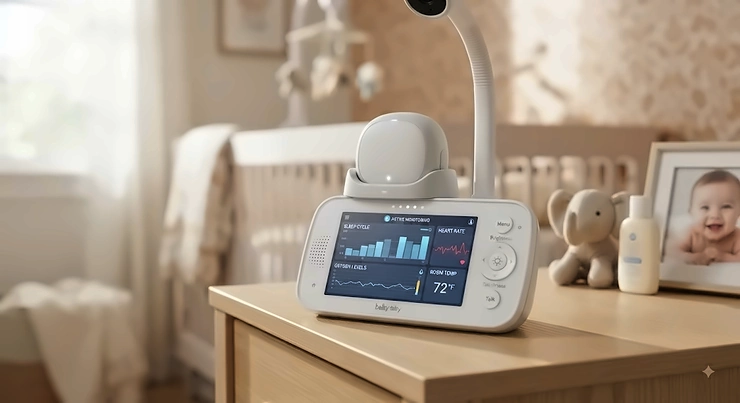
Somewhere around 2 a.m., every new parent asks the same question: is my baby actually sleeping well, or does it just feel that way because I’m too tired to tell? A sleep cycle tracking baby device is a wearable, camera-based, or under-mattress tool that logs an infant’s sleep stages, movement, and sometimes vital signs, then turns that raw data into readable patterns a caregiver can act on. Instead of guessing whether last night’s three wake-ups were normal, you get an actual timeline.
That gap between “feels rough” and “is rough” matters more than it sounds. Newborns don’t arrive with a working body clock — their circadian rhythm is still assembling itself over the first few months of life, and the devices in this guide are built to make that messy stretch a little more legible. Some, like the wearable pulse-oximetry socks, focus on physiological signals. Others watch breathing motion from across the room. A few skip biometrics entirely and instead help you build the light-and-sound routine that nudges a baby’s internal clock into sync with yours. None of them replace pediatric guidance, and the American Academy of Pediatrics is explicit that home monitors are not a substitute for safe sleep practices — but used as an information tool rather than a safety guarantee, they can genuinely help exhausted parents make better decisions.
This guide breaks down seven real, currently available devices across budget, mid-range, and premium tiers — wearables, cameras, clip-ons, and one routine-building sound machine — with honest analysis of what the specs actually mean at 3 a.m. We’ll cover nap pattern tracking, sleep routine monitoring, circadian entrainment, and how to match a device to your specific situation, not just a spec sheet.
Quick Comparison Table
| Device | Type | Best For |
|---|---|---|
| Owlet Dream Sock | Wearable pulse oximeter | Physiological vitals + sleep trends |
| Owlet Dream Duo (Gen 3) | Wearable + camera bundle | All-in-one monitoring families |
| Nanit Pro | Contactless camera | Hands-off breathing & nap tracking |
| Cubo AI Plus | AI safety camera | Rollover and covered-face alerts |
| Sense-U Pro | Clip-on movement monitor | Mid-range sleep stage analysis |
| Snuza Hero SE | Clip-on movement monitor | No-app, budget-friendly simplicity |
| Hatch Rest (2nd Gen) | Sound machine & light | Circadian routine building |
Looking at this lineup, the split isn’t really “good vs. bad” — it’s biometric versus behavioral. The Owlet Dream Sock, Owlet Dream Duo, Nanit Pro, Cubo AI Plus, Sense-U Pro, and Snuza Hero SE all measure something physical happening to your baby’s body, while the Hatch Rest works on the environment around your baby instead. Most families end up pairing one biometric device with a routine tool like the Hatch Rest, rather than expecting a single gadget to cover both jobs.
💬 One tap tells us this comparison actually helped — thanks for the vote of confidence!😊
Top 7 Sleep Cycle Tracking Baby Devices: Expert Analysis
1. Owlet Dream Sock — the only FDA-cleared vitals wearable
The standout here isn’t the sleep tracking itself — it’s that the underlying pulse oximetry sensor carries actual FDA De Novo clearance, something no competitor in this space currently holds.
The Owlet Dream Sock wraps around a baby’s foot and reads pulse rate and blood oxygen saturation continuously, feeding that data to a Base Station and companion app alongside a digital sleep coach that flags wakings, movement, and estimated sleep state. Owlet’s own accuracy claims, validated in home and hospital testing, put SpO2 readings within about 3% of gold-standard arterial blood gas measurements across all skin tones — a meaningfully higher bar than motion-only trackers. Based on the spec sheet, this is the device built for parents who want a physiological baseline, not just a sleep diary.
Who should care: parents of infants 1–18 months (6–30 lbs) who want objective vitals data layered under the sleep-pattern tracking, especially families with a history of reflux, prematurity, or general anxiety about nighttime breathing. What most buyers overlook is that no subscription is required for core features — the historical trends and live readings ship free with the hardware, unlike most camera-based competitors.
Reviewers consistently report that the sensor is comfortable enough for most babies to tolerate through the night, though a recurring complaint in aggregated feedback is occasional false alarms, particularly during the newborn phase when babies move constantly. A smaller subset of reviewers note the sock can be tricky to keep positioned correctly on very small or very active feet.
Pros:
- ✅ Only FDA De Novo cleared infant pulse oximeter on the market
- ✅ No subscription required for live readings or historical trends
- ✅ HSA/FSA eligible, easing the upfront cost
Cons:
- ❌ Occasional false alarms reported, especially with newborns
- ❌ Sensor fit can loosen on very active or very small feet
Expect to pay in the high-$200s to around $300 for the base kit with four socks and a Base Station. For the accuracy and regulatory backing alone, that’s a defensible premium price for parents prioritizing hard data over convenience features.

2. Owlet Dream Duo (Gen 3) — most complete two-in-one system
What sets this apart is that it’s the only device in this roundup pairing FDA-cleared vitals monitoring with an actual overhead camera in one connected system.
The Owlet Dream Duo bundles the Dream Sock sensor with Owlet’s newer Dream Sight camera, delivering 2K QHD video, dual-band Wi-Fi with Bluetooth backup, and 256-bit encryption on top of the same pulse rate, oxygen, and sleep-trend tracking found in the standalone sock. Room temperature and humidity monitoring round out the environmental picture. In practice, this means you’re not toggling between two apps or two purchases to get both a visual and a physiological read on your baby’s night.
This is the pick for parents who decided early on that they want camera reassurance and vitals data together rather than choosing one now and adding the other later — a common and more expensive mistake. Based on the spec comparison with the standalone Dream Sock, the Duo’s core sleep-tracking accuracy doesn’t change; you’re paying for the camera integration and the encryption upgrade, not a better sensor.
Aggregated review sentiment mirrors the standalone Dream Sock closely: praise for the peace of mind and real-time alerts, tempered by mentions that full analytics depth requires the optional Owlet360 membership, and that the bundle represents a genuinely significant upfront investment for a young family.
Pros:
- ✅ Combines FDA-cleared vitals tracking with 2K camera in one app
- ✅ Dual-band Wi-Fi plus Bluetooth backup reduces dropped connections
- ✅ Room temperature and humidity tracking included standard
Cons:
- ❌ Full analytics history needs the optional Owlet360 subscription
- ❌ Highest upfront price point in this entire lineup
Pricing typically lands in the mid-$300s to around $400 range for the bundle, with Owlet360 an optional $9.99/month add-on for extended video storage and comparative sleep reports. For families who’d otherwise buy two separate devices, the bundle is arguably the better value play.
3. Nanit Pro — best for hands-off, sensor-free breathing tracking
The clever part of this design is that it tracks breathing motion and full sleep architecture without ever touching your baby’s skin.
The Nanit Pro mounts overhead — wall or floor stand — and pairs a 1080p camera with a small, sensor-free Breathing Band that reads chest and belly motion from a distance rather than requiring a wearable. Reviewers and independent testers frequently cite it as the most accurate camera-based sleep tracker currently on the market, largely because computer vision, not a single-point sensor, is doing the analysis. The core video features — live stream, two-way audio, temperature and humidity tracking — work without any subscription, which is a real point of differentiation from some AI-camera competitors.
Here’s what to weigh: the deeper sleep insights, including NextNap predictions, milestone tracking, and long-term trend graphs, sit behind the Nanit Insights membership. A free Sleep Plan tier ships with every camera for the first three months, then runs under $10/month if you continue, with pricier annual tiers (Memories, Milestones) adding video history and developmental features. What most buyers overlook is that Insights requires the overhead mount specifically — the portable Flex stand won’t unlock sleep tracking.
Aggregated customer feedback is largely positive on video and audio reliability, with a recurring theme that the Wi-Fi dependency becomes the weak link in nurseries with poor router coverage, since sleep tracking simply won’t function without a stable connection.
Pros:
- ✅ Sensor-free breathing tracking with no wearable required
- ✅ Core video and audio features work without any subscription
- ✅ Backed by strong independent testing for tracking accuracy
Cons:
- ❌ Deep sleep insights and trend history require a paid membership
- ❌ Requires reliable nursery Wi-Fi; tracking fails on weak signal
Expect to pay roughly $250 to $290 for the camera with an overhead mount, with the optional Insights membership adding a recurring cost if you want the full nap-pattern-tracker feature set long term.
4. Cubo AI Plus — sharpest AI safety alerts for rollover and covered-face risk
The distinguishing feature isn’t sleep-stage graphs — it’s real-time computer-vision alerts for two of the specific hazards pediatric safety guidance flags most often.
The Cubo AI Plus uses onboard AI to detect a covered face, a rollover onto the stomach, and customizable “danger zone” boundaries, layering these safety-specific alerts on top of standard 1080p video, cry detection, and an 18-hour rewindable timeline. Reviewers and independent testers frequently call out the covered-face detection specifically as more useful in daily practice than generic motion alerts, since it targets an actual documented risk factor rather than any movement at all.
Who this is for: parents of a baby who has started rolling, or anyone specifically anxious about suffocation-related risks rather than general sleep quality metrics. Based on the spec comparison with Nanit, Cubo AI Plus leans harder into active safety alerting and lighter into long-term sleep-stage analytics — the sleep summary exists, but it’s less data-dense than what a dedicated tracker like Sense-U Pro or Owlet delivers.
A common theme in aggregated reviews is appreciation for the alert accuracy on newborns and young infants, alongside a recurring complaint that the separate temperature-and-humidity dongle is small, easy to misplace, and feels like an afterthought relative to the rest of the build.
Pros:
- ✅ AI-powered covered-face and rollover detection, not just motion
- ✅ Three stand options adapt the camera to crib, floor, or shelf
- ✅ 18-hour video rewind included without any subscription
Cons:
- ❌ Temperature/humidity dongle is small and easy to lose
- ❌ Sleep analytics are lighter than dedicated tracking devices
Pricing runs from around $199 for a wall-mount-only kit up to roughly $290 for the full three-stand bundle, with a premium subscription (about $7.99/month or $79.99/year after the first complimentary year) unlocking extended playback and richer reports.
5. Sense-U Pro — strongest mid-range sleep-stage analysis
What makes this one stand out at its price point is genuinely detailed sleep-cycle reporting on a device that costs less than half of most camera systems.
The Sense-U Pro clips onto a diaper or waistband and uses Bluetooth Low Energy — not Wi-Fi — to track abdominal movement, rollover onto the stomach, and skin-feel temperature, triggering an on-device vibration if movement stops for 15 seconds. What most buyers overlook is the free in-depth sleep analysis feature, which breaks a night down into deep and light sleep stages, awake windows, and overall sleep quality, a level of nap-pattern detail rarely offered outside premium camera systems. Because it runs on BLE rather than Wi-Fi, radiation exposure is roughly a thousandth of a smartphone’s, which matters to parents specifically trying to avoid a Wi-Fi emitter next to the crib.
This device suits budget-conscious parents who still want real sleep-cycle data rather than a simple movement alarm, and it works standalone — without the app — if you just want the vibration-and-alert safety net without the data layer. Reviewers consistently note the seven-plus-day battery life as a genuine convenience advantage over daily-charge competitors, alongside praise for how quickly the clip-on design becomes part of the nightly routine.
Aggregated feedback does flag a smaller, less established user base and review pool compared to Owlet or Nanit, plus occasional reports of missed connectivity when the paired phone is in another room, since Bluetooth range is inherently shorter than Wi-Fi.
Pros:
- ✅ Free detailed sleep-stage analysis rarely found at this price
- ✅ BLE technology means negligible radiation near the crib
- ✅ Seven-plus days of battery life on a single charge
Cons:
- ❌ Smaller review base than Owlet or Nanit competitors
- ❌ Bluetooth range is shorter than Wi-Fi-based alternatives
The standard Pro model typically runs $120 to $170, with the long-range version priced higher, roughly $200 to $300, for extended connectivity and dual-baby support.

6. Snuza Hero SE — simplest, no-app budget pick
The advantage here is almost philosophical: it does one job, does it without Wi-Fi or an app, and gets out of the way.
The Snuza Hero SE clips onto a diaper and uses a flexible sensor tip to detect abdominal movement directly, vibrating if no movement is registered for 15 seconds and sounding an audible alarm five seconds after that if movement still hasn’t resumed. There’s no companion app, no cloud data, no sleep-stage graph — just a real-time physical alert system running on a single CR2 battery. Reviewers consistently describe it as the grab-and-go option for travel, grandparents’ houses, or car seat naps, precisely because there’s no network dependency to configure.
This is the right call for parents who specifically don’t want another screen or another data stream to check obsessively, and who value the vibration-first design that tries to rouse a baby gently before escalating to a loud alarm. Based on the spec sheet, it sacrifices every nap-pattern-tracker and biological-rhythm-monitoring feature the pricier devices offer, trading data for pure simplicity and portability.
A recurring theme in aggregated review sentiment is trust in the vibration-then-alarm sequence specifically, alongside occasional reports that sensitivity can trigger false alerts on active newborns who naturally have irregular breathing patterns in the first weeks.
Pros:
- ✅ No Wi-Fi, no app, no subscription — works anywhere instantly
- ✅ Gentle vibration rouses baby before escalating to full alarm
- ✅ Extremely lightweight and genuinely travel-friendly
Cons:
- ❌ No sleep-stage data, trends, or historical tracking at all
- ❌ Sensitivity can misfire on naturally irregular newborn breathing
Expect a price in the $55 to $70 range, making it the most accessible entry point in this guide for parents who want a physical safety net without committing to a full data platform.
7. Hatch Rest (2nd Gen) — best for circadian rhythm and routine building
Unlike every other device on this list, the standout feature isn’t tracking anything — it’s actively shaping the light and sound cues that help an infant’s biological clock develop.
The Hatch Rest (2nd Gen) is a Wi-Fi-connected sound machine and night light that lets parents build custom bedtime, nap, and wake-up routines, paired with a Time-to-Rise feature and a light library designed around research on how light color and timing influence circadian entrainment and melatonin production. Because newborns are born without a functioning internal clock — infant circadian and sleep rhythms typically don’t reach statistical significance until roughly eight weeks of age, according to foundational sleep-chronobiology research — consistent external light and sound cues genuinely help entrain that developing rhythm faster.
This device is for parents further along in the sleep-schedule-optimization process: newborn vitals monitoring matters most in month one, but by month three or four, consistent environmental cues become the higher-leverage tool for actual sleep improvement. What the spec sheet won’t tell you, but pediatric sleep guidance consistently notes, is that routine consistency itself, more than any single gadget feature, is what moves the needle on infant sleep quality over time.
Reviewers consistently praise the speaker quality relative to price and the way the wake-to-rise light genuinely helps toddlers understand “it’s still night” without a parent explaining it repeatedly. A recurring complaint is that the richest routine and story content sits behind the optional Hatch+ subscription, and that Wi-Fi setup can be fiddly on dual-band routers.
Pros:
- ✅ Purpose-built for circadian entrainment, not just noise or light
- ✅ Custom bedtime, nap, and wake routines synced across devices
- ✅ Doubles as a toddler tool for years after the newborn stage
Cons:
- ❌ Richest content library requires the optional Hatch+ subscription
- ❌ Tracks nothing biometric — it’s a routine tool, not a monitor
Pricing generally runs $60 to $90 depending on generation and whether an audio-monitor feature is included. Paired with any of the biometric devices above, this is the piece that actually addresses long-term sleep schedule optimization rather than just nightly reassurance.
Practical Usage Guide: Getting Your Sleep Tracker Right From Night One
Unboxing night is where most of the frustration with these devices actually happens, and it’s almost always fixable. Start by charging fully before first use — a partially charged wearable or clip-on is the single most common cause of the “it died on me at 2 a.m.” complaint in aggregated reviews. For wearables like the Dream Sock or Sense-U Pro, double-check sizing against the manufacturer’s chart rather than eyeballing it; a loose fit is the leading cause of false alarms in the first week.
For camera-based systems, mount height and angle matter more than most parents expect. Nanit and Cubo AI both recommend an overhead, slightly angled position looking straight down into the crib, not a side angle — sleep-tracking algorithms are calibrated around that specific vantage point, and a side-mounted camera will degrade tracking accuracy even with a technically working video feed.
A common first-30-days mistake: parents assume every alert means something is wrong. In reality, newborn breathing and movement are naturally irregular, and most devices are tuned conservatively to avoid missing a real event, which means false positives are common and expected early on. Give the device a full week before adjusting sensitivity settings, since the algorithm — or you — needs time to calibrate to your specific baby.
Maintenance-wise, wash fabric components (socks, straps) per the manufacturer’s schedule, typically every few days, and keep firmware updated; most reported connectivity issues trace back to outdated app or device firmware rather than hardware failure.
Real-World Scenarios: Matching a Tracker to Your Family
Consider three different households. First, a first-time parent with a newborn recovering from a NICU stay, hyper-focused on physiological reassurance — this is the exact use case the FDA-cleared Owlet Dream Sock was built for, since it delivers objective pulse and oxygen data rather than inference from movement alone.
Second, a working parent managing two kids under three, budget-conscious, who mainly wants a safety net during naps and overnight without another subscription to track. The Snuza Hero SE or the standalone Sense-U Pro both fit here, with the Sense-U edging ahead if sleep-stage data actually gets used, and the Snuza winning if pure simplicity is the priority.
Third, a family in a smaller apartment with a baby who’s just started rolling, more worried about SIDS risk factors like face-covering than about vitals monitoring specifically. The Cubo AI Plus, with its rollover and covered-face alerts, addresses that exact concern more directly than a pulse-oximetry sock would. Layer any of these three scenarios with a Hatch Rest once the baby is three-plus months old, and the routine-building side of sleep schedule optimization starts working alongside whatever biometric device is already in place.
Problem → Solution: Common Nap Pattern Tracker Frustrations, Solved
Problem: constant false alarms. This is overwhelmingly a fit-and-calibration issue, not a defective unit. Recheck sizing on wearables, confirm camera mounting angle on video systems, and give any new device 5–7 nights before adjusting sensitivity.
Problem: Wi-Fi dropouts interrupting tracking. Camera-based systems like the Nanit Pro and Cubo AI Plus are entirely dependent on router strength in the nursery. A mesh Wi-Fi extender near the room, rather than relying on a router two rooms away, resolves the majority of aggregated dropout complaints.
Problem: data overload and anxiety. Ironically, more data isn’t always calming. If checking the app itself becomes a stressor, a simpler device like the Snuza Hero SE — alert-only, no dashboard — may genuinely serve mental health better than a full analytics platform.
Problem: subscription costs stacking up. Between Owlet360, Nanit Insights, Cubo AI Premium, and Hatch+, recurring fees add up fast. Prioritize which single subscription actually changes your behavior — most families find one is enough — and skip the rest.
Problem: inconsistent nap-to-night routines. This is a device-agnostic problem that pattern data alone won’t fix. Pairing tracking data from any biometric device with a consistent externally cued routine, via something like the Hatch Rest, addresses the root cause rather than just reporting on the symptom.
How to Choose a Sleep Cycle Tracking Baby Device
- Decide biometric versus behavioral first. If your priority is physiological reassurance, look at the Owlet Dream Sock or Sense-U Pro; if it’s routine-building, the Hatch Rest is the better starting point.
- Check age and weight ranges. Most wearables are rated for roughly 1–18 months and 6–30 lbs; confirm your baby fits before buying.
- Weigh Wi-Fi dependency against your nursery’s actual signal strength. A weak router makes camera-based tracking unreliable regardless of the device’s specs.
- Factor in the real subscription cost, not just the sticker price. Several devices in this category unlock full features only behind a monthly or annual plan.
- Match the alert style to your temperament. Vibration-first devices suit parents who want gentle escalation; audible-alarm-first devices suit heavier sleepers.
- Consider how long you’ll actually use it. Sound-machine and routine devices like Hatch Rest scale into toddlerhood; most vitals wearables age out around 18 months.
- Confirm HSA/FSA eligibility if cost is a factor — several devices in this guide qualify, effectively discounting the purchase for eligible families.
Sleep Cycle Tracking Baby Device vs Traditional Baby Monitors
A traditional audio-or-video baby monitor answers one question: is my baby making noise or moving right now? A sleep cycle tracking device answers a different, more specific question: what is my baby’s sleep actually made of — how much deep sleep, how many wakings, how consistent is the pattern night over night?
| Feature | Traditional Monitor | Sleep Cycle Tracking Device |
|---|---|---|
| Live audio/video | Yes | Yes, on camera-based models |
| Sleep-stage data | No | Yes, on most models |
| Physiological vitals | No | Only on wearables like Owlet Dream Sock |
| Historical trend reports | Rarely | Yes, often subscription-gated |
| Best For | Basic overnight awareness | Understanding and improving sleep patterns |
The practical upshot is that a traditional monitor tells you something happened, while a tracking device tells you what happened and how it fits a larger pattern. For parents troubleshooting a genuinely difficult sleeper — frequent night wakings, resistance to naps, inconsistent bedtimes — the pattern data from something like the Sense-U Pro or Nanit Pro is simply more actionable than a live video feed alone.
✨ Ready to stop guessing and start tracking? Compare the full lineup above and pick the fit for your family tonight!
What to Expect: Real-World Performance Overnight
On paper, every device in this guide promises peace of mind. In practice, the experience varies a lot by device type. Wearable pulse oximeters like the Owlet Dream Sock deliver the most granular data but require nightly sock placement, which some babies tolerate better than others as they grow more mobile. Camera systems like Nanit Pro and Cubo AI Plus are essentially invisible to the baby once mounted, which some parents find is gentler long-term, though the trade-off is total dependence on home Wi-Fi stability.
Clip-on movement monitors sit in the middle: less setup friction than a camera, less data depth than a full vitals wearable. Reviewers consistently describe the first week with any of these devices as the noisiest in terms of false alerts, followed by a noticeable settling-in period as both the algorithm and the parents calibrate to what’s actually normal for that baby. By week two or three, most aggregated feedback shifts from “constant alerts” to “reliable background reassurance” — which is really the goal these devices are built around.
Sleep Routine Monitor Baby and Sleep Schedule Optimization: Building Consistency
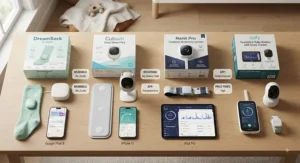
A sleep routine monitor baby setup isn’t really about a single gadget — it’s about combining data with consistency. Sleep schedule optimization, in practice, means using whatever pattern data your tracker provides to identify a baby’s natural drowsy windows, then reinforcing those windows with consistent external cues: dimmed lights, the same sound cue, the same room, roughly the same clock time.
This is where devices like the Hatch Rest earn their place even alongside a biometric tracker. A device like the Nanit Pro or Sense-U Pro can show you that naps are landing inconsistently; a routine tool is what actually closes that gap by giving the baby a repeatable, learnable cue set. Pediatric sleep researchers note that routine predictability, more than any single environmental variable, is one of the most consistently supported levers for improving infant sleep consolidation over the first year.
Rest Pattern Analysis: Common Mistakes When Buying a Sleep Tracker
The single most common mistake is buying for the newborn phase without considering what happens at month six or twelve. A pulse-oximetry wearable ages out around 18 months by design; a routine-building sound machine scales into the preschool years. Buying only for the immediate need, without a rough plan for what comes next, often means a second purchase within a year.
The second mistake is underestimating Wi-Fi requirements. Parents in older homes or apartments with thick walls frequently blame a device for “not working” when the actual issue is router placement relative to the nursery.
The third mistake is over-indexing on subscription-locked features during the research phase, then feeling misled at checkout. Read the fine print on what’s included in the base hardware price versus what requires Nanit Insights, Owlet360, Cubo AI Premium, or Hatch+ before comparing sticker prices directly — a $199 camera with a mandatory $10/month plan is a different total cost than it first appears.
Finally, some parents assume more rest pattern analysis automatically means better outcomes. That’s not always true. If detailed data increases anxiety rather than reducing it, a simpler alert-only device often serves the family better than the most data-rich option on the market.
Long-Term Cost & Maintenance
Sticker price is only part of the total cost of ownership here. A wearable like the Owlet Dream Sock has no mandatory subscription, so its all-in cost is essentially fixed after purchase, aside from eventually sizing up socks as the baby grows. Camera systems tell a different story: the hardware might cost less upfront, but a year of Nanit Pro Insights or Cubo AI Plus Premium can add $80–$120 annually, which over 18 months of active use can meaningfully close the price gap with the pricier Owlet Dream Duo bundle.
| Device | Typical Hardware Cost | Ongoing Subscription |
|---|---|---|
| Owlet Dream Sock | High-$200s–$300 | None required |
| Nanit Pro | $250–$290 | Free tier, then under $10/mo |
| Cubo AI Plus | $199–$290 | $7.99/mo after year one |
| Hatch Rest | $60–$90 | Optional Hatch+ add-on |
Looking at total cost over 18 months rather than just the checkout price flips the value ranking for some families: the Owlet Dream Sock‘s higher sticker price can actually work out cheaper long-term than a lower-priced camera with a mandatory ongoing plan. Maintenance costs are modest across the board — replacement socks or clips occasionally, and standard battery or charging cable wear — but they’re worth budgeting for over a device’s realistic lifespan.
Safety, Regulations, and FDA Clearance Guide
Regulatory status varies more across this category than most parents expect. The Owlet Dream Sock is the only device here holding FDA De Novo clearance as an over-the-counter medical-grade pulse oximeter, a designation confirmed through clinical testing against gold-standard measurements, as reported by the American Academy of Sleep Medicine. Every other device in this guide — cameras, clip-ons, and the sound machine — is a wellness or consumer product, not an FDA-cleared medical device, and none of them are marketed as SIDS-prevention tools.
That distinction matters because the AAP is direct on this point: home cardiorespiratory monitors are not recommended as a strategy specifically to reduce SIDS risk, and no device on the market, cleared or not, replaces the foundational safe sleep practices — back to sleep, a firm flat surface, and a bare crib — outlined in official pediatric guidance. Used correctly, these devices are an information layer on top of safe sleep practices, never a substitute for them. Always follow age and weight guidelines exactly as listed by the manufacturer, and check with your pediatrician before relying on any wearable if your baby has an existing medical condition.
Frequently Asked Questions
❓ Do sleep cycle tracking baby devices prevent SIDS?
❓ What age can a baby start using a sleep tracker?
❓ Are wearable sleep trackers safe for overnight use?
❓ Do I need Wi-Fi for a sleep cycle tracking baby device?
❓ How much does a good baby sleep tracker cost?
Conclusion
There’s no single best sleep cycle tracking baby device — there’s a best device for what you’re actually trying to solve. If physiological reassurance is the priority, the FDA-cleared Owlet Dream Sock or the bundled Owlet Dream Duo stand apart from everything else in this guide. If hands-off, sensor-free tracking matters more, Nanit Pro delivers strong breathing and nap-pattern data without touching your baby at all. Families specifically worried about rollover and covered-face risk will get more direct value from Cubo AI Plus, while budget-conscious parents who still want real sleep-stage detail should look hard at the Sense-U Pro. For pure simplicity, the Snuza Hero SE remains the least complicated option on the market, and once your baby’s circadian rhythm is developing past the newborn haze, the Hatch Rest becomes the tool that actually builds lasting sleep habits rather than just reporting on them.
Whichever direction you go, remember these devices are an information layer, not a safety guarantee — pair any of them with established safe sleep guidance, give the first week to calibrate, and expect the data to get more useful, not less, the longer you use it.
✨ Don’t Miss These Exclusive Deals!
🔍 Take your baby’s sleep routine to the next level with these carefully selected devices. Click on any highlighted item to check current pricing and availability. These tools will help you build the restful nights your whole family deserves!
Recommended for You
- 7 Best Baby Sleep Analytics App Picks for 2026: Data Over Guesswork
- Air Quality Monitor Nursery: 7 Best Picks Parents Trust (2026)
- Smart Humidifier for Nursery: 7 Best Picks for 2026
Disclaimer: This article contains affiliate links. As an Amazon Associate, I earn from qualifying purchases. If you purchase products through these links, we may earn a small commission at no additional cost to you.
✨ Found this helpful? Share it with your friends! 💬
