
In This Article
It’s 2:47 a.m. and your hand is groping along a wall you can’t see, hunting for a switch that always seems to be exactly one inch further than you remember. Sound familiar? That midnight fumble is the entire reason the app controlled baby night light category exists. Instead of stumbling toward a lamp and risking a full-brightness jolt that wakes everyone up, you tap your phone from the hallway, and a soft glow is already waiting in the nursery before you even open the door.
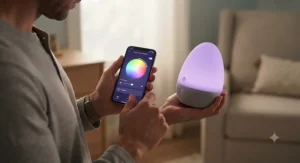
What’s changed in the last couple of years isn’t the idea of a night light — parents have used them for decades — it’s the layer of software sitting underneath. An app controlled baby night light typically pairs a Wi-Fi or Bluetooth connection with a companion app that lets you dim, recolor, schedule, and sometimes automate the light without touching the device itself. Some models add sound machines, motion sensors, or voice assistant compatibility on top, turning what used to be a $10 impulse buy into a genuine piece of nursery infrastructure.
This guide walks through seven real, currently sold products spanning budget touch-and-app hybrids up to premium sleep-training systems, breaks down what each one’s spec sheet actually means for a groggy 3 a.m. parent, and digs into where these devices genuinely earn their keep versus where the marketing outpaces the reality. We’ll also cover setup, common headaches, and how to think about privacy on a device that’s connected to your home network around the clock. If you’ve been comparing five browser tabs of near-identical Amazon listings and getting nowhere, this should sort it out.
What Is an App Controlled Baby Night Light?
An app controlled baby night light is a nursery lamp — often combined with a sound machine or alarm clock — that connects to a smartphone app over Wi-Fi or Bluetooth so a caregiver can adjust brightness, color, sounds, and schedules remotely, without physically touching the unit or entering the room. It’s worth remembering that any nursery lighting is a comfort layer sitting on top of, not a replacement for, established safe sleep guidance from the American Academy of Pediatrics.
Quick Comparison Table
| Product | Control Method | Standout Feature | Price Range | Best For |
|---|---|---|---|---|
| Hatch Rest 2nd Gen | App (Wi-Fi) | Time-to-Rise routines + sound machine | $70–$90 range | Long-term, all-in-one families |
| Babysense Baby Sound Machine 2nd Gen | App (2.4GHz Wi-Fi) | 28 sounds, no subscription | $35–$50 range | Budget-conscious app-first buyers |
| Dreamegg Sound Machine Baby | App + buttons | 34 sounds, 3 light modes | $30–$45 range | Sound-variety seekers on a budget |
| Mewaii White Noise Sound Machine | App + buttons | AI cry detection auto-soothing | $45–$65 range | Parents wanting hands-free response |
| Momcozy APP Sound Machine Kit | App + touch | Hybrid control, 7 colors | $30–$50 range | First-time smart nursery buyers |
| Govee Smart WiFi Night Light for Kids | App + voice + touch | Alexa/Google voice control | $20–$35 range | Households already using smart speakers |
| Safety 1st Connected Under Crib Light | App (Wi-Fi) | Motion + ambient light sensor | $40–$60 range | Automated, truly hands-free nurseries |
Looking at the table, a pattern emerges fast: the cheaper end of this category (Govee Smart WiFi Night Light for Kids, Dreamegg Sound Machine Baby) leans on app control as a bonus feature layered onto a simple colored lamp, while the pricier picks (Hatch Rest 2nd Gen, Mewaii White Noise Sound Machine) build entire sleep-training ecosystems around the app. The Safety 1st Connected Under Crib Light stands apart because it’s the only one here that reacts to your baby’s movement on its own rather than waiting for a tap on your phone. None of these are “smart” in a gimmicky sense — every one of them solves the same specific 2 a.m. problem in a slightly different way, and which one wins depends on whether you want a full sleep system or a smarter version of the lamp you already own.
💬 Just one click — help other tired parents make a better nursery decision too!😊
Top 7 App Controlled Baby Night Lights: Expert Analysis
Coverage here spans budget, mid-range, and premium tiers, plus variants worth knowing about (color options, subscription tiers, and standalone-versus-bundle configurations), so whatever your nursery budget looks like, there’s a realistic option below.
1. Hatch Rest 2nd Gen — best all-in-one for long-term use
The single biggest thing that separates the Hatch Rest 2nd Gen from a plain color-changing lamp is that it was designed to be reprogrammed as your child ages, not replaced. Under the hood, it combines a ten-color nightlight, a ten-sound white noise machine (ocean, rain, birds, wind, thunderstorm, heartbeat, and more), and a Time-to-Rise alarm clock that visually tells a toddler when it’s actually okay to get out of bed. That Time-to-Rise piece matters more than it sounds — it’s the difference between a light that just glows and a light that actively teaches a routine.
Based on the spec comparison, the Hatch Rest 2nd Gen is squarely built for parents who want one device to cover newborn night feeds through toddler sleep training, rather than buying a new gadget at every stage. Reviewers consistently report that the “feed mode” preset — triggered from the app before walking into the nursery — is the single most-used feature, since it means no fumbling with buttons while holding a squirming newborn. A recurring complaint in aggregated reviews centers on Wi-Fi reconnection glitches after router changes or power outages, which is a real but apparently infrequent friction point rather than a dealbreaker.
Pros:
- ✅ Grows with your child from newborn through toddler years
- ✅ Named routines (Bedtime, Naptime, Feed) trigger from your phone
- ✅ Free app tier is fully functional without a subscription
Cons:
- ❌ Occasional Wi-Fi reconnection issues after outages
- ❌ Must stay plugged in — not a grab-and-go travel light
Priced in the $70–$90 range, this sits at the premium end of the category, but the value case holds up if you’d otherwise buy a separate sound machine, nightlight, and toddler clock — three products replaced by one.
2. Babysense Baby Sound Machine 2nd Gen — most budget-friendly Wi-Fi option
What most buyers overlook about the Babysense Baby Sound Machine 2nd Gen is that it delivers genuine 2.4GHz Wi-Fi app control at a price point where many competitors still rely on Bluetooth-only remotes or physical buttons alone. The 28 built-in sounds cover the usual white-noise, nature, and lullaby territory, and the sleep timer can be set and adjusted entirely from the app.
Here’s what to weigh: this is a toddler sleep trainer as much as a night light, meaning the “ok to wake” clock function is a genuine selling point for parents past the newborn stage. On paper this means the Babysense competes directly with pricier all-in-ones on core functionality while skipping the subscription-content layer entirely — there’s no premium tier gating features behind a paywall. Reviewers note the app is straightforward to set up, though it’s worth flagging up front that it’s built specifically for 2.4GHz networks, so households running a single combined 5GHz/2.4GHz band may need to split their Wi-Fi first.
Pros:
- ✅ No subscription required for any app feature
- ✅ 28 sounds cover most common soothing preferences
- ✅ Straightforward app pairing process
Cons:
- ❌ Requires a dedicated 2.4GHz Wi-Fi band
- ❌ Fewer light color options than pricier rivals
In the $35–$50 range, this is one of the strongest value plays in the category if app-based control matters more to you than a large ecosystem of extras.
3. Dreamegg Sound Machine Baby — widest sound library on a budget
The standout spec on the Dreamegg Sound Machine Baby is its 34-sound library — 11 nature sounds, 7 ambient tones, 6 white noise variants, and 10 melodies — which is an unusually deep catalog for a device that still lands solidly in budget territory. Layered on top are three distinct night light modes: solid color, sunlight, and a dynamic setting that itself splits into color-changing, color-fading, and sunrise-breathing sub-modes.
The spec sheet won’t tell you this, but user reports suggest the sheer number of sound options is less about needing all 34 and more about the odds of finding the one or two that actually work for your particular baby — sound preference is famously idiosyncratic, and a shallow 6-sound machine sometimes just doesn’t have the right texture. The routine builder function lets you chain a sound-and-light combination to a schedule via the app, functioning as a lightweight version of the “programmable” features found on pricier competitors. Aggregated reviews describe the build as solid for the price, with the caveat that this specific model needs to stay plugged in rather than running on battery.
Pros:
- ✅ 34 sounds is among the deepest libraries at this price
- ✅ Three distinct night light mode families for variety
- ✅ App-based routine builder despite the low price
Cons:
- ❌ No battery backup — needs continuous power
- ❌ Dynamic light modes can feel busy for light sleepers
At $30–$45 in typical range, it’s a smart pick for parents who want breadth of options without paying premium-tier prices.
4. Mewaii White Noise Sound Machine — smartest cry-detecting nursery system
The feature that sets the Mewaii White Noise Sound Machine apart from every other product on this list is AI cry detection: a microphone-driven system that listens for a baby’s cry and automatically triggers a preset combination of sound and light, without a parent lifting a finger. Paired with that is a genuinely large 100-sound library and a 360-degree RGB night light offering 100 brightness levels — numbers that dwarf most competitors’ 20-to-35-sound counts.
Based on the spec comparison, this device is built for parents who want a system that responds to the baby rather than one they have to actively manage — a meaningfully different value proposition than a simple app-controlled lamp. What most buyers overlook is that cry detection isn’t the same as monitoring; it’s a reactive trigger, not a video feed, so it complements rather than replaces a baby monitor. Reviewers consistently note the app’s browsing experience for sounds — searchable and favoritable — beats cycling through physical buttons, and the included sunrise mode gets specific praise for softening toddler wake-ups. The tradeoff is a device with more going on internally, which naturally introduces more potential points of friction than a single-purpose lamp.
Pros:
- ✅ AI cry detection responds without app interaction
- ✅ 100 sounds with a searchable, favoritable app library
- ✅ Sunrise mode aids gentle toddler wake transitions
Cons:
- ❌ More complex setup than single-purpose night lights
- ❌ Higher price than basic app-controlled competitors
Typically priced in the $45–$65 range, this is worth the premium if hands-free response to crying is genuinely a priority in your household.
5. Momcozy APP Sound Machine Kit — best hybrid touch-and-app control
The Momcozy APP Sound Machine Kit is built around a philosophy the product page states almost verbatim: it works fine alone, and better with the app. Physical buttons give you full manual control of light and sound, while the app unlocks custom light colors, alarms, a dimmable child clock, and scheduling — a layered approach that’s friendlier to parents who aren’t fully sold on smart-home gadgets yet.
Here’s what to weigh: the 34-sound library breaks down into 11 white noise variants, 3 fan sounds, 8 lullabies, and 12 nature sounds spanning a wide 40-to-110-decibel range, giving genuine flexibility for both gentle background noise and louder masking needs. On paper this means a single device can serve a light sleeper in a quiet house and a baby in a noisy apartment equally well. Reviewers describe the app pairing as reasonably smooth, provided the home network runs a 2.4GHz band, and single out the dimmable child clock as a nice touch that many competitors in this price bracket skip entirely.
Pros:
- ✅ Full manual control if you’d rather skip the app
- ✅ Wide sound range (40–110dB) for different environments
- ✅ Dimmable child clock included at a mid-budget price
Cons:
- ❌ 5GHz-only routers require a network adjustment
- ❌ Must remain plugged in during operation
In the $30–$50 range, it’s a sensible entry point for households easing into smart nursery gear rather than diving in headfirst.

6. Govee Smart WiFi Night Light for Kids — best voice-activated hands-free light
Where the Govee Smart WiFi Night Light for Kids earns its spot is voice control: it’s compatible with Alexa and Google Assistant, meaning a caregiver with hands full of a swaddled newborn can simply say “turn on the nursery light” rather than reaching for a phone. Beyond voice, it offers full RGBWW color customization, 40-plus scene modes, DIY modes, and a music-sync function — though it’s worth being precise that this unit has no built-in speaker or noise machine of its own; the “music sync” refers to the light responding to audio playing elsewhere in the room.
What most buyers overlook is that this is a pure lighting device, not a sound machine, so it pairs naturally with a separate white noise unit rather than replacing one. Based on the spec comparison, it’s the most flexible option here for households that already run an Alexa or Google Assistant ecosystem, since it slots into existing voice routines instead of requiring a brand-new standalone app habit. Aggregated customer reviews describe setup as quick — location permissions on iOS are the one common initial snag — and several reviewers mention using it as a general kids’-room or hallway light beyond strict nursery duty, a sign of genuine everyday utility.
Pros:
- ✅ True voice control via Alexa and Google Assistant
- ✅ 40+ scene modes and full RGBWW color range
- ✅ Doubles easily as a general kids’-room light later
Cons:
- ❌ No built-in sound machine or speaker
- ❌ Multiple units on one account can occasionally cross-trigger
At $20–$35, it’s one of the most affordable entries here, especially if you’re not paying for sound features you won’t use.
7. Safety 1st Connected Under Crib Light — best motion-activated hands-free nursery light
The Safety 1st Connected Under Crib Light takes a fundamentally different approach than everything else on this list: instead of waiting for you to open an app or issue a voice command, it uses a built-in motion and ambient light sensor to activate automatically, glowing gently from beneath the crib the moment it detects movement, then dimming again after a custom-set period of inactivity.
Based on the spec comparison, the appeal here is genuine automation rather than remote convenience — you set your preferred motion detection distance and ambient light threshold once in the app, and the device handles the rest without further input. The Safety 1st Connected app also offers six lighting presets (Night Task, Night Red, Relax White, Story Time, Relaxing Colorful, and Wake Up), plus a full in-app color wheel for matching nursery décor. What most buyers overlook is that this positions the product less as a standalone night light and more as an ambient safety layer that quietly runs in the background of nighttime check-ins — you’re less likely to open the app nightly and more likely to set it up once, then forget about it entirely, which some parents will see as the whole point.
Pros:
- ✅ Fully automated motion-activated operation
- ✅ Six lighting presets plus a custom color wheel
- ✅ Adjustable motion sensitivity and ambient light threshold
Cons:
- ❌ Motion-only design means no built-in sound machine
- ❌ Under-crib mounting limits placement flexibility
Priced around $40–$60, it’s a strong pick specifically for parents whose priority is automated, hands-free lighting rather than remote manual control.
Practical Usage Guide: Setting Up a Programmable Nursery Lighting Routine
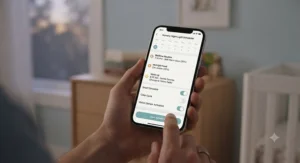
Getting the most out of a programmable baby night light comes down to treating the setup phase as seriously as picking the device itself. Start by connecting to a 2.4GHz Wi-Fi band specifically — nearly every app-controlled model in this category, including the Babysense Baby Sound Machine 2nd Gen and Momcozy APP Sound Machine Kit, explicitly requires it, and combined 5GHz/2.4GHz router setups are the single most common cause of failed first-time pairing.
Once connected, resist the urge to build an elaborate schedule on night one. Set a single “bedtime” routine first — light color, sound, and auto-off timer — and let it run for a few nights before layering in a nap routine or a Time-to-Rise wake cue. Most sleep-training features, like the toddler clock on the Hatch Rest 2nd Gen or Dreamegg Sound Machine Baby, work best when introduced consistently rather than adjusted nightly, since toddlers learn the visual cue through repetition. A common first-30-days mistake is over-tweaking brightness and color in search of a “perfect” setting; pediatric sleep guidance consistently points toward warm, dim, low-intensity light for nighttime use rather than a bright or shifting display, so resist the temptation to make the light more entertaining than functional.
For automated devices like the Safety 1st Connected Under Crib Light, spend the first week calibrating motion sensitivity — too sensitive and it triggers on a rolling toddler every ten minutes; too dim and it won’t catch a genuine wake-up. Finally, keep the app updated; firmware updates often fix the exact Wi-Fi reconnection quirks that show up most often in aggregated reviews.
Real-World Scenarios: Matching the Light to Your Family
Consider a newborn’s first three months, where nighttime feeds happen every two to three hours and the priority is minimal disruption. A parent in this stage benefits most from something like the Hatch Rest 2nd Gen‘s app-triggered “feed mode,” which lets a caregiver dial in a dim amber glow from the hallway before ever opening the nursery door, sidestepping the jolt of a bright overhead light at 3 a.m.
Now picture a toddler who’s outgrown the crib and is starting to test bedtime boundaries, waking at 5:30 a.m. and calling out. Here, a device with a genuine wake-cue clock — the Babysense Baby Sound Machine 2nd Gen or Dreamegg Sound Machine Baby — does more heavy lifting than a plain colored lamp, because the visual “not yet” signal does the negotiating so a parent doesn’t have to.
Finally, think about a busy household already running Alexa routines for the rest of the home, where the parents want the nursery to slot into an existing system rather than becoming a whole new app to learn. That’s the exact use case the Govee Smart WiFi Night Light for Kids is built for — voice control folded into routines you already use, paired with a separate white noise machine if sound is also a priority. Budget, environment, and how often the device gets used each night should all factor into which of these profiles fits your situation best.
Problem → Solution: Common Nursery Lighting Frustrations, Solved
A recurring frustration is fumbling for a switch mid-feed and waking a baby with a sudden bright light — the fix is any app- or voice-controlled option with a low, warm preset, such as the Hatch Rest 2nd Gen‘s feed mode or the Govee Smart WiFi Night Light for Kids paired with a whispered Alexa command.
Another common complaint is a toddler waking too early and calling out repeatedly — a programmable wake-cue clock like the one built into the Babysense Baby Sound Machine 2nd Gen solves this by giving the child a visual rule to follow instead of relying on a parent’s patience at dawn.
Parents also frequently report frustration with devices that only work on 5GHz routers or don’t work at all without a subscription — checking for explicit 2.4GHz compatibility and a functional free tier, as with the Dreamegg Sound Machine Baby or Momcozy APP Sound Machine Kit, avoids this entirely.
Finally, some parents want zero ongoing interaction with an app once it’s set up — for that specific frustration, the automated, motion-triggered Safety 1st Connected Under Crib Light is the most direct fix, since it’s designed to be configured once and then forgotten.
How to Choose an App Controlled Baby Night Light
- Confirm your Wi-Fi band compatibility first. Most budget and mid-range models need a dedicated 2.4GHz network, so check your router settings before falling for a feature list.
- Decide if you need sound, light, or both. A pure lighting device like the Govee Smart WiFi Night Light for Kids is cheaper if you already own a separate sound machine.
- Weigh subscription-free versus premium-tier features. The Babysense Baby Sound Machine 2nd Gen offers full functionality with no paywall, while premium ecosystems may gate content.
- Consider automation versus manual convenience. Motion-based products like the Safety 1st Connected Under Crib Light suit hands-off parents; app-triggered presets suit those who like control.
- Check for a genuine toddler wake-cue feature if you’re past the newborn stage, since it directly reduces early wake-ups.
- Look at light color science, not just color count. According to Sleep Foundation research on light and melatonin, warm, dim tones are gentler on a developing sleep-wake cycle than bright, cool-toned light.
- Factor in battery backup if you experience power outages often, since several budget models require continuous power and lose settings without it.
Voice Activated Night Light vs Manual Touch Control
The core tradeoff between a voice activated night light and a manual touch-control model comes down to how many free hands you have at 2 a.m. A voice activated night light, like the Govee Smart WiFi Night Light for Kids paired with Alexa or Google Assistant, lets a caregiver holding a baby in one arm and a bottle in the other simply speak a command, with zero physical contact needed. That convenience comes with a small setup cost: voice control depends on an existing smart speaker ecosystem, a stable Wi-Fi connection, and occasionally some quirks — multiple units on one voice account can cross-trigger, according to aggregated reviews.
Manual touch control, by contrast — found as a fallback on the VAVA-style touch lamps and as a secondary option on the Momcozy APP Sound Machine Kit — needs no app, no account, and no internet connection at all, which some parents genuinely prefer for reliability during a Wi-Fi outage. The honest tradeoff is that touch control requires you to actually be at the device, defeating the “hands-free” premise entirely. For most households, the strongest setups blend both: voice or app control for the 90% of nights everything works normally, with a physical button as the fallback for the rare night the network hiccups.
Motion Sensor Nursery Light: What It Adds to Hands-Free Care
A motion sensor nursery light solves a problem neither app control nor voice control fully addresses: the moments when your hands, voice, and phone are all otherwise occupied — say, you’re already leaning over the crib mid-diaper-change. The Safety 1st Connected Under Crib Light is built specifically around this gap, using a built-in motion and ambient light sensor to switch on automatically the instant it detects movement, then dim back down after a custom period of stillness, with the sensitivity and detection distance both configurable through the app ahead of time.
What most buyers overlook about motion sensor nursery lighting is that it functions best as a background safety layer rather than the primary controllable light source — you’re not tapping an app nightly, you’re configuring the behavior once and letting the sensor make the real-time decisions. This makes it a genuinely different category of hands-free control than voice or app-based systems: those still require an active trigger from you, however small, while a true motion sensor requires none. The tradeoff, as with the Safety 1st model, is that motion-only devices typically skip sound machine functionality altogether, so pairing one with a separate white noise device rounds out the picture for most nurseries.
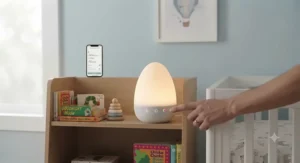
Smart Illumination Systems for Nurseries: Features That Actually Matter (And Those That Don’t)
Not every spec on a smart illumination system’s marketing page translates into real nightly value. A 100-level dimmer, as found on the Mewaii White Noise Sound Machine, sounds impressive, but in practice most parents settle on two or three brightness presets and rarely touch the rest of the range — what matters more is whether those presets are easy to save and recall quickly through the app, not the raw number of steps available.
AI cry detection, meanwhile, is a feature that genuinely does matter for parents specifically seeking hands-free response, since it automates a decision a groggy parent would otherwise have to make manually at 3 a.m. Similarly, a 2.4GHz-versus-5GHz compatibility note might look like a footnote, but it’s one of the most common reasons app pairing fails on first setup, based on the spec comparison across every product in this guide. On the other hand, an enormous sound library — 100 sounds on the Mewaii versus 28 on the Babysense — matters less than most marketing suggests once a family finds the one or two sounds that actually work; research on how blue light affects children’s sleep also suggests that color temperature and warmth matter more for sleep quality than sheer feature count, reinforcing that a smart illumination system’s real value lies in getting the basics — warm light, reliable connectivity, simple scheduling — right rather than maximizing every spec sheet number.
Long-Term Cost & Maintenance of App Controlled Nursery Lighting
Most devices in this category carry no ongoing subscription cost for core functionality — the Babysense Baby Sound Machine 2nd Gen and Dreamegg Sound Machine Baby both operate fully through their free app tiers indefinitely. Premium ecosystems like the Hatch Rest 2nd Gen are a partial exception: the base hardware and app work without payment, but an optional membership unlocks bedtime stories and expanded audio content, so budget-conscious buyers should treat that as a genuine “nice to have” rather than a required cost.
The other long-term consideration is total cost of ownership across a child’s early years. A single all-in-one device that lasts from newborn through toddler sleep training — as the Hatch Rest 2nd Gen or Mewaii White Noise Sound Machine are designed to — can work out cheaper over three to four years than buying a basic nightlight, then a separate white noise machine, then a separate toddler clock as needs evolve. On the maintenance side, expect occasional firmware updates that require brief re-pairing, and budget for the fact that most of these units must stay plugged in continuously, so a power strip with surge protection is a sensible companion purchase rather than an optional extra.
Safety, Privacy & Regulations Guide for Smart Nursery Devices
Any Wi-Fi connected device in a child’s room is, technically, an internet-connected device on your home network, and it’s worth treating it that way. Basic hygiene matters here: changing default router passwords, keeping device firmware updated, and reviewing what data an app collects are all reasonable steps before adding any connected nursery gadget to your network. According to federal guidance on securing internet-connected devices at home, the router itself is the single most important point of control for every connected gadget in a house, nursery devices included.
On the physical safety side, the American Academy of Pediatrics’ safe sleep guidance is worth keeping in mind alongside any smart lighting purchase: a night light is a convenience layered on top of safe sleep practices, not a substitute for them — cribs should remain free of loose bedding regardless of how sophisticated the lighting setup is. None of the products in this guide are marketed as safety or monitoring devices in the medical sense; they’re lighting and sound tools, and should be treated as comfort features rather than health equipment. Finally, keep cords and charging bases routed well away from the crib itself, particularly for under-crib mounted options like the Safety 1st Connected Under Crib Light, where proximity to the mattress needs deliberate attention during installation.
✨ Don’t Miss These Exclusive Nursery Deals!
🔍 Ready to stop fumbling in the dark? Check current pricing on any of these picks and bring smarter, gentler lighting into your nursery tonight!
Frequently Asked Questions
❓
Do app controlled baby night lights need Wi-Fi to work?
❓ Is red or amber light better than white light for a nursery at night?
❓ Can I control an app controlled baby night light with Alexa or Google Assistant?
❓ How much does an app controlled baby night light typically cost?
❓ Do these night lights work without a subscription?
Conclusion
Choosing an app controlled baby night light really comes down to identifying which specific 2 a.m. problem you’re trying to solve. If you want one device to grow with your child from newborn feeds through toddler sleep training, the Hatch Rest 2nd Gen remains the most complete option. If budget is the priority but you still want genuine app control, the Babysense Baby Sound Machine 2nd Gen and Dreamegg Sound Machine Baby both deliver real value without subscription strings attached. Parents who want their nursery light to respond automatically to movement, rather than waiting on a phone tap, should look closely at the Safety 1st Connected Under Crib Light, while households already living inside an Alexa or Google ecosystem will get the most natural fit from the Govee Smart WiFi Night Light for Kids. Whichever direction you go, the underlying goal is the same one parents have chased for generations — a little more sleep, and a little less fumbling in the dark.
✨ Ready to Upgrade Your Nursery Tonight?
Compare current prices on today’s top pick and take the guesswork out of 2 a.m. lighting — your future, less-exhausted self will thank you.
Recommended for You
- Smart LED Nursery Night Light: 7 Real Picks for 2026
- 7 Best Smartphone Controlled Sleep Sounds Machines for 2026
- Alexa Compatible Sound Machine: 7 Best Picks for 2026
Disclaimer: This article contains affiliate links. As an Amazon Associate, I earn from qualifying purchases. If you purchase products through these links, we may earn a small commission at no additional cost to you.
✨ Found this helpful? Share it with your friends! 💬🤗
