In This Article
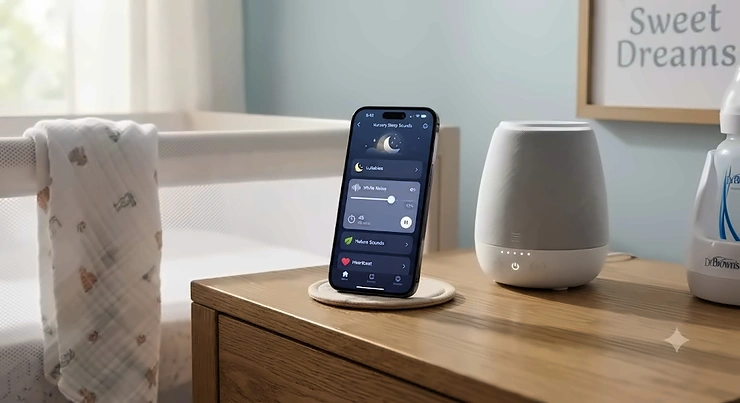
A smartphone controlled sleep sounds machine is a white noise or sound therapy device that connects to a companion app over WiFi or Bluetooth, letting you change volume, sounds, lighting, and schedules from your phone instead of fumbling with buttons in the dark. That single distinction — control from your pocket rather than from the nightstand — is why this category has quietly taken over the baby registry aisle and the adult sleep-hygiene shelf at the same time.

Here’s the scene almost every parent knows too well: it’s 2 a.m., the baby just drifted off after forty-five minutes of bouncing, and the sound machine across the room is one notch too loud. Do you creep across creaky floorboards and risk waking her up, or do you leave it and hope for the best? Smartphone controlled sleep sounds solve exactly this problem, and in 2026 the category has split into a few genuinely different approaches — WiFi app ecosystems, Bluetooth-only streaming, real mechanical fans with smart add-ons, and now AI-assisted cry detection that reacts before you even open the app.
This guide breaks down seven real, currently available devices — from budget-friendly clip-on machines to premium AI-enabled systems — with honest analysis based on published specs and aggregated customer feedback, not manufacturer marketing copy. You’ll get a full features comparison, a plain-English explainer on Bluetooth versus WiFi control, programmable routine advice, safety guidance pulled from pediatric sources, and a decision framework so you’re not guessing which one actually fits your household.
Quick Comparison Table: Smartphone Controlled Sleep Sounds at a Glance
| Product | Control Type | Standout Feature | Price Range | Best For |
|---|---|---|---|---|
| Hatch Rest 2nd Gen | WiFi app | Time-to-Rise + routines | $60-$90 | All-around families |
| Momcozy Smart Baby Sound Machine | WiFi app (Tuya) | 34 sounds + rainbow light | $30-$80 | Feature-hungry budgets |
| Nanit Sound + Light | WiFi app + AI | Cry detection alerts | $70-$95 range | Tech-forward nurseries |
| Yogasleep Dohm Connect | WiFi app | Real fan, app scheduling | $80-$90 | Natural-sound purists |
| SNOOZ Smart White Noise Machine | Bluetooth app | Nursery calibration mode | $95-$110 | Precise volume control |
| LectroFan EVO | Bluetooth streaming | 22 non-looping sounds | $50-$60 | Budget audiophiles |
| Hatch Rest Go | Manual/portable | Battery, no subscription | Under $45 | Travel and backup |
Looking at the table above, the split between full WiFi app control and simple Bluetooth streaming is the single biggest factor separating these seven picks — Hatch Rest 2nd Gen and Nanit Sound + Light let you schedule entire routines remotely, while LectroFan EVO only lets your phone act as a speaker. Budget-conscious shoppers should note that Hatch Rest Go trades app functionality entirely for a lower price and genuine portability, which matters more than it sounds once you’re three nights into a hotel stay with a cranky toddler.
💬 Found a favorite already? Tap through to compare current prices before they change!
Top 7 Smartphone Controlled Sleep Sounds Machines: Expert Analysis
1. Hatch Rest 2nd Gen — best all-around smart nursery hub
The Hatch Rest 2nd Gen built its reputation by refusing to be just a sound machine — it’s a night light, a sound machine, and a “time-to-rise” toddler clock in one WiFi-connected unit. The Hatch Sleep app controls sound selection (white noise, rain, ocean, heartbeat, and more), light color, and programmable routines, meaning you can build a “night feed” scene that dims to amber at low volume with a single tap from your phone. Based on the spec comparison, the up to 12-hour backup battery on the Plus variant is what separates it from cheaper WiFi machines that go dark the instant the power flickers.
Reviewers consistently note that the app is intuitive for daily use, though a handful mention an initial WiFi pairing hiccup that resolves after a router restart. What most buyers overlook is the subscription: free sounds and light cues cover most nurseries, but story and lullaby content sits behind a Hatch+ membership, so budget for that if you want the full library.
Pros:
- ✅ Combines sound, light, and wake-clock in one device
- ✅ Deep app-based routine scheduling for naps and bedtime
- ✅ Backup battery keeps routines running through outages
Cons:
- ❌ Full content library requires a paid subscription
- ❌ Needs a stable 2.4GHz WiFi network to function fully
In the $60-$90 range depending on the Plus battery variant, the Hatch Rest 2nd Gen earns its price as the single device most likely to replace three separate nursery gadgets.

2. Momcozy Smart Baby Sound Machine — most sounds per dollar with app control
The Momcozy Smart Baby Sound Machine (DreamSync Tech line) leans hard into variety: 34 high-fidelity sounds and a 7-color LED light, all steered through the Tuya smart home app over a 2.4GHz WiFi connection. The rechargeable battery rated for up to 12 hours of playtime means it survives a full overnight stretch away from its charging cable, which matters if your nursery outlet is inconveniently placed behind the crib.
Based on the spec comparison, the sheer sound-library size is what differentiates Momcozy from single-purpose machines — parents cycling through fussy-baby trial and error get more chances to find the one sound that actually works. Reviewers consistently report that the touch controls on the device itself are a helpful fallback when you don’t want to open an app, though a subset of users mention occasional WiFi disconnections that require re-pairing.
Pros:
- ✅ 34-sound library covers nearly every soothing profile
- ✅ Touch controls plus full app control for flexibility
- ✅ Rechargeable battery adds real portability
Cons:
- ❌ Requires 2.4GHz WiFi only, not 5GHz networks
- ❌ Some users report occasional app disconnection issues
At around $30-$80 depending on bundle and promotion, Momcozy consistently lands as the best value pick for parents who want maximum features without paying Hatch-level prices.
3. Nanit Sound + Light — best AI-assisted smart nursery system
The Nanit Sound + Light machine is the clearest example of “AI sound machine for baby” moving from buzzword to shipped feature. Beyond standard app-controlled sound and light, it includes built-in Cry Detection that can alert your phone the moment your baby starts crying, and — when paired with a Nanit camera — the system can auto-adjust sound and light settings based on observed sleep patterns. What most buyers overlook is that this predictive pairing feature requires an active Nanit Insights subscription; without it, you still get full manual and app control, just not the automated adjustments.
The spec sheet won’t tell you this, but user reports suggest the cry-detection alerts are most reliable in quiet rooms — background noise from siblings or television can occasionally trigger false positives. Four separate control paths (the Sound + Light app, the Nanit camera app, physical buttons, and Google Home integration) give this device more redundancy than any other machine on this list.
Pros:
- ✅ Genuine AI cry-detection alerts to your phone
- ✅ Four independent ways to control the device
- ✅ USB-C rechargeable battery for travel flexibility
Cons:
- ❌ Predictive auto-adjustment needs a paid subscription
- ❌ Occasional false-positive cry alerts in noisy homes
Priced in the $70-$95 range, the Nanit Sound + Light is the pick for families who already trust AI-driven baby monitoring and want their sound machine talking to the same ecosystem.
4. Yogasleep Dohm Connect — best real fan sound with app scheduling
The Yogasleep Dohm Connect takes a different technical approach entirely: instead of a digital speaker playing a recording, it houses a genuine spinning fan that produces authentic, non-electronic white noise, then adds a WiFi-connected Marpac app on top for remote volume control and sleep scheduling. Based on the spec comparison, the 10 fan-speed options give you meaningfully more granular control than the original two-speed Dohm Classic, while keeping the mechanical sound purists specifically seek out.
Reviewers consistently report that the sound reads as “a strong fan” rather than anything resembling a crying baby — a specific, recurring compliment among parents who found digital white noise machines occasionally sounded unsettlingly close to an infant’s cry. A common complaint in user reviews is that the app connection can require more than one attempt to toggle power reliably, though most describe the day-to-day experience as smooth once paired.
Pros:
- ✅ Authentic mechanical fan sound, not a digital loop
- ✅ 10 adjustable speed settings via app or device
- ✅ Backed by a decades-long brand reputation
Cons:
- ❌ App toggling occasionally needs a second attempt
- ❌ Single sound type only — no music or nature sounds
At around $80-$90, the Yogasleep Dohm Connect is the clear choice for households who’ve decided digital sound libraries are a distraction and just want one dependable fan noise, smartly controlled.
5. SNOOZ Smart White Noise Machine — best precision volume and nursery calibration
The SNOOZ Smart White Noise Machine also uses a real internal fan, sealed inside an acoustic shell so you get authentic sound without any actual airflow — useful in nurseries where a draft from a real fan would be unwelcome in colder months. Its Bluetooth app adds features that go beyond simple remote control: a nursery calibration mode that sets volume to the pediatrician-recommended range, scheduled on/off timers, and gradual fade-in and fade-out so the sound eases in rather than snapping on.
Based on the spec comparison, the 10 volume levels compared to a basic fan’s one or two settings is what lets SNOOZ dial in precisely to a nursery’s specific ambient noise level. What the spec sheet won’t tell you, but reviewers note, is that the twist-body design for shifting tone (airy versus deeper rumble) takes a few nights of experimentation to find your household’s ideal setting.
Pros:
- ✅ Nursery calibration mode targets safe volume levels
- ✅ Real fan sound with zero looping or repetition
- ✅ Fade in/out avoids jarring on-off transitions
Cons:
- ❌ Among the pricier options in this roundup
- ❌ No WiFi or voice-assistant automation support
Typically running $95-$110, the SNOOZ rewards buyers who care more about precise, pediatrician-aligned volume control than about having the widest sound library on the market.
6. LectroFan EVO — best Bluetooth streaming for budget-conscious sleepers
The LectroFan EVO earns its spot as the honest “wireless audio control” budget alternative on this list, and it deserves a clear-eyed explanation of what that actually means. Its Bluetooth connectivity lets your phone stream personal audio — podcasts, playlists, meditation apps — through the machine’s speaker, but there is no companion app for remotely adjusting the device’s own 22 non-looping sounds; those still require pressing physical buttons. Reviewers consistently note that this is a common point of confusion for buyers expecting full smartphone control.
Based on the spec comparison, the 22 electronically synthesized, non-looping sounds are a genuine technical advantage: because the noise is generated in real time rather than played from a recording, your brain can’t detect a repeating pattern the way it eventually does with looped digital tracks. A common complaint in user reviews is the lack of any app-based scheduling, which puts it a tier below the WiFi-connected machines on convenience, even as it competes with them on raw sound quality.
Pros:
- ✅ 22 non-looping sounds prevent pattern-detection fatigue
- ✅ Headphone jack enables private nighttime listening
- ✅ No moving parts means long-term durability
Cons:
- ❌ No app control for the machine’s own sound settings
- ❌ Bluetooth only streams external audio, doesn’t control device
At roughly $50-$60, the LectroFan EVO is best understood as a hybrid: a genuinely excellent standalone white noise machine that happens to also work as a Bluetooth speaker, rather than a true app-controlled smart device.
7. Hatch Rest Go — best budget portable pick without app dependence
Rounding out the list, the Hatch Rest Go intentionally strips away WiFi and app control in favor of pure portability and simplicity — a deliberate contrast to every other entry here. It runs on battery power, uses simple physical buttons, and covers the basics with 10 soothing sounds, positioning it as the honest budget and travel-backup option rather than a smart device pretending otherwise.
Based on the spec comparison, dropping app dependency actually solves a real problem: no WiFi network to configure in a hotel room, no pairing headaches on a road trip, and one less battery-draining background connection. What most buyers overlook is that this makes the Hatch Rest Go a smart complementary purchase alongside a full smart machine — one for the nursery, one that rides in the diaper bag.
Pros:
- ✅ No WiFi setup required, works anywhere instantly
- ✅ Genuinely pocket-friendly for travel and daycare drop-off
- ✅ No subscription or ongoing app dependency at all
Cons:
- ❌ No remote or scheduled control whatsoever
- ❌ Sound library is limited compared to app-based siblings
Priced under $45, the Hatch Rest Go won’t satisfy anyone chasing smart features, but as a reliable backup to a primary app-controlled machine, it’s hard to beat.
What Is Bluetooth Sound Machine Nursery Control, and How Does It Differ From WiFi App Control?
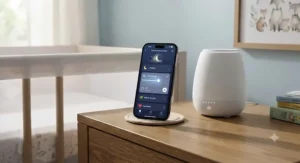
This is one of the most common points of confusion when shopping this category, and it deserves a direct answer. Bluetooth sound machine nursery devices — like the LectroFan EVO — connect directly to your phone over a short-range signal, primarily to stream external audio through the device’s speaker. WiFi app-controlled machines — like the Hatch Rest 2nd Gen, Momcozy Smart Baby Sound Machine, and Nanit Sound + Light — connect to your home router, which lets the companion app reach the device from anywhere in the house, or even remotely when you’re out.
Here’s what that means in practice: if you want to dim the lights and lower the volume from your bed without walking to the nursery, WiFi app control is non-negotiable — Bluetooth’s shorter range and lack of remote scheduling won’t get you there consistently. If you mainly want a reliable, no-fuss noise generator with the option to stream your own playlist occasionally, Bluetooth streaming like the LectroFan EVO offers is simpler to set up and has one less thing that can go wrong. Wireless audio control isn’t a single standard — it’s two different technologies solving two different problems, and matching the right one to your actual routine matters more than chasing the longest feature list.
How to Choose a Smartphone Controlled Sleep Sound Machine
- Decide if you need remote scheduling. If bedtime routines matter to your household, prioritize WiFi app-controlled models like Hatch Rest 2nd Gen over Bluetooth-only devices.
- Check your home network compatibility. Several machines, including Momcozy, require 2.4GHz WiFi specifically — confirm your router supports it before buying.
- Match sound type to sleeper sensitivity. Real-fan machines like Yogasleep Dohm Connect and SNOOZ avoid the looping some light sleepers eventually notice in digital recordings.
- Factor in subscription costs upfront. Premium content on Hatch and predictive features on Nanit sit behind optional memberships — budget for them if you want the full experience.
- Consider portability separately from your primary machine. A dedicated travel unit like Hatch Rest Go avoids forcing your main smart machine to double as luggage.
- Verify volume ceiling and safety data. Look for models that publish decibel information or include calibration modes, like SNOOZ‘s nursery setting.
- Weigh AI features against your actual habits. Cry-detection alerts from Nanit are genuinely useful for light sleepers and shared childcare, but add cost you may not need if you’re already using a baby monitor.
AI Sound Machines for Baby: Genuinely Smart, or Just a Marketing Label?
“AI sound machine for baby” gets attached to a lot of products loosely, so it’s worth separating real functionality from rebranded basics. On the Nanit Sound + Light, the AI label refers to genuine machine-learning-based cry detection — a system trained to recognize crying sounds specifically and distinguish them from general background noise, then push an alert to your phone. That’s a meaningfully different capability than a machine that simply lets you pick a sound from a menu.
On paper, this means the practical benefit is speed: instead of hearing a monitor and guessing whether that noise was actually your baby, an AI-assisted system flags the event directly. What most buyers overlook is that none of the AI features replace basic safe-sleep practices — they supplement your attention, they don’t substitute for it. If a listing describes a machine as “smart” purely because it has a WiFi connection and an app, that’s really just app control, not artificial intelligence; reserve your expectations (and your budget) for products that specifically describe trained detection models, not just remote adjustability.
✨ Ready to Build Your Smart Nursery?
🔍 Compare current pricing on the picks above and see which app-controlled machine matches your family’s routine best — your future well-rested self will thank you.
Programmable Sound Machines: Building Sleep-Wake Routines Your Baby Will Learn
A programmable sound machine baby routine works best when it’s boring and repeatable — the goal is predictability, not variety. On the Hatch Rest 2nd Gen, this typically looks like three saved routines: a low-light, low-volume “overnight feed” scene triggered around 2 a.m., a “naptime” scene with a slightly louder white noise cue, and a “time-to-rise” color change that teaches an older toddler when it’s actually morning. The Momcozy Smart Baby Sound Machine supports similarly structured routines through its app, letting you schedule specific sound-and-light pairings tied to clock times rather than manual daily toggling.
The practical trick most parents miss in the first month: set the identical sound and light combination every single time for a given routine, and resist the urge to vary it for novelty. Babies build sleep associations through repetition, and a routine that changes weekly teaches nothing. Once a schedule is dialed in, most families find they touch the app only a few times a month — for daylight saving adjustments or travel — rather than nightly.
Practical Setup Guide: Your First 30 Days With an App-Controlled Sound Machine
Getting a smartphone controlled sleep sounds machine from box to bedtime-ready involves a few steps worth doing carefully the first time. Start by connecting the device to power and confirming your home WiFi is broadcasting on 2.4GHz — this single step causes more setup frustration than any other, since many newer mesh routers default to 5GHz and hide the 2.4GHz band in advanced settings. Download the manufacturer’s specific app (Hatch Sleep, Tuya for Momcozy, Nanit, or Marpac for Yogasleep) rather than a generic smart-home app, and complete pairing while standing near the router for the strongest signal.
In the first week, resist the urge to explore every sound and light combination nightly; instead, pick one sound and volume level and stick with it for at least five to seven nights so your baby’s sleep response isn’t confounded by constant novelty. A common early mistake is setting the volume too high on the first night, aiming to “guarantee” masking effectiveness — start closer to the recommended safe range and adjust upward only if genuinely needed. By week three or four, most parents have settled into one or two saved routines and rarely open the app outside of travel or daylight saving changes; treat that settling-in as the goal, not constant fine-tuning.
Real-World Scenarios: Which Machine Fits Your Family
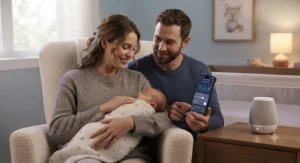
The newborn household with unpredictable naps: A family with a two-month-old catching naps at unpredictable hours across the house benefits most from something portable and app-adjustable, like the Momcozy Smart Baby Sound Machine — battery power means it isn’t tethered to one outlet, and remote volume control matters when naps happen in a stroller in the next room.
The toddler transitioning off nighttime wake-ups: For a two-and-a-half-year-old learning that morning has a specific color cue, the Hatch Rest 2nd Gen‘s time-to-rise feature is purpose-built for exactly this transition, letting parents set the wake signal well before the behavior needs reinforcing.
The co-parenting household using shared childcare: When multiple caregivers rotate through bedtime duty, the Nanit Sound + Light‘s cry-detection alerts and multiple control paths (app, camera app, physical buttons) reduce the “which app do I even open” friction that comes with inconsistent routines across caregivers.
The frequent traveler: Parents who fly with an infant monthly are better served pairing a primary WiFi machine at home with the Hatch Rest Go in the diaper bag — no WiFi setup required in hotels, and one less thing to configure at 11 p.m. in an unfamiliar room.
Common Mistakes When Buying an App-Controlled Sound Machine
The most frequent mistake is buying based on sound-library size alone, without checking whether the machine even offers WiFi or Bluetooth app control at all — some budget listings use “smart” loosely to describe a simple timer function. A second common misstep is skipping the router compatibility check; buyers repeatedly discover after unboxing that their mesh network needs a manual 2.4GHz band enabled, which some newer routers hide by default. Third, many parents underestimate ongoing subscription costs, assuming a device is a one-time purchase when premium content (as with Hatch+) or predictive features (as with Nanit Insights) require an annual fee.
A fourth mistake is over-indexing on maximum volume as a selling point rather than checking published decibel data or looking for a calibration mode like SNOOZ offers — louder isn’t better once you’re above pediatric safety thresholds. Finally, some households buy a single machine expecting it to double as both a stationary nursery unit and a travel companion, when a dedicated portable backup, like the Hatch Rest Go, solves both jobs more reliably than asking one device to do everything.
Long-Term Cost & Maintenance: Subscriptions, Batteries, and Total Cost of Ownership
The sticker price on any of these seven products is only part of the real cost. Hatch devices pair a roughly $60-$90 hardware cost with an optional Hatch+ membership for premium stories and lullabies, typically billed annually and covering every Hatch device in a household — a reasonable add-on if multiple kids will use it over several years, less so for a single short-term nursery setup. Nanit‘s predictive auto-adjustment features similarly sit behind an Insights subscription, so the sticker price undersells the full-featured cost of ownership.
By contrast, Yogasleep Dohm Connect, SNOOZ, LectroFan EVO, and Hatch Rest Go carry no ongoing subscription at all — their entire cost is the upfront purchase. Rechargeable battery-based machines like Momcozy and Nanit also introduce a maintenance consideration absent from plug-in-only devices: lithium battery capacity degrades gradually over a few years of nightly recharge cycles, which is worth factoring into a “will this last until my second child needs it” calculation. For most families, a two-to-three-year total cost of ownership comparison favors the no-subscription mechanical machines on raw dollars, while the app-ecosystem devices earn their premium through convenience and routine automation rather than lower long-term cost.
Safety, Regulations & Intelligent Sound Therapy Guidelines
Intelligent sound therapy for infants only works when it’s used within established safety ranges, and this is one area where following published pediatric guidance matters more than any app feature. The American Academy of Pediatrics has counseled parents who use infant sleep or noise machines to pay attention to safe use, noting that while research shows real sleep benefits, at least one study raised concern about the sound levels some devices can reach at full volume. That’s exactly why volume awareness belongs in every setup checklist, not just the box it came in. You can review the AAP’s full statement on noise exposure risks to children directly from HealthyChildren.org for the complete context.
The practical targets repeated across pediatric sources are consistent: keep volume at or below roughly 50 decibels at crib level, position the machine at least seven feet from where your baby sleeps, and avoid running any machine at its maximum setting overnight. For broader context on how decibel exposure translates to hearing risk generally, the CDC’s overview of noise and hearing loss explains how NIOSH’s 85-decibel threshold is calculated, which is useful background even though nursery guidance uses a stricter, more conservative number for infants specifically. Machines with built-in calibration modes, like SNOOZ‘s nursery setting, or published decibel specs make it meaningfully easier to stay within these ranges without needing a separate decibel meter app.
App-Based Parenting Tools: How Sound Machines Fit the Bigger Smart Nursery Picture
Smartphone controlled sleep sounds rarely live in isolation anymore — they’re one piece of a broader shift toward app-based parenting tools that includes baby monitors, feeding trackers, and sleep-log apps, often from the same manufacturer ecosystem. The Nanit Sound + Light demonstrates this most directly, since its predictive pairing feature only activates when connected to a Nanit camera and Insights subscription, effectively asking families to buy into a full platform rather than a single device.
Here’s what to weigh before committing to one ecosystem: cross-device integration is genuinely convenient when it works, letting one app manage sound, light, and monitoring together, but it also means a single account outage or app bug affects multiple nursery functions at once. Families who prefer resilience over convenience often deliberately choose single-purpose devices — a standalone Yogasleep Dohm Connect for sound and a separate monitor for video — specifically to avoid concentrating every nursery function behind one login and one company’s server uptime.
Benefits vs Traditional Alternatives
| Factor | App-Controlled Sound Machines | Traditional Sound Machines |
|---|---|---|
| Remote adjustment | Yes, from anywhere in the home (or beyond) | No, requires walking to the device |
| Scheduling | Programmable routines and timers | Manual on/off only |
| Sound variety | Often 20-34+ sounds | Typically 1-6 sounds |
| Setup complexity | Requires WiFi/Bluetooth pairing | Plug in and go |
| Ongoing cost | May include subscription fees | One-time purchase only |
| Best For | Tech-comfortable households wanting automation | Simplicity-first buyers, backup units |
The comparison above makes the core tradeoff plain: app-controlled machines like Hatch Rest 2nd Gen and Momcozy win decisively on convenience and customization, while traditional machines win on simplicity and zero setup friction. For many households, the answer isn’t choosing one category exclusively — a primary app-controlled machine paired with a simple backup like Hatch Rest Go covers both the daily convenience and the “what if the WiFi is down” scenario.
Buyer’s Decision Framework
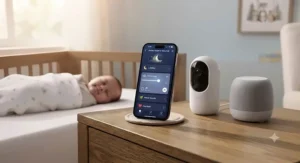
If your household values remote scheduling above all else, choose a WiFi app-controlled machine like Hatch Rest 2nd Gen because routine automation delivers the most day-to-day time savings. If you’re watching every dollar and don’t need remote control, choose LectroFan EVO or Hatch Rest Go because you’ll get reliable sound quality without ongoing subscription costs. If cry-detection and cross-device automation genuinely fit your existing tech setup, choose Nanit Sound + Light because its AI features only pay off within a fuller smart-nursery ecosystem. If authentic mechanical fan sound matters more than app depth, choose Yogasleep Dohm Connect or SNOOZ because both prioritize sound authenticity over sound-library size.
FAQ
❓ Is app-controlled better than a regular sound machine for babies?
❓ Do smartphone controlled sleep sound machines work without WiFi?
❓ How loud should a baby sound machine be?
❓ Can I control a baby sound machine from another room?
❓ Do AI sound machines actually detect real baby cries accurately?
Conclusion
Smartphone controlled sleep sounds have moved well past the novelty stage — the seven machines covered here represent genuinely different technical philosophies, from real mechanical fans with app scheduling to WiFi-connected ecosystems with AI cry detection, and picking between them comes down to matching technology to your actual routine rather than chasing the longest feature list. Budget-focused households do well with LectroFan EVO or Hatch Rest Go, families wanting one all-in-one smart hub should look hardest at Hatch Rest 2nd Gen or Momcozy Smart Baby Sound Machine, and anyone already invested in connected nursery monitoring will get the most value from Nanit Sound + Light‘s predictive features.
Whichever direction you take, the safety fundamentals stay the same regardless of price point: keep volume within pediatric-recommended ranges, position the machine at a safe distance from the crib, and treat any “smart” feature as a convenience layered on top of sound sleep practices, not a replacement for them. The right pick is simply the one your family will actually use consistently, night after night, without a learning curve steep enough to abandon it by week two.
Recommended for You
- Alexa Compatible Sound Machine: 7 Best Picks for 2026
- Nature Sounds Sleep Machine Baby: 7 Trusted Picks for 2026
- 7 Best Travel White Noise Machines for Restful Sleep in 2026
Disclaimer: This article contains affiliate links. As an Amazon Associate, I earn from qualifying purchases. If you purchase products through these links, we may earn a small commission at no additional cost to you.
✨ Found this helpful? Share it with your friends! 💬🤗
