
In This Article
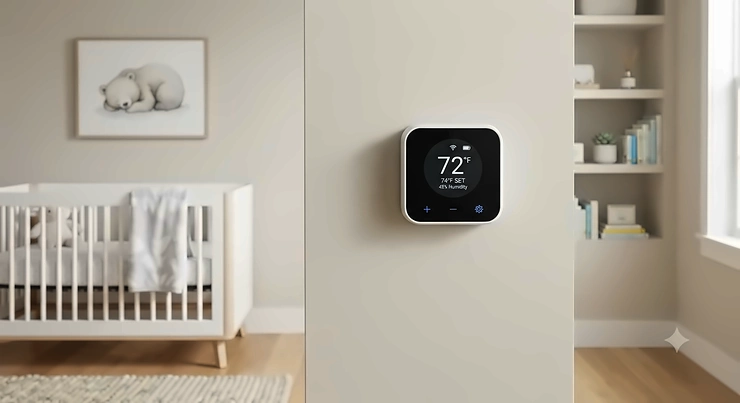
Somewhere between the third 2 a.m. wake-up and the fifth time you’ve crept into the nursery just to press the back of your hand against your baby’s neck, a thought crystallizes: there has to be a better way to know if this room is too hot. A smart nursery thermostat solves that exact problem — it puts real-time temperature (and usually humidity) data on your phone, so you’re not relying on guesswork or a 3 a.m. gut check. The category is broader than a single wall-mounted dial, too. It spans whole-home smart thermostats you can zone toward a nursery, plug-in AC controllers for renters, and standalone WiFi sensors that simply watch the room and alert you when things drift.
That range matters because “ideal” looks different depending on your setup. A family in a rental apartment with a window AC unit needs something completely different from a homeowner with central HVAC and ductwork. Pediatric guidance is pretty consistent on the target, though: most sleep experts recommend a nursery in the 68 to 72 degrees Fahrenheit range, largely because overheating is a recognized risk factor discussed in the American Academy of Pediatrics’ safe sleep recommendations. This guide walks through seven real, currently available devices — smart thermostats, AC controllers, and dedicated sensors — with honest analysis of who each one actually fits, not just a spec dump.
Below is the quick-reference table, followed by the full breakdown. Every product name is bolded throughout so you can scan for the one you’re curious about.
Quick Comparison Table
| Product | Type | Price Range | Best For |
|---|---|---|---|
| Ecobee Smart Thermostat Premium | Whole-home smart thermostat | $250-$330 range | Homeowners with central HVAC wanting room-level sensing |
| Google Nest Thermostat | Whole-home smart thermostat | Under $100 | Simple, budget-friendly whole-house control |
| Wyze Thermostat | Whole-home smart thermostat | Under $60 | Tightest budget, DIY hardwired install |
| Sensibo Sky | Smart AC/mini-split controller | $75-$85 range | Renters with window units or ductless mini-splits |
| Nanit Pro | Baby monitor with climate sensor | $260-$300 range | Parents who want video plus temperature in one device |
| Govee WiFi Thermometer Hygrometer H5179 | Standalone smart sensor | Under $35 | Budget-conscious parents who just want alerts |
| SwitchBot Meter Plus + Hub 2 | Standalone smart sensor + automation hub | $50-$70 range | Renters who want automation without touching HVAC wiring |
A quick read of this table tells a clear story: if you own your home and have central HVAC, the Ecobee Smart Thermostat Premium and Google Nest Thermostat compete directly for the same job, just at very different price points. If you’re renting or working around a window unit, Sensibo Sky and the SwitchBot Meter Plus + Hub 2 solve a completely different problem — controlling or monitoring a room without touching a single wire. And if you’d rather fold nursery climate tracking into a baby monitor you’re already buying, Nanit Pro covers that base without adding a second gadget to the wall.
💬 Found a pick that fits your setup already? Bookmark this page and come back before you check out.
Top 7 Smart Nursery Thermostat and Climate Options: Expert Analysis
1. Ecobee Smart Thermostat Premium — built-in room sensor and air quality monitoring
The standout here is that the Ecobee Smart Thermostat Premium doesn’t just read the temperature at the thermostat on the hallway wall — it ships with a wireless SmartSensor you place directly in the nursery, so the system actually knows what the room your baby sleeps in is doing, not just an approximation from down the hall. That distinction matters more than it sounds: hallway-mounted thermostats routinely misread nursery temperature by several degrees because heat doesn’t distribute evenly through a house, especially in homes with older ductwork or a nursery converted from a sunroom or garage space.
Specs worth knowing: the unit includes a 4-inch glass touchscreen, a built-in air quality sensor that tracks conditions and compares against the Nest and Honeywell T9, and a far-field microphone for Alexa built directly into the thermostat. Setup runs about 28 minutes for most installers, largely because the guided in-app wizard walks you through labeling old wires. Based on the spec comparison against Nest, the SmartSensor is really what separates this from a standard smart thermostat — most competitors sell room sensors as a $50-80 add-on, while Ecobee bundles one in the box.
Who this is for: homeowners with central forced-air or heat pump HVAC who want one thermostat to handle the whole house while still getting nursery-specific accuracy. It’s overkill if you’re renting or your nursery is cooled by a window unit — in that case the sensor accuracy is wasted because the thermostat still can’t control a unit it isn’t wired into.
Reviewers consistently report that the SmartSensor installation is the easiest part of setup, and that the payback period on energy savings is roughly 14 months for households replacing an old programmable thermostat. A recurring complaint in aggregated feedback is that the app can feel dense at first, with more toggles and settings screens than casual users expect.
Pros:
- ✅ Includes a room sensor in the box, unlike most rivals
- ✅ Built-in air quality monitoring flags filter changes automatically
- ✅ Alexa built directly into the thermostat, no extra speaker
Cons:
- ❌ Additional room sensors cost extra for multi-room coverage
- ❌ App has a steeper learning curve than budget competitors
At around $250-$330 depending on retailer and promotions, this sits at the premium end of the category — check current price before buying, since Ecobee runs seasonal discounts that can shave $40-70 off MSRP. For a household that already has central air and wants to stop guessing about the nursery specifically, the value case is strong; for anyone without central HVAC, it’s the wrong tool entirely.
2. Google Nest Thermostat — most mainstream smart home ecosystem fit
What stands out about the Google Nest Thermostat is how little friction there is if you already live inside the Google ecosystem — Nest devices talk to Google Home natively, so a nursery temperature alert can trigger a Google Assistant announcement on a speaker down the hall without any third-party integration. It’s the current-generation, non-“Learning” model, and it’s priced to compete directly with Ecobee’s entry tier rather than its premium one.
The current-generation Nest Thermostat typically sells in the $90-$130 range depending on retailer promotions, and it supports basic scheduling, remote temperature adjustment from the app, and integration with Google’s broader smart home ecosystem. Unlike the Ecobee Premium, it does not include a bundled room sensor out of the box on the base model — the nursery-specific accuracy that makes the Ecobee compelling isn’t automatically part of this deal, though Nest does sell temperature sensors separately for multi-room setups. What most buyers overlook here is that Google has been sunsetting support for older Nest thermostat generations, so buying the current model rather than a discounted older one matters more than the sticker price difference suggests.
Aggregated reviewer sentiment leans positive on the Auto-Schedule learning feature, which many parents report adapting well to a newborn’s unpredictable early sleep patterns within about a week of installation. A common complaint is that without an add-on room sensor, the temperature reading reflects wherever the thermostat itself is mounted — usually a hallway — rather than the nursery.
Pros:
- ✅ Deep native integration with Google Home and Assistant
- ✅ Lower entry price than Ecobee’s comparable tier
- ✅ Auto-Schedule learns household routine within about a week
Cons:
- ❌ No bundled room sensor on the base model
- ❌ Older Nest generations have lost cloud support recently
Value verdict: in the $90-$130 range, this is the pick for Google households that want reliable whole-home control and are willing to add a standalone nursery sensor (like the Govee or SwitchBot picks further down) for room-specific accuracy.
3. Wyze Thermostat — most affordable full-featured smart thermostat
The Wyze Thermostat‘s standout feature is blunt: it costs about half of what a comparable entry-level Nest runs, while still including scheduling, remote app control, and a bundled wiring-conversion harness for homes without a C-wire. For budget-conscious families furnishing a nursery on a tight registry budget, that price gap is significant when you’re also buying a crib, a monitor, and a car seat in the same season.
Specs that matter in practice: the unit requires hardwired installation (no battery-only DIY option), includes an included C-wire adapter that eliminates a common installation headache found with other budget thermostats, and supports Alexa voice control, though Google Assistant support lags behind Alexa on this platform. Here’s what to weigh: the Wyze doesn’t track overall HVAC system performance or send maintenance alerts the way Nest and Ecobee do, so you lose some of the proactive health monitoring that pricier options provide.
Real-world reviewer sentiment is largely positive given the price point, with the filter-tracking feature — which calculates percentage-of-life-remaining based on filter size and type — cited as an unexpectedly detailed touch for a $50 device. A recurring theme in aggregated feedback is that hardwired installation is a dealbreaker for apartment renters who can’t modify wall wiring.
Pros:
- ✅ Roughly half the price of comparable Nest models
- ✅ Includes C-wire adapter most budget thermostats omit
- ✅ Detailed filter-life percentage tracking, not just reminders
Cons:
- ❌ Requires hardwired installation, not renter-friendly
- ❌ No HVAC system health monitoring like pricier rivals
At under $60, this is the best all-around value if you own your home and just need reliable whole-house control without premium extras. Skip it if you’re renting, since the hardwired requirement rules out most apartment setups.
4. Sensibo Sky — best for window AC units and ductless mini-splits
The Sensibo Sky solves a problem none of the whole-home thermostats above can touch: it works with window units and ductless mini-splits that don’t have low-voltage thermostat wiring at all. The standout feature is the built-in temperature and humidity sensor paired with a universal infrared receiver that learns your existing AC remote’s signals, effectively turning a dumb window unit into a schedulable, app-controlled device in about two minutes of setup.
On paper, this means renters in apartments with a nursery cooled by a window unit finally get remote monitoring and scheduling without any electrical work — the device just sits on a shelf or is mounted with the included double-sided tape and talks to the AC via infrared, the same way a universal remote does. It runs on 2.4GHz WiFi and supports geofencing, so the AC can power down automatically when everyone leaves the house and kick back on before you return. What the spec sheet won’t tell you, but reviewers note, is that infrared line-of-sight matters: the Sensibo needs a relatively clear view of the AC unit to send commands reliably, so placement in a cluttered nursery with a crib blocking the sightline can cause missed commands.
Aggregated reviews describe the Climate React automation — which triggers the AC based on the Sensibo’s own sensor readings rather than a fixed schedule — as the feature that makes it feel genuinely smart rather than just a remote-control app. A recurring critique is that without a dedicated room sensor add-on, all readings come from wherever the puck itself sits, which may not be the same spot as the crib.
Pros:
- ✅ Works with window units and mini-splits, no wiring needed
- ✅ Setup takes about two minutes via IR remote learning
- ✅ Geofencing automatically manages away-mode savings
Cons:
- ❌ Requires clear infrared line-of-sight to the AC unit
- ❌ No included physical room sensor for crib-side accuracy
Priced in the $75-$85 range, this is the strongest pick for renters and anyone whose nursery cooling comes from a standalone unit rather than central air — a category the Ecobee, Nest, and Wyze thermostats simply cannot serve.
5. Nanit Pro — best for combining video monitoring with climate tracking
Nanit Pro‘s standout is that it folds temperature and humidity sensing directly into a baby monitor you were likely buying anyway, so there’s no extra device competing for wall space or WiFi bandwidth in an already gadget-heavy nursery. Live video, sound and motion notifications, two-way audio, and the temperature/humidity readout are all included free with the camera purchase — no subscription required to access the climate data specifically, which is a distinction worth knowing since Nanit’s marketing leans heavily on its paid Insights sleep-tracking tiers.
The camera mounts overhead via a floor stand or wall mount and streams 1080p video alongside real-time temperature and humidity sensor readings in the same app you’re already checking to look in on the baby. Based on the spec comparison against dedicated sensors like the Govee below, Nanit’s temperature reading comes from the camera unit itself, mounted at ceiling or wall height rather than crib height — a genuine limitation, since heat can stratify a few degrees between crib level and the ceiling in a room with poor air circulation.
Reviewers who’ve used Nanit across multiple children and years of testing describe the temperature and humidity readout as a background feature they check less often than expected once the room is dialed in, but appreciate having during heat waves or cold snaps. A common critique in aggregated feedback is that the free tier’s data is real-time only — historical temperature trends over weeks or months are locked behind the paid Insights subscription.
Pros:
- ✅ Temperature and humidity included free, no subscription needed
- ✅ Combines monitor and climate sensor in one device
- ✅ Free stand or wall mount included with the camera
Cons:
- ❌ Sensor reads from ceiling height, not crib level
- ❌ Historical temperature trends require a paid subscription
At $260-$300 for the camera and mount, this is priced like a premium baby monitor because that’s fundamentally what it is — the climate sensing is a strong bonus feature, not the primary reason to buy it. Choose this if you were shopping for a video monitor anyway and want the temperature data bundled in.
6. Govee WiFi Thermometer Hygrometer H5179 — most affordable dedicated smart sensor
The Govee WiFi Thermometer Hygrometer H5179‘s standout is pure focus: it does exactly one job — read temperature and humidity and alert you when either drifts out of range — for well under $35, no camera, no HVAC control, no subscription. For parents who already trust their existing baby monitor for video and just want a second, independent set of eyes on room climate, this is the leanest way to get there.
Specs worth knowing: the unit uses a Swiss-made sensor rated to ±0.54°F temperature accuracy and ±3% relative humidity accuracy, refreshing readings roughly every 2 seconds and connecting over 2.4GHz WiFi (5GHz networks aren’t supported, which trips up some households with mesh routers). Here’s what to weigh: because it’s battery-powered and magnetic-backed, placement flexibility is excellent — you can stick it directly on the crib rail’s metal hardware or a nearby dresser at roughly baby’s actual sleeping height, solving the ceiling-height accuracy gap that affects camera-based sensors like the Nanit Pro above.
Aggregated reviewer sentiment praises the calibration feature, which lets owners cross-check the Govee’s reading against a trusted reference thermometer and adjust for any offset — a feature several buyers highlight as missing from cheaper competing hygrometers. A recurring complaint is that the app’s notification settings can be fussy to configure correctly on first setup, occasionally requiring a factory reset to get alerts firing reliably.
Pros:
- ✅ Accurate Swiss-made sensor at a budget price point
- ✅ Placement flexibility via magnetic back and compact size
- ✅ User-calibratable for cross-checking against other thermometers
Cons:
- ❌ 2.4GHz WiFi only, incompatible with some mesh network setups
- ❌ Notification setup can require troubleshooting on first use
Under $35, this is the easiest “add-on” purchase on this list — pair it with any smart thermostat above (or none at all) for crib-level accuracy that whole-house or ceiling-mounted devices can’t match.
7. SwitchBot Meter Plus + Hub 2 — best for automation without touching HVAC wiring
The SwitchBot Meter Plus + Hub 2 bundle’s standout is that it turns a passive sensor into an active automation trigger: pair the battery-powered Meter Plus sensor with the mains-powered Hub 2, and the system can automatically fire a smart plug-connected space heater, fan, or humidifier when the nursery crosses a threshold you set — all without any HVAC wiring or a whole-home thermostat purchase. It’s the closest thing on this list to genuinely automated climate control for renters who can’t install a hardwired thermostat.
On paper, this means the Meter Plus reads temperature and humidity with a Swiss Sensirion sensor rated to ±1.8% relative humidity and ±0.36°F accuracy, while the Hub 2 acts as the always-on bridge that connects everything to WiFi and enables push notifications plus infrared control of window AC units, fans, or humidifiers that came with a physical remote. What most buyers overlook is that the Meter Plus alone only talks Bluetooth — without the Hub 2 add-on, you lose WiFi remote monitoring, push alerts, and automation triggers entirely, so buying the bundle rather than the sensor alone is functionally required for nursery use.
Reviewers consistently note the 68-day on-device data storage and unlimited cloud storage (once paired with the Hub) as generous compared to competing sensors, and the Matter compatibility means it plays reasonably well with Apple Home, Google Home, and Alexa simultaneously. A common critique in aggregated feedback is that the automation setup — creating “if humidity exceeds X, turn on humidifier plug” style scenes — takes more configuration time than plug-and-play competitors, though the payoff is genuinely hands-off climate management afterward.
Pros:
- ✅ Automation triggers smart plugs based on real sensor readings
- ✅ Matter support works across Apple, Google, and Alexa
- ✅ Generous on-device and cloud data storage included
Cons:
- ❌ Sensor alone (without Hub) loses WiFi alerts and automation
- ❌ Scene setup takes more configuration than simpler sensors
Bundled pricing runs $50-$70 for the Meter Plus and Hub 2 together, making this the strongest pick for renters who want real automation — not just alerts — without touching their building’s HVAC system at all.
Setting Up Your Nursery Climate System: A Practical Usage Guide
Getting any of these devices working well in a real nursery takes more than pulling it out of the box. Start by placing the sensor at crib height, not at the thermostat’s default wall-mount height or a camera’s ceiling position — heat and cool air stratify, and a reading taken three feet above the crib can run 2-4°F warmer than what your baby actually experiences, especially in rooms with ceiling fans running or poor air circulation near an exterior wall.
During the first 30 days, resist the urge to constantly recalibrate based on a single reading. Watch the trend over 3-4 nights before adjusting a schedule or threshold, since a single unusually warm evening might reflect weather, not a system problem. A common early mistake is setting alert thresholds too tight — a 1-degree alert range will fire constantly as normal HVAC cycling causes minor fluctuations, training you to ignore notifications that might actually matter. Set thresholds a few degrees wider than the target range at first, then narrow them once you understand your specific room’s normal swing pattern.
Maintenance is minimal but not zero: WiFi sensors with removable batteries typically need a battery swap every 6-12 months, and it’s worth marking that date in a phone calendar rather than waiting for a dead-battery notification at 2 a.m. For hardwired thermostats, an annual filter check tied to the device’s own reminder feature (available on Ecobee and Nest) keeps HVAC efficiency — and therefore nursery temperature stability — from silently degrading over a heating or cooling season.
Real-World Scenarios: Matching a Device to Your Situation
Consider three common setups. First, a first-time parent in a two-bedroom apartment with a window AC unit in the nursery, on a tight budget after registry expenses — the Sensibo Sky paired with the Govee WiFi Thermometer Hygrometer H5179 covers both AC control and crib-level accuracy for under $120 combined, without any landlord permission needed for installation.
Second, a homeowner with central HVAC and a nursery converted from a home office, who’s noticed the room runs warmer than the rest of the house because of afternoon sun exposure — the Ecobee Smart Thermostat Premium with its included room sensor solves this directly, since the system can prioritize the nursery’s actual reading over the hallway thermostat’s reading when deciding when to run the AC.
Third, a family expecting twins who already researched baby monitors extensively and wants to minimize the number of devices mounted in a small nursery — Nanit Pro consolidates video monitoring and climate tracking into one purchase, trading a small accuracy tradeoff (ceiling-height sensing) for meaningfully less clutter on the wall and one less app to check.
How to Choose a Smart Nursery Thermostat
- Identify your HVAC type first. Central forced-air or heat pump systems need a wired thermostat like Ecobee or Google Nest; window units and mini-splits need an infrared controller like Sensibo Sky; if you’re not modifying HVAC at all, a standalone sensor like Govee or SwitchBot is the right category.
- Decide if you need room-level or whole-home accuracy. A whole-home thermostat reading from a hallway can miss nursery-specific conditions by several degrees — budget for a dedicated room sensor if the nursery has unusual sun exposure, is above a garage, or sits at the end of a duct run.
- Check your WiFi band compatibility. Several budget sensors, including the Govee H5179, only support 2.4GHz networks — confirm your router broadcasts a separate 2.4GHz SSID before purchasing if you’re on a modern mesh system.
- Weigh subscription costs into total price. Devices like Nanit bundle basic climate data for free but lock historical trends behind a paid tier — factor that ongoing cost in if trend data matters to you.
- Consider renter restrictions. Hardwired thermostats require landlord approval and electrical work in most leases; battery-powered sensors and IR-based AC controllers avoid that entirely.
- Match automation needs to complexity tolerance. The SwitchBot bundle offers genuine automation but demands more setup time than a simple alert-only sensor — decide honestly whether you’ll actually configure and maintain automation rules.
- Budget for the accessory, not just the base unit. Add-on room sensors, hub requirements, and mounting hardware can add $30-80 to an advertised base price — check the full kit cost, not the teaser price.

Common Mistakes When Buying a Nursery Climate Device
The most frequent mistake is buying a whole-home thermostat expecting nursery-specific accuracy without also budgeting for the add-on room sensor — the base Google Nest Thermostat, for instance, reads wherever it’s mounted, not the nursery, unless you add a separate sensor. A close second is renters buying a hardwired thermostat like the Wyze Thermostat without checking their lease, only to discover installation isn’t permitted or the wiring behind their existing thermostat doesn’t match what the new unit expects.
Another common misstep is over-trusting a single data point from a device mounted at the wrong height — a ceiling-mounted camera sensor and a crib-rail sensor can legitimately disagree by a few degrees, and neither is “wrong,” they’re just measuring different air. Finally, many parents set alert thresholds immediately at the exact 68-72°F pediatric guidance range, then get notification fatigue from constant pings during normal HVAC cycling — widening the alert band slightly, while still checking the room manually during genuine extremes, tends to work better in practice.
What to Expect: Real-World Performance
In practice, a properly placed smart sensor doesn’t eliminate the instinct to check on your baby — it changes what triggers the check. Instead of walking in “just in case” every hour, most parents describe checking in when an actual alert fires, or during a scheduled feeding, which reviewers across multiple product categories describe as meaningfully reducing 2 a.m. anxiety without reducing actual vigilance. WiFi-dependent devices will occasionally hiccup during router outages or firmware updates; nearly every product line reviewed here has some reported instances of missed notifications during connectivity gaps, which is why pediatric guidance to check on a baby directly still matters — a sensor is a supplement to attentive caregiving, not a replacement for it.
Temperature swings of 1-2°F over a night are normal even with a well-functioning system, driven by outdoor temperature changes, HVAC cycling, and whether a door was left open. What’s worth investigating is a sustained drift of 4°F or more, or a humidity reading that stays above 60% for multiple days, since the EPA’s mold prevention guidance notes sustained humidity above that threshold creates conditions where mold can establish on surfaces with organic material and dust — a real concern in a room with a lot of soft textiles and stuffed storage.
Long-Term Cost & Maintenance
Whole-home smart thermostats carry the strongest long-term ROI case because they reduce HVAC energy waste across the entire house, not just the nursery. According to ENERGY STAR’s smart thermostat program, certified devices save the average household more than 8% on heating and cooling energy, roughly $50 annually — a number that compounds over a multi-year mortgage or long-term rental. The Ecobee Premium’s steeper $250-330 price tag is easier to justify against that backdrop than it looks in isolation, since a household already spending more than $900 a year on heating and cooling can realistically recoup the price difference over several thermostat lifespans.
Standalone sensors like the Govee and SwitchBot options carry minimal ongoing cost beyond occasional battery replacement — figure $5-10 a year in batteries for most battery-powered models. Subscription-dependent devices like Nanit are the outlier: the free tier covers live climate data indefinitely, but anyone who wants historical trend analysis is signing up for an annual fee that should be weighed as part of the true multi-year cost, not treated as optional after the fact.
Features That Actually Matter (And Those That Don’t)
Room-level sensor accuracy matters more than almost any other spec on this list — a whole-home thermostat with a beautiful touchscreen but no nursery-specific sensor is solving the wrong problem for this particular use case. Humidity tracking alongside temperature matters too, since the EPA’s 30-50% relative humidity guidance addresses both comfort and mold prevention, and a device that only reports temperature is giving you half the picture.
What matters less than marketing suggests: built-in voice assistants (Alexa or Google integration) are a nice-to-have convenience, not a nursery-safety feature, and a far-field microphone doesn’t improve temperature accuracy at all. Similarly, ultra-fast refresh rates (readings every 2 seconds versus every 60 seconds) rarely change real-world outcomes for a room that changes temperature gradually — the marketing emphasis on refresh speed is mostly a differentiator between competing sensor brands rather than something that meaningfully protects your baby.
📍 Ready to compare options side-by-side? Tap through to check today’s pricing on the models that fit your setup.
Safety, Regulations, and Compliance Guide
No smart thermostat or sensor is a substitute for the core pediatric safe sleep guidance that actually reduces risk. The AAP’s 2022 sleep-related infant death policy statement notes that while overheating is linked to increased SIDS risk, the specific definition of “overheating” varies across studies, making it difficult to set one universal room temperature number — which is exactly why the 68-72°F range functions as a practical target rather than a hard medical threshold. The AAP’s broader safe sleep guidance emphasizes dressing an infant in no more than one layer more than an adult would wear comfortably in the same room, which matters just as much as the thermostat setting itself.
On the humidity side, the EPA’s mold prevention guidance recommends maintaining indoor relative humidity below 60%, ideally between 30% and 50% — a range every device reviewed here that tracks humidity can help you monitor. None of these devices are medical devices and none are marketed or regulated as such; they’re consumer electronics that provide helpful data, and any concerning or persistent temperature-regulation issue with an infant (excessive sweating, lethargy, unusual skin color) warrants a call to your pediatrician rather than a thermostat adjustment.
Frequently Asked Questions
❓ What is the best temperature for a smart nursery thermostat to target?
❓ Do I need a whole-home thermostat or a standalone sensor for the nursery?
❓ Can a smart nursery thermostat replace checking on my baby?
❓ Why does my baby monitor's temperature reading differ from my thermostat's?
❓ Is humidity as important as temperature in a nursery climate system?
Conclusion
There’s no single “best” smart nursery thermostat because the category actually spans three different jobs: controlling whole-home HVAC, controlling a standalone AC or mini-split, and simply monitoring room conditions without controlling anything. The Ecobee Smart Thermostat Premium and Google Nest Thermostat compete for homeowners with central air, with Ecobee’s bundled room sensor justifying its higher price for anyone who’s noticed their nursery runs warmer or cooler than the rest of the house. The Wyze Thermostat undercuts both on price for budget-focused homeowners willing to skip premium extras. Renters get real options too — Sensibo Sky brings smart control to window units and mini-splits, while the SwitchBot Meter Plus + Hub 2 adds genuine automation without any HVAC wiring at all. And for parents who’d rather consolidate gadgets, Nanit Pro folds climate sensing into a video monitor, while the Govee WiFi Thermometer Hygrometer H5179 stays the simplest, cheapest way to get an independent, crib-height reading regardless of what else is on the wall.
Whichever you choose, treat the number on the app as one input among several — pediatric guidance on layering, room ventilation, and direct physical checks on your baby still matters more than any single sensor reading. Use the device to catch drift and reduce needless 2 a.m. worry, not as the sole word on your baby’s comfort.
Recommended for You
- 7 Best Sunrise Simulator Night Lights That Actually Work in 2026
- App Controlled Baby Night Light: 7 Best Smart Picks for 2026
- Smart LED Nursery Night Light: 7 Real Picks for 2026
Disclaimer: This article contains affiliate links. As an Amazon Associate, I earn from qualifying purchases. If you purchase products through these links, we may earn a small commission at no additional cost to you.
✨ Found this helpful? Share it with your friends! 💬🤗
