
In This Article
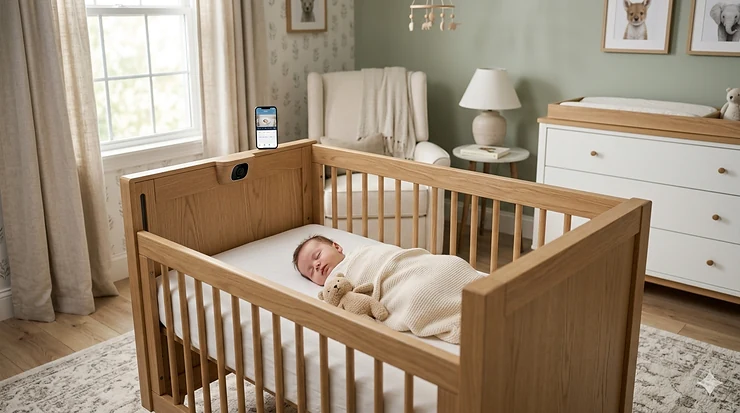
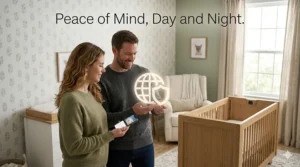
There’s a moment every new parent knows well. It’s 2 a.m., the house is finally quiet, and you’re lying in bed wondering — is the baby okay? That low-level hum of anxiety never fully switches off. It just waits. And that’s exactly the problem a crib with built in camera is designed to solve.
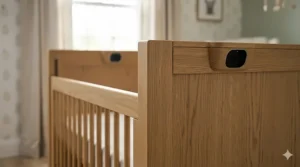
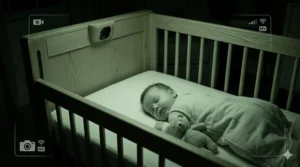
These aren’t just monitors mounted near a crib. The best integrated nursery camera systems give you a real-time visual on your baby’s sleep environment — night vision, two-way audio, and in the premium tier, AI-powered alerts before a cry even becomes a cry. The result? You don’t just watch your baby sleep. You understand how they sleep.
A crib with built in camera essentially fuses your video monitoring bassinet with smart detection technology, eliminating the “where do I mount this thing?” problem that haunts every first-time nursery setup. Some models go even further — functioning as HD camera smart cribs that bounce, soothe, track breathing motion, and log sleep data night over night. The specs vary wildly. The quality gap between budget and premium options is enormous. And the wrong choice costs you more than money — it costs you sleep.
I’ve done the deep dive so you don’t have to. Below you’ll find the seven best options currently available on Amazon, ranked across budget, mid-range, and premium tiers, along with an honest look at who each product is actually built for. Whether you’re a first-time parent, a data-obsessed planner, or someone who just wants reliable visual monitoring solutions without a subscription fee breathing down your neck, there’s something on this list for you.
Quick Comparison: Best Crib With Built In Camera (2026)
| Product | Resolution | Key Feature | Best For | Price Range |
|---|---|---|---|---|
| Cradlewise Smart Crib | 1080p HD | Full smart crib + built-in monitor | Long-term all-in-one investment | $$$$$ |
| Owlet Dream Duo Gen 3 | 2K HD | FDA-cleared sock + camera bundle | Health-focused parents | $$$$ |
| Nanit Pro Smart Monitor | 1080p HD | Sleep analytics + breathing tracking | Data-driven parents | $$$ |
| CuboAi Smart Baby Monitor 3 | 2.5K QHD | AI covered-face & rollover alerts | Safety-first nurseries | $$-$$$ |
| Motorola Halo+ | 1080p | Over-the-crib mount + soother | No wall drilling required | $$-$$$ |
| Lollipop Smart Baby Monitor | 1080p | True crying detection (>96% accuracy) | Tech-savvy minimalists | $$ |
| eufy SpaceView S340 | 2K | No-WiFi option + pan-tilt | Offline privacy seekers | $$-$$$ |
Reading the data: There’s a clear split in this market between all-in-one smart crib systems (Cradlewise at the top) and high-quality camera systems you mount to a standard crib. For most families, the camera-plus-crib setup delivers 80% of the utility at 30–40% of the cost. However, if you’re buying a new crib anyway, the Cradlewise math starts to look more interesting.
💬 Just one click — help others make better buying decisions too! 😊
Top 7 Crib With Built In Camera Products: Expert Analysis
1. Cradlewise Convertible Smart Crib — The Real All-in-One
If the phrase “crib with built in camera” is to be taken literally, Cradlewise is the only product that actually is that — a full smart crib with an integrated video monitor baked into the frame itself. No wall mount, no floor stand, no guesstimating camera angles. It’s purpose-built.
The built-in camera delivers live video with night vision, and what makes it smarter than a simple camera is that it actively uses the footage. The AI detects early wake-up signs — subtle movements, fluttering eyes, micro-restlessness — and triggers a gentle bounce before the baby hits full cry mode. Parents report this is genuinely the feature that saves their sleep, not just a marketing bullet point. The monitor integrates with the Cradlewise app for sleep tracking, pattern analysis, and caregiver sharing.
What most buyers overlook: the Cradlewise converts from bassinet to crib, covering you from birth through 24 months. You’re not buying a baby product — you’re buying 2 years of monitored, integrated sleep infrastructure. Compare that against the cost of a separate crib, a separate monitor, and a separate sound machine, and the math shifts considerably.
The assembly process is real work — budget an hour — and you’ll want a partner around for the initial setup. It’s a complex piece of equipment. That said, once it’s running, it practically disappears into the background.
Customer feedback consistently praises the AI soothing as “lifechanging” while noting the app requires a learning curve in the first week.
✅ Built-in AI video monitor with night vision
✅ Auto-bounce triggered before baby fully wakes
✅ Bassinet-to-crib conversion through 24 months
❌ Premium price point — the highest on this list
❌ Assembly takes significant time and effort
Price range: Check current price on Amazon — this is a premium, furniture-grade investment.

2. Owlet Dream Duo Gen 3 — The Safety-Obsessed Parent’s Choice
The Owlet Dream Duo Gen 3 represents a different philosophy entirely: instead of smart furniture, you get a dual-system approach — the FDA-cleared Dream Sock monitoring pulse rate and oxygen saturation, paired with the 2K Dream Sight HD camera for visual surveillance of the crib. Both feed into one unified Owlet Dream App.
The 2K resolution here matters more than it sounds. At 2K, with the camera’s 4× digital zoom, you can actually read whether your baby’s eyes are open at the far end of the crib without pixel mush. The 130-degree wide-angle lens captures the full sleep environment — crib, mattress edge, everything. Night vision is crisp. Temperature and humidity alerts round it out.
What separates this from the camera-only competition is that sock. FDA clearance isn’t a marketing claim — it means the Dream Sock has been evaluated as a medical-grade device for tracking pulse rate and blood oxygen in infants ages 1–18 months. That distinction matters enormously for parents with premature babies, those with a family history of breathing irregularities, or anyone who simply wants a physiological layer of confidence beyond video. It’s HSA/FSA eligible, which takes a real bite out of the price.
The catch: if you don’t plan to use the sock consistently, you’re overpaying for a camera. The camera alone doesn’t justify the bundle price versus a standalone Nanit. But if you will use both systems? This is the most comprehensive integrated baby surveillance setup in the consumer market.
Parents love the app and the vitals dashboard. Common criticisms point to the price and a setup sequence that requires careful attention.
✅ FDA-cleared Dream Sock for live oxygen and pulse tracking
✅ 2K HD camera with 130° wide-angle and 4× zoom
✅ HSA/FSA eligible — reduces out-of-pocket cost
❌ Expensive bundle if sock features won’t be used consistently
❌ U.S.-only version — international buyers need different model
Price range: In the $300–$400 range for the bundle — check Amazon for current pricing.
3. Nanit Pro Smart Baby Monitor — The Sleep Data Scientist
The Nanit Pro is what you buy when you want an overhead crib camera that also thinks. Its 1080p HD video is genuinely excellent — clear, stable, color-accurate — but the real differentiator is the analytics engine underneath. Nanit uses computer vision and machine learning to understand when your baby is asleep versus awake, when you approach the crib, how long each sleep cycle lasts, and where the friction points are in your baby’s sleep architecture.
Most parents don’t realize how actionable that data is until they start using it. Identifying that your baby consistently stirs at the 45-minute sleep cycle mark, for example, lets you preemptively adjust your bedtime routine — something no amount of guessing at 3 a.m. will give you. The split-screen feature allows dual-camera monitoring from one app view, which is a lifesaver for families adding a second child.
The 256-bit AES encryption with two-factor authentication is also worth calling out. Many cheap crib cameras treat cybersecurity as an afterthought. Nanit doesn’t. For a device that streams live video of your baby’s bedroom 24/7, that matters.
Where the Nanit runs into friction is the subscription model. The free tier is usable, but the real insights — personalized sleep coaching, extended video history, breathing motion tracking data — live behind the Nanit Insights Sleep Plan. Budget for that before you buy.
The wall mount and floor stand variants both work well. If you rent or don’t want holes in walls, go with the Flex Stand version.
✅ Best-in-class sleep analytics with machine learning
✅ 256-bit AES encryption + two-factor authentication
✅ Dual-camera split screen in app
❌ Subscription required for full analytics (additional monthly cost)
❌ Best data comes from breathing band — sold separately
Price range: Around $200–$300 depending on bundle; check Amazon for current pricing.
4. CuboAi Smart Baby Monitor 3 — The Safety Alert Specialist
CuboAi takes a different lane than Nanit: where Nanit optimizes for sleep insight, CuboAi optimizes for safety alerting. The Monitor 3, launched in 2025, offers 2.5K QHD video — sharper than Nanit’s 1080p — and pairs it with AI-powered alerts specifically for covered face detection and rollover events. If the camera detects fabric across the baby’s nose and mouth, you get a push notification immediately. That’s a genuinely different safety category than “motion detected.”
The 135-degree wide-angle lens gives a generous room view, and the 940nm infrared night vision (invisible to the naked eye) means no red-light glow disturbing your baby’s sleep. Temperature and humidity sensors round out the environmental monitoring. The 72-hour video playback window lets you review overnight footage in the morning — useful for understanding those 4 a.m. mystery wake-ups retrospectively.
What most buyers overlook about this model: the covered face alert alone is worth the price of admission for many parents. Newborns don’t have the neck strength to reposition themselves, and loose swaddle fabric shifting during sleep is a real risk. Having a camera smart enough to flag that in real time — not just detect generic motion — represents a meaningful step forward in integrated baby surveillance technology.
The app requires decent WiFi (minimum 5Mbps upload) to stream 2.5K video reliably. Older routers may struggle.
✅ 2.5K QHD video — sharpest in its price range
✅ AI alerts for covered face and rollover events
✅ 72-hour video playback with moment tagging
❌ Requires strong, stable WiFi for QHD streaming
❌ Floor Stand version costs considerably more than Wall Mount
Price range: Wall mount around $199; floor stand set in the $280–$300 range — check Amazon.
5. Motorola Halo+ — The Over-the-Crib Classic
Motorola’s Halo+ is the old reliable of the visual monitoring solutions category, and it earns its place on this list because it solves a specific problem beautifully: parents who don’t want wall mounting. The Halo+ clips directly onto the crib railing with no tools, no drilling, no damage to walls or trim. The camera hangs directly over the sleeping area, giving you a true bird’s-eye view that wall-mounted cameras can only approximate.
The 1080p camera feeds both a 4.3-inch dedicated parent unit (for home use) and the Hubble for Motorola app (for remote monitoring when you’re out). Infrared night vision is solid for the price point. The built-in light show projector, 7-color night light, and preloaded soothing sounds make this a nursery companion as much as a camera system.
Where Motorola’s story gets nuanced: the camera quality and local display are genuinely good, but the Hubble app’s cloud storage model (full video history requires a subscription) is a frustration point for value-conscious buyers. The hardware delivers — it’s the ongoing software cost that creates friction.
That said, for renters, for parents who move the crib frequently, or for anyone who hates the idea of mounting hardware into nursery walls, the Halo+’s clip-on design is a category-specific advantage nobody else offers in quite the same way. When the baby grows out of the crib, the camera detaches and continues to work as a standalone room monitor.
✅ Over-the-crib clip mount — no tools or wall damage
✅ Built-in light show, night light, and soother
✅ Dedicated 4.3-inch parent unit included
❌ Cloud storage requires subscription for full video history
❌ Analytics and AI features are minimal compared to Nanit or CuboAi
Price range: Mid-range — check Amazon for current pricing.
6. Lollipop Baby Monitor — The Smart Minimalist Option
The Lollipop is the quirky underdog of this list, and I genuinely mean that as a compliment. It’s small, it’s colorful, it wraps around crib railings with a flexible tail mount, and its True Crying Detection algorithm claims greater than 96% accuracy in distinguishing a real cry from background noise. In practice, this means far fewer false alerts — no 11 p.m. phone buzz because the neighbor closed a car door too hard.
The Cross Detection feature is underrated: you draw a virtual border inside the camera view, and if something moves outside that defined zone — a leg dangling over the railing, a blanket drifting — you get notified. It’s a simpler version of CuboAi’s AI alerting, but it works and it’s significantly cheaper.
Lollipop is cloud-native from the ground up. No dedicated parent unit, just the app. The nursery camera system connects via 2.4GHz WiFi and streams 1080p video directly to your phone. Sharing the feed with grandparents is genuinely easy — you send a link, they watch. Simple.
The trade-off for this simplicity: Lollipop’s image quality, while perfectly usable, doesn’t match CuboAi’s 2.5K or Owlet’s 2K at night. If you’re in a very dark nursery with no secondary light source, details can get soft. And yes, there’s a subscription for extended features.
The Lollipop is the right choice for parents who want an intelligent, compact, camera-equipped smart crib solution without paying for features they’ll never use. Think tech-savvy minimalists rather than data hoarders.
✅ True crying detection with >96% accuracy — fewer false alarms
✅ Easy multi-user sharing via link
✅ Compact, flexible crib-clip design
❌ Image quality weaker than competitors at night
❌ No dedicated parent unit — phone-only monitoring
Price range: Budget-friendly starting point — check Amazon for current pricing.
7. eufy SpaceView S340 — The Privacy-First Pick
The eufy S340 earns its spot as the best HD camera smart crib option for parents who genuinely do not want their baby’s bedroom streaming through cloud servers they don’t control. The S340 supports local storage via microSD card, meaning footage lives on your hardware, not eufy’s. For privacy-focused households, that’s a non-negotiable.
The 2K resolution and 360-degree pan-tilt camera give it an edge over dedicated baby monitors in video flexibility. The optional smart sock add-on (purchased separately) adds vitals tracking for parents who want a more comprehensive view, though the sock is an add-on, not a built-in bundle.
What most buyers overlook: the S340 works as an excellent nursery camera even without an internet connection in its dedicated non-WiFi mode, which transmits video directly to the parent unit via its own encrypted radio signal. For parents in areas with unreliable internet — or those concerned about hacking risks that affect any WiFi-connected device — this offline capability is a genuine differentiator.
Battery life on the parent unit is consistently praised in customer reviews. The 5-inch display is sharp and well-lit. Pan-and-tilt via the parent unit is smooth, if occasionally laggy via the app.
The S340 isn’t the flashiest option here, but reliability over flash is exactly what exhausted parents actually need at 3 a.m.
✅ Local storage option — no mandatory cloud subscription
✅ Works in non-WiFi mode for offline privacy
✅ 360° pan-tilt for flexible room coverage
❌ Smart sock is a separate purchase
❌ App can lag compared to WiFi-native competitors
Price range: Mid-range — check Amazon for current pricing.
✨ Don’t Miss These Exclusive Deals!
🔍 Take your nursery monitoring to the next level with these carefully selected products. Click on any highlighted item to check current pricing and availability. These tools will help you create a safer, smarter sleep environment your whole family will love!
How to Set Up Your Crib Camera System: A Practical First-Week Guide
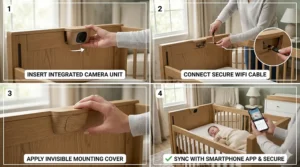
Getting your crib with built in camera right the first time saves you frustrating tweaks at 2 a.m. Here’s what actually matters in the first 30 days.
Before Day One: Prep Your Network
WiFi-based monitors — Nanit, CuboAi, Lollipop, Owlet — all require a stable 2.4GHz network during initial setup (even if your phone prefers 5GHz). Before you even open the box, log into your router and confirm your 2.4GHz network is active and labeled separately. This single step prevents 80% of “won’t connect” support calls new parents make.
Day One: Placement Matters More Than You Think
The American Academy of Pediatrics recommends placing cameras at least 3 feet from the crib and routing all cords well out of reach. For overhead-mount options like the Motorola Halo+, confirm the mounting hardware is load-tested and secure before leaving the baby unattended. Wall-mounted cameras (Nanit, CuboAi) should be anchored into studs, not just drywall. A $4 stud finder from a hardware store saves you from a $300 camera falling at the worst possible moment.
Days 1–7: Calibrate Before You Rely
Run your monitor for a full week before depending on it for overnight peace of mind. Let the AI systems (Nanit’s sleep tracker, CuboAi’s safety alerts, Lollipop’s crying detection) learn the baseline of your baby’s normal movements. The first three days often produce more alerts than normal — not because something is wrong, but because the algorithm is still calibrating. Don’t panic, and don’t turn off alerts prematurely.
Common Mistake: Ignoring Night Vision Testing
Most parents test their monitor during the day and assume nighttime will be the same. It won’t. Do a deliberate night vision test the first evening — darken the room completely and check the feed. If the image is grainy or you can’t make out facial details, adjust the camera angle or add a dim amber night light (not blue-spectrum white, which affects melatonin). The difference between a good and bad night vision setup often comes down to secondary ambient light, not the camera itself.
After 30 Days: Optimize, Don’t Over-Monitor
This is the part nobody talks about. Constant monitoring can increase parental anxiety rather than reduce it. By the 30-day mark, you should have a clear picture of your baby’s normal sleep patterns. Set alert thresholds accordingly — cry detection on, but motion alerts only for significant movement. The goal of nursery camera systems is confidence, not constant vigilance.
Real-World Scenario Guide: Which Crib Camera Is Right for Your Family?
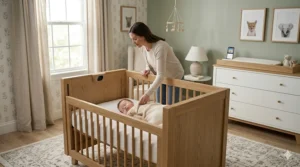
Every family’s nursery is different. Here’s how to match a product to your actual situation.
The First-Time Parent Who Wants Everything Handled
Profile: Pregnant with their first child, planning to buy a crib anyway, wants to minimize the number of separate gadgets in the nursery.
Best match: Cradlewise — Yes, it’s the most expensive option. But if you factor in a mid-range crib (~$300–$400), a quality video monitor (~$200–$300), and a white noise machine (~$50–$80), you’re already close to the Cradlewise’s all-in price. Add the AI soothing that pre-empts crying before it starts, and the math actually favors the integrated system. Buy once, set up once, sleep better.
The Health-Anxious Parent
Profile: Baby was slightly premature, or there’s a family history of breathing issues. This parent will check the monitor at 3 a.m. regardless — they want data to interpret, not just video to stare at.
Best match: Owlet Dream Duo Gen 3 — The FDA-cleared Dream Sock changes the nature of overnight anxiety for these parents. Instead of watching a chest rise and fall in grainy infrared, you have a live blood oxygen percentage and pulse rate on your phone screen. Numbers don’t eliminate worry, but they give worry something to check against.
The Renter in a Small Apartment
Profile: Can’t drill walls, moves every 1–2 years, has a small nursery where floor stands are impractical.
Best match: Motorola Halo+ or Lollipop — The Halo+ clips directly onto any standard crib railing with zero tools. Lollipop wraps around with a flexible mount. Neither requires a single hole in the wall. When you move, they come with you in a padded bag, and setup at the new apartment takes 15 minutes.
The Privacy-Focused Tech Parent
Profile: Works in security or tech, understands network vulnerabilities, does not want cloud-streamed footage of their child’s bedroom.
Best match: eufy SpaceView S340 — Local storage via microSD, non-WiFi transmission mode, and no mandatory cloud subscription. For this parent, the fact that the footage never leaves their home network isn’t a feature — it’s a prerequisite.
How to Choose a Crib With Built In Camera: 7 Expert Criteria
The specs on a product page will dazzle you. Here’s what actually separates a great monitor from an expensive paperweight.
1. Assess your real WiFi situation first. Most modern nursery camera systems are WiFi-dependent. A router with spotty coverage between your bedroom and the nursery will cause disconnections precisely when you least want them. Test your WiFi signal strength in the nursery before choosing any cloud-based monitor. If it’s weak, either invest in a WiFi extender or consider a local-transmission option like the eufy S340.
2. Distinguish camera resolution from camera quality. 2K or 2.5K sounds better than 1080p, but sensor quality, lens aperture, and compression algorithms matter just as much. CuboAi’s 2.5K camera in a well-lit room is exceptional. In a very dark room with zero ambient light, a 1080p Nanit with better infrared hardware can outperform it. Look for night vision test comparisons, not just resolution specs.
3. Think about the subscription cost over two years. This is the hidden cost that product pages bury. A $200 camera with a $15/month subscription costs $560 over two years. A $300 camera with no mandatory subscription costs $300. Do the math before you check out.
4. AI alerts vs. motion alerts — know the difference. Generic motion detection will alert you every time the cat walks past. AI-powered detection — like CuboAi’s covered face alert or Lollipop’s True Crying Detection — is trained to alert you to specific, meaningful events. For sleep, specific beats generic every time.
5. Consider the two-way audio quality. Many parents use the two-way talk feature to soothe a baby verbally from another room — hearing a parent’s voice without a physical presence. Cheap speakers produce tinny, distorted sound that can actually startle or confuse an infant. Test the two-way audio quality in reviews before relying on it.
6. Check encryption and cybersecurity. A device streaming live video of your child’s bedroom deserves serious security scrutiny. Look for products with WPA2 minimum WiFi encryption, two-factor authentication options, and regular firmware update histories. Nanit’s 256-bit AES encryption is the gold standard here.
7. Plan for where the baby ends up sleeping. If your baby starts in a bassinet, moves to a crib at 3 months, and ends up in a toddler bed, you want a camera system that can adapt — not one that required a special crib-integrated mount. The Cradlewise makes sense if you’re committing to one ecosystem. For everything else, flexible mount systems (floor stand, wall mount, crib clip) give you more nursery flexibility.
The Real Cost of Nursery Camera Systems: A Long-Term Analysis
Let’s talk honestly about what integrated baby surveillance actually costs over 24 months — the typical lifespan of intensive nursery monitoring.
The entry-level tier (Lollipop, basic video monitors) runs $80–$150 upfront, with optional subscription plans running $5–$10/month for extended features. Two-year total: roughly $200–$400.
The mid-tier (Nanit Pro, CuboAi Monitor 3, Motorola Halo+, eufy S340) runs $200–$300 upfront. Nanit’s analytics subscription runs about $100/year; CuboAi has an optional premium tier; Motorola’s Hubble subscription is optional but limited in free form. Two-year total: $350–$550 depending on subscription choices.
The premium all-in-one tier (Owlet Dream Duo Gen 3, Cradlewise) starts at $300–$400 for the Owlet bundle, and significantly higher for Cradlewise. However, Cradlewise folds in the cost of a crib and a sound machine. When viewed as a nursery furniture investment rather than a baby tech gadget, the framing changes. Both Owlet and Nanit offer HSA/FSA eligibility for certain components — worth checking with your benefits provider.
The total cost of ownership picture matters most for mid-tier buyers. Nanit’s analytics are genuinely excellent if you use them; if you don’t engage with the app data, you’re paying for a very nice webcam. Be honest with yourself about whether you’ll actually check sleep dashboards before committing to a subscription-dependent ecosystem.
Crib Camera vs. Traditional Baby Monitor: Which Actually Wins?
Parents often ask: why not just buy a cheap standalone monitor and clip it near the crib? Fair question. Here’s the honest comparison.
| Factor | Integrated Crib Camera System | Traditional Baby Monitor |
|---|---|---|
| Setup complexity | Moderate–complex | Simple |
| Video quality | 1080p–2.5K | 720p–1080p typical |
| AI/smart features | Sleep tracking, safety alerts, analytics | Basic motion/sound alerts |
| Cost (2-year total) | $200–$600+ | $50–$200 |
| Security | High (AES encryption in premium models) | Variable (older RF models more secure) |
| Best for | Data-driven, safety-focused parents | Simple, reliable, budget-conscious |
The verdict: traditional monitors still win on simplicity and cost if all you need is basic video confirmation your baby is alive and in the crib. But the moment you want sleep tracking, cry distinction, covered-face alerts, or vitals monitoring, the integrated systems pull decisively ahead. The gap in functionality isn’t incremental — it’s generational.
What the comparison table can’t fully capture is confidence. Parents who use smart nursery camera systems consistently report higher quality of sleep themselves — not because the technology does more, but because it transforms the monitoring experience from reactive anxiety to informed certainty. That’s not a spec. But it might be the most important outcome of all.
Baby Monitor Safety & Compliance: What Every Parent Needs to Know
Before you buy, it’s worth understanding the regulatory and safety landscape around infant monitoring devices — because not all “smart” baby products are created equal.
The American Academy of Pediatrics consistently recommends placing cameras at minimum 3 feet from the crib, with all cords fully secured and routed away from the sleep area. This applies regardless of which system you choose. A camera cord within reach of a mobile infant is a strangulation hazard, full stop.
On the vitals monitoring side, the FDA’s 2025 advisory noted that most consumer-grade wearable baby monitors are not FDA-tested and can produce inaccurate readings. The Owlet Dream Sock is the notable exception — it holds FDA clearance as a medical device, which places it in a different regulatory category than every other sock-based or wearable monitor on the market. If physiological monitoring is your priority, that clearance distinction matters.
For WiFi-connected monitors, basic network hygiene dramatically reduces security risk: change default passwords, keep firmware updated, and consider placing camera devices on a separate IoT WiFi network segment rather than your main household network. The FCC’s consumer guide on RF exposure and the Electronic Frontier Foundation’s smart-home security basics are both useful reading for parents who want to go deeper on device security.
GREENGUARD Gold certification, held by Cradlewise among others, indicates that furniture and materials have been independently tested for chemical emissions — relevant for any product physically in your baby’s sleep environment.
Finally: no baby monitor, however sophisticated, is a substitute for safe sleep practices. Back sleeping on a firm, flat surface in a bare crib remains the single most effective SIDS risk reduction strategy according to the AAP.
FAQ: Crib With Built In Camera
❓ What is the best crib with built in camera for newborns in 2026?
❓ Can I use a camera equipped smart crib without a WiFi subscription?
❓ Are HD camera smart crib monitors safe from hacking?
❓ Do visual monitoring solutions actually improve parent sleep?
❓ What's the difference between a video monitoring bassinet and a smart crib with camera?
Conclusion: The Right Crib Camera Doesn’t Just Watch — It Works
After spending serious time with these products, the clearest thing I can tell you is this: the best crib with built in camera is the one you’ll actually trust enough to sleep through.
The Cradlewise is the genuine all-in-one king — but it asks for a premium that only makes sense if you’re starting from scratch with nursery furniture. The Owlet Dream Duo Gen 3 is the choice for parents who need physiological data to turn off the worry brain. Nanit Pro wins on analytics depth if you’re willing to engage with the data. CuboAi’s 2.5K safety alerts punch above their price. Motorola Halo+ is unbeatable for renters and minimalists. Lollipop is the smart pick for parents who want intelligence without bloat. And eufy S340 is for the privacy-conscious parent who keeps their baby’s footage off cloud servers they don’t control.
The nursery camera market has matured enormously. You no longer have to choose between good video and smart features. What you do have to choose is where on the spectrum of data, security, safety alerting, and price your family actually lives. This guide gives you the map. The decision is yours.
✨ Ready to transform your nursery into a smarter sleep environment? Click any highlighted product above to check current pricing and availability on Amazon, and start sleeping better tonight.
Recommended for You
- 7 Best Heated Cooling Crib Mattress for Year-Round Comfort 2026
- 7 Best Cooling Crib for Summer 2026 – Safe Sleep Solutions
- 7 Best Temperature Regulating Cribs Your Baby Needs (2026)
Disclaimer: This article contains affiliate links. As an Amazon Associate, I earn from qualifying purchases. If you purchase products through these links, we may earn a small commission at no additional cost to you.
✨ Found this helpful? Share it with your friends! 💬🤗
