
In This Article
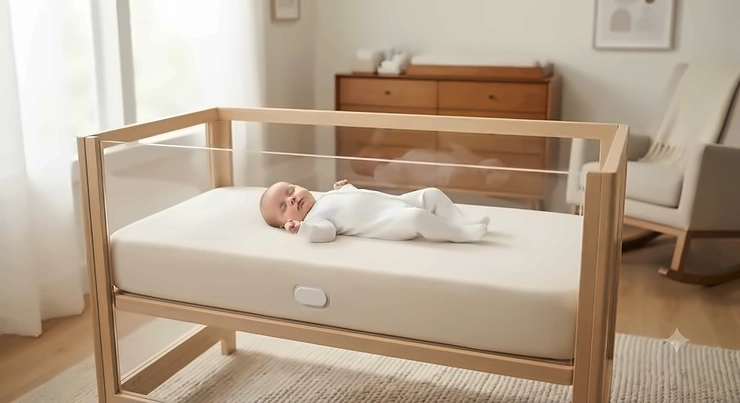
Somewhere around 2 a.m., every new parent has done the same thing: crept up to the crib, held their breath, and watched for the tiny rise and fall of a chest under a sleep sack. It’s exhausting, and it’s also exactly the itch a wireless breathing sensor mattress is built to scratch. These devices — thin pads that slide under the crib mattress, or sensors that clip discreetly onto a onesie — track subtle movement and alert you the moment something looks off, so you don’t have to stand guard all night.
This isn’t a fringe category anymore. Search interest in nursery tech has climbed steadily since 2023, and the market now spans everything from no-frills motion pads to app-connected systems that double as adult sleep trackers. What hasn’t changed is the fine print: the CDC’s Safe to Sleep guidance is still the backbone of infant sleep safety, and no monitor — wireless breathing sensor mattress or otherwise — replaces a firm, flat crib and back-to-sleep positioning.
What we’re doing here is different from a spec sheet. We researched seven real, currently available products, compared what their sensors actually measure, and weighed the honest tradeoffs — battery life against WiFi risk, app data against simplicity, budget pads against clinically studied systems. By the end, you’ll know which wireless breathing sensor mattress fits your household, your budget, and your comfort level with technology in the nursery.
Quick Comparison Table
Before the deep dive, here’s the fast version for anyone skimming on a phone with a fussy baby in the other arm.
| Product | Sensor Type | Best For |
|---|---|---|
| Babysense 7 | Dual under-mattress pads | Budget-conscious first-time parents |
| Angelcare AC527 | Pad + 5″ video | Wanting video and breathing in one unit |
| Withings Sleep Analyzer | Under-mattress ballistocardiography | Adults tracking their own sleep and breathing |
| Snuza Hero SE | Wearable, direct-contact clip | Travel and grandparents’ houses |
| Babysense True Sleep | Dual pads + HD video bundle | Parents who want zero subscriptions |
Reading this table left to right, the split that matters most is pad-based versus wearable. Under-mattress systems like Babysense 7 and Angelcare AC527 never touch the baby, which some parents find less fussy for skin-sensitive newborns, while a wearable like Snuza Hero SE goes wherever the baby goes — car seat naps included, provided it’s on a still surface. The Withings Sleep Analyzer is the outlier here: it’s the only one on this list built and clinically evaluated for adult use, which matters if your search for a wireless breathing sensor mattress is actually about your own sleep apnea risk, not a nursery.
💬 Already leaning toward one? Tap its name below to check current availability before it sells out.
Top 7 Wireless Breathing Sensor Mattress & Monitor Picks: Expert Analysis
We picked these seven to cover the real range of what’s on the market in 2026 — budget pads, premium bundles, wearable alternatives, and one crossover pick for adults. Every product below is a real, currently sold item; none are hypothetical.
1. Babysense 7 — best full-coverage budget pad
The standout here is coverage: two sensor pads span the entire crib rather than relying on one central sensor.
Specs-wise, Babysense 7 uses two passive, non-contact pads that sit under the mattress and track micro-movements, sounding an alarm if no motion registers for 20 seconds or if the rate drops below roughly 10 micro-movements per minute. What that means in practice is fewer blind spots — a baby who drifts to the corner of the crib is still being read by a pad, not left in a gap between two sensors. It runs on AA batteries with no WiFi, no app, and no monthly fee, which is either a relief or a limitation depending on whether you want historical data.
Based on the spec comparison with pricier bundles, this is the pick for parents who want the core safety function without paying for a screen they may not use every night. The brand’s own materials describe hospital use across Europe and Japan, though independent, aggregated third-party review data at scale is harder to verify — treat that hospital-use claim as brand-reported rather than independently audited.
Pros:
- ✅ Two pads give true wall-to-wall crib coverage
- ✅ No WiFi means nothing for a hacker to intercept
- ✅ Tool-free setup with hidden-cable design
Cons:
- ❌ No app or overnight data history
- ❌ Video requires buying a separate bundle
Price sits in the budget-to-mid range, generally under $150 depending on bundle, and for a pad-only, no-subscription option, that’s solid value.
2. Angelcare AC527 — best 3-in-1 video and breathing combo
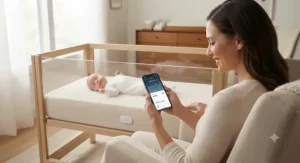
The advantage that jumps out is consolidation: one parent unit handles video, sound, temperature, and breathing movement instead of juggling two separate gadgets.
The under-mattress sensor pad detects movement and triggers an alert if nothing registers for 20 seconds, while the 5-inch display adds room temperature readings and a portable, rechargeable parent unit you can carry between rooms. In practice, that single-pad design means placement matters more than with dual-pad systems — center it correctly under the crib and it performs; off to one side, and you risk missing edge-of-crib movement.
What most buyers overlook about this model is that the video and breathing functions are genuinely integrated, not just bundled in the box — you get one display, one settings menu, and one thing to charge. Aggregated feedback on Amazon’s own listing pages leans positive on ease of use, though as with most nursery electronics, a portion of any large review pool will always report unit-specific defects, which is typical across this category rather than unique to Angelcare.
Pros:
- ✅ Video, sound, and breathing in one parent unit
- ✅ Rechargeable, portable display you can carry room to room
- ✅ Large, easy-to-read digital temperature readout
Cons:
- ❌ Single pad instead of dual-pad coverage
- ❌ Bulkier setup than a pad-only monitor
Expect a mid-range price, roughly in the $100–$200 range depending on the bundle, which is a fair trade if you’d otherwise be buying a video monitor and a movement pad separately anyway.
3. Bebcare Mat — best low-radiation sensor mat
The feature that sets this one apart is its DSR radio technology, marketed specifically around minimizing wireless emissions near the crib.
Under the hood, three piezoelectric sensors spread across the mat detect breathing-pattern irregularities or pauses, sounding an alarm on the wireless parent unit if no breathing registers for 20 seconds. The three-sensor spread is the practical upside here: more contact points generally means fewer false negatives from a baby who’s shifted slightly off-center, without needing a second pad. A built-in snooze mode lets you pick baby up for a cuddle without triggering a false alarm the second you lift them off the mattress.
Here’s what to weigh: parents specifically anxious about EMF exposure near a crib are the clearest audience for this pick, since the DSR positioning is the product’s whole reason for existing. Reviewers consistently note the snooze feature as a genuine quality-of-life detail rather than a marketing add-on, since forgetting to silence a monitor mid-cuddle is a near-universal new-parent mistake.
Pros:
- ✅ Marketed low-emission DSR wireless technology
- ✅ Three-sensor mat reduces false-alarm risk
- ✅ Snooze mode for pickups without re-triggering alerts
Cons:
- ❌ Priced above most single-pad competitors
- ❌ Single mat still needs correct centered placement
Pricing runs mid-to-premium, generally in the $150–$220 range, which tracks with its more specialized sensor design.
4. Levana OmaSense — best zero-signal wearable for newborns
The headline feature is the complete absence of WiFi, Bluetooth, or radio signal — this one runs on pure vibration and sound.
It clips over a onesie or diaper waistband above the navel, with no direct skin contact, and if it detects no abdominal movement for 15 seconds it starts a randomized vibration pattern meant to gently rouse the baby before escalating to an audible alarm five seconds later if movement still isn’t detected. That two-stage design — nudge first, alarm second — is worth understanding: it’s built to solve the problem itself (a brief pause in movement) before waking the whole house.
Reviewers and hands-on testers note it’s specifically intended for babies under six months, since older infants who roll onto their stomachs can trigger inaccurate readings or dislodge the clip; the brand states this limitation directly rather than hiding it, which is a point in its favor for transparency. One independent reviewer who tested it long-term noted disappointment that a device at this price point lacks an app or rechargeable battery, a fair critique worth factoring into your decision.
Pros:
- ✅ Zero WiFi, Bluetooth, or radio emissions
- ✅ Two-stage alert — vibration nudge, then alarm
- ✅ Fully portable for travel and grandparents’ houses
Cons:
- ❌ Best suited only to babies under six months
- ❌ No app, history, or rechargeable battery
Price varies noticeably by bundle and retailer, roughly $85–$175, so it’s worth checking current listings before assuming which tier you’re getting.
5. Snuza Hero SE — best direct-contact wearable, no pads required
What stands out immediately is the sensing method: a direct-touch sensor against the abdomen rather than a pad or a signal bounced through a mattress.
The clip attaches to the diaper waistband and reads abdominal movement directly, vibrating after 15 seconds without detected motion and sounding a full alarm five seconds after that if movement still isn’t registered. Because the sensor touches the body instead of reading through mattress layers, it sidesteps one common failure mode of pad-based systems — a too-thick or too-soft mattress dulling the signal. It runs on a single replaceable battery rated for around six months, so there’s no nightly charging routine to forget.
Based on independent testing from pediatrician-reviewed sources, the Hero SE is frequently rated a strong pick specifically for its vibration-first alert style and portability, though the same review notes it isn’t the right fit for parents who want app-based data logging or a bedside display — it’s a focused, single-purpose device, not a dashboard.
Pros:
- ✅ Direct-contact sensor unaffected by mattress thickness
- ✅ No cords, pads, or WiFi setup required
- ✅ Replaceable battery lasts roughly six months
Cons:
- ❌ No app, history, or multi-caregiver syncing
- ❌ Less useful once baby starts rolling and crawling
It’s one of the more affordable wearables in this roundup, generally under $100, which makes it an easy add to a diaper bag as a travel backup.
6. Babysense True Sleep Bundle — best subscription-free video and breathing bundle
The advantage baked into this one is completeness: hospital-style breathing motion detection paired with a full HD video monitor, out of the box.
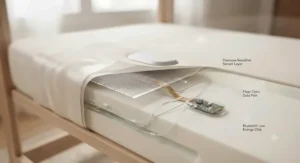
The bundle combines the same dual under-mattress sensor pads used in the standalone Babysense 7 with a 5-inch HD video monitor, and the brand emphasizes a no-WiFi, no-app, no-monthly-fee setup — you slide the pads under the mattress, mount the camera, and pair the two units directly. What most buyers overlook about “no WiFi” claims in this category is that they’re a genuine security feature, not just marketing — a closed local connection can’t be remotely hijacked the way an internet-connected camera theoretically could.
On paper this means you’re getting two devices’ worth of function — breathing detection and video — without stacking two separate subscriptions or apps on top of each other, which is the appeal for parents who found juggling multiple nursery apps more stressful than helpful.
Pros:
- ✅ Combines dual-pad breathing detection with HD video
- ✅ No WiFi, no app, no recurring subscription
- ✅ Simple two-device pairing with no cloud account
Cons:
- ❌ Highest upfront cost of the pad-based options here
- ❌ Bulkier setup than a pad-only or wearable monitor
Expect a premium price point, roughly $200–$260, positioning it as the “buy once” alternative to a WiFi camera plus a separate movement pad.
7. Withings Sleep Analyzer — best clinically studied option for adults
The feature that separates this pick from every other product on this list is who it’s built for: adults tracking their own breathing and sleep apnea risk, not infants.
Using a technique called ballistocardiography, a thin under-mattress mat with an air bladder reads the mechanical vibrations created by your heartbeat and breathing cycle, then syncs over WiFi to the Health Mate app for heart rate, sleep-stage, snoring, and breathing-disturbance data. That matters more than it sounds: obstructive sleep apnea is estimated to affect 3% to 7% of adults by some epidemiological estimates, and a large share of cases go undiagnosed simply because nobody’s watching. Clinical validation studies cited in independent reviews report roughly 88% sensitivity and 88.6% specificity for detecting moderate-to-severe sleep apnea, though it’s worth being clear-eyed that it estimates apnea risk from movement, heart rate, and sound — it doesn’t measure blood oxygen directly, so it isn’t a substitute for a diagnostic sleep study.
Here’s what to weigh: this is the pick if your interest in a wireless breathing sensor mattress is really about your own sleep, or an aging parent’s, rather than a nursery. It requires a WiFi connection and an account, a real tradeoff against the fully offline baby monitors above.
Pros:
- ✅ Only pick here clinically studied for adult sleep apnea signals
- ✅ Nothing to wear — mat sits fully under the mattress
- ✅ Tracks heart rate, sleep stages, and snoring in one app
Cons:
- ❌ Requires WiFi and an app account to function
- ❌ Not designed or marketed for infant crib use
Pricing lands in the mid-to-premium range, generally $130–$200, with an optional paid subscription tier for deeper coaching features — the core sleep and breathing tracking works without it.
Practical Usage Guide: Setup, First 30 Nights, and Maintenance
Getting a wireless breathing sensor mattress right isn’t just unboxing it — the first month is where most false alarms and misplaced trust happen. Start by testing the unit for two or three nights before you actually rely on it exclusively, ideally while you’re still doing normal room checks, so you build confidence in how it behaves before it becomes your only signal.
Placement is the single biggest lever you control. Under-mattress pads need to sit centered beneath where the torso rests, not the head or feet, and a mattress that’s too thick or memory-foam-dense can dampen the signal on some pad-based sensors — check your specific model’s rated mattress-thickness range before assuming it’ll work with your setup. For wearables, the clip needs snug contact above the navel, not sagging on loose fabric.
Common first-30-days mistakes include forgetting to re-engage the monitor after nighttime feeds, letting batteries run low without a backup on hand, and assuming a “no alarm” reading means a data history exists when several budget models simply don’t log anything. Build a light Sunday-night habit of checking battery indicators and wiping down pads or clips with a dry cloth — moisture is the more common failure point than electronics actually breaking.
Real-World Scenarios: Matching the Monitor to Your Life
Scenario one — the budget-conscious first-timer. A couple bringing home their first baby, sharing one bedroom, wants peace of mind without a big spend. A pad-only option like Babysense 7 covers the core need without paying for video they may not use nightly.
Scenario two — the frequent traveler. Grandparents’ houses, hotel cribs, weekend trips — this household needs something portable that doesn’t depend on installing pads under an unfamiliar mattress. Snuza Hero SE or Levana OmaSense both travel in a diaper bag with no setup beyond clipping it on.
Scenario three — the parent who also has their own sleep concerns. Maybe there’s a family history of sleep apnea, or a partner who snores heavily and wants real data instead of guesswork. The Withings Sleep Analyzer answers a completely different question than a nursery monitor, and pairing it with app-based tracking gives that adult a genuine, sourced starting point for a conversation with their doctor.
Problem → Solution: Fixing the Most Common Complaints
Problem: too many false alarms. This usually traces back to placement, not a faulty unit — recheck that a pad is centered under the torso, or that a wearable clip sits snugly, before assuming the device itself is broken.
Problem: baby outgrows the wearable’s accuracy window. Models like Levana OmaSense are explicitly rated for under six months; once a baby starts rolling, a pad-based system like Angelcare AC527 or Babysense 7 tends to hold up better since it doesn’t rely on a fixed clip position.
Problem: anxiety about WiFi-connected monitors. If a hackable camera feed is the actual worry, the no-WiFi pad bundles — Babysense True Sleep included — sidestep that risk entirely by design.
Problem: wanting data instead of just an alarm. None of the pure baby-monitor picks here log detailed overnight history; if that data trail matters to you, the Withings Sleep Analyzer is built around exactly that, just for an adult sleeper rather than an infant.
🔍 Ready to Stop Guessing and Start Sleeping Better?
Take the stress out of nursery nights with a monitor built for your exact setup. Click on any highlighted pick above to check current pricing and availability before your favorite option sells out. A few extra minutes of research tonight could mean a genuinely restful night tomorrow. 🌙
What Is a Wireless Breathing Sensor Mattress?
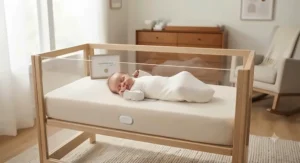
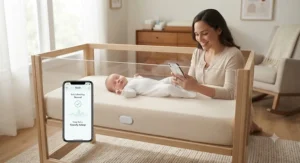
A wireless breathing sensor mattress is a monitoring system — typically a thin under-mattress pad or a wearable clip — that detects a sleeper’s breathing motion or movement and sends a wireless alert if that motion pauses or slows beyond a set threshold, without any wired connection to the sleeper themselves.
The category splits cleanly into two mechanisms. Under-mattress pads use pressure or piezoelectric sensors to read vibration transmitted through the mattress, while wearable clips read movement directly from contact with the body. Neither approach is a medical diagnostic device in the infant space; they’re consumer safety-and-reassurance tools, and that distinction matters for how you should actually use one.
How to Choose a Wireless Breathing Sensor Mattress
- Decide pad versus wearable first. A stationary nursery favors a pad; frequent travel favors a clip-on wearable.
- Check the mattress-thickness rating. Pad sensors have tested thickness ranges — a mattress outside that range can dull accuracy.
- Weigh WiFi against offline operation. WiFi models sync data to an app; offline models trade that convenience for zero remote-access risk.
- Confirm the age range. Several wearables are rated only up to six months, before rolling becomes a factor.
- Decide if you need data history or just an alert. Budget pads mostly just alarm; premium and adult-oriented systems log overnight trends.
- Factor in battery type and life. Replaceable AA batteries mean no charging routine; rechargeable units need a nightly plug-in habit.
- Read the safety fine print before you buy, not after. Every monitor in this category is a supplement to — never a replacement for — safe sleep basics.
Wireless Breathing Sensor Mattress vs Wearable Baby Monitors
| Factor | Under-Mattress Pad | Wearable Clip-On |
|---|---|---|
| Setup | One-time, stays in crib | Re-attached every sleep |
| Travel-friendly | Less so — installs per crib | Very — fits in a diaper bag |
| Works past 6 months | Generally yes | Often rated only to ~6 months |
| Skin contact | None | Minimal, via clip |
| Best For | Babysense 7, Angelcare AC527 | Snuza Hero SE, Levana OmaSense |
The honest tradeoff here is convenience now versus convenience later: a pad like Angelcare AC527 takes more effort to install correctly on day one but then requires nothing further, while a wearable like Snuza Hero SE is instantly portable but asks you to clip it on correctly every single sleep. Neither is objectively better — contactless baby monitoring through a pad tends to win for a fixed nursery setup, while a clip wins for anyone whose baby naps in more than one location during the week.
Common Mistakes When Buying a Breathing Sensor Monitor
The most frequent mistake is buying based on brand recognition alone rather than checking the specific mattress-thickness rating against your actual crib mattress — a pad rated for a thin mattress can underperform on a thick memory-foam model. A close second is assuming any monitor in this category has been evaluated as a medical SIDS-prevention device; none marketed to consumers for home nursery use carry that clearance, and the American Academy of Pediatrics’ 2022 policy statement explicitly does not recommend home cardiorespiratory monitors as a strategy for reducing SIDS risk.
A third common error is skipping the return window on a wearable before confirming it fits snugly on your specific baby’s build, since clip-on devices vary in how securely they attach across different diaper brands and sizes. Buyers also frequently forget to check whether a “smart breathing monitor pad” requires WiFi before purchase, only to discover after unboxing that their nursery’s signal doesn’t reach reliably.
Safety, Regulations & Compliance Guide
This is the section worth reading slowly. Every wireless breathing sensor mattress on this list is a consumer wellness product, not a medical device cleared to prevent SIDS, and the safest infant sleep environment still comes down to the fundamentals: back sleeping, a firm flat surface, no loose bedding, and room-sharing without bed-sharing for at least the first six months, per current AAP and CDC guidance.
That doesn’t make these devices useless — plenty of parents find genuine reassurance value in an early alert for a stuck limb, a rolled position, or simply confirming a quiet baby is still breathing normally. It just means a monitor is a supplement to safe sleep practice, never a substitute for it. If you’re using one specifically as a remote respiratory check during travel or a caregiver swap, treat any alarm as a cue to physically check the baby immediately, not as a diagnosis.
For adult-focused devices like the Withings Sleep Analyzer, the regulatory picture is different but still worth understanding: clinical sleep apnea detection features are validated in some regions and function more as wellness-tier estimates in others, so anyone with genuine apnea symptoms — loud snoring, gasping, daytime fatigue — should still pursue a formal sleep study rather than relying on consumer wireless health tracking alone.
Long-Term Cost & Maintenance
| Product | Price Range | Value Verdict |
|---|---|---|
| Babysense 7 | Under $150 | Strong value, no ongoing fees |
| Angelcare AC527 | $100–$200 | Good if you want video bundled in |
| Bebcare Mat | $150–$220 | Fair for EMF-conscious buyers |
| Levana OmaSense | $85–$175 | Solid for short-term newborn use |
| Snuza Hero SE | Under $100 | Best cost-per-use travel backup |
| Babysense True Sleep | $200–$260 | Best if avoiding subscriptions matters |
| Withings Sleep Analyzer | $130–$200 | Justified if apnea risk is a real concern |
Looking at the table, the offline pad-based monitors are effectively one-time purchases — no subscriptions, no recurring costs, just batteries every few months. The Withings Sleep Analyzer is the one exception, with an optional $9.95-a-month coaching tier that’s genuinely optional; the core breathing and sleep data works without it. Given that roughly one in four adults show elevated risk factors for sleep-disordered breathing by some survey estimates, that ongoing cost may be worth it for a household actually managing a diagnosed or suspected condition, while it’s simply unnecessary overhead for a nursery-only use case.
Features That Actually Matter (And Those That Don’t)
What actually matters: sensor placement accuracy, a clear and loud alarm you’ll hear from another room, and battery life that doesn’t demand nightly attention. What matters less than the marketing suggests: app dashboards with elaborate historical graphs, which are genuinely useful for the Withings Sleep Analyzer‘s adult sleep-tracking use case but largely decorative for a nursery pad whose entire job is a binary “still moving” signal.
Multi-color mood lighting, voice-activated lullabies, and app push notifications are pleasant extras, not safety features — don’t let them tip a purchase decision away from a monitor with better core sensor accuracy just because it lacks a nightlight.
Frequently Asked Questions
❓ How does a smart breathing monitor pad know when to sound an alarm?
❓ Is an infant respiration monitor a substitute for AAP safe sleep guidelines?
❓ What makes contactless baby monitoring different from wearable clips?
❓ Does wireless health tracking work through a thick memory foam mattress?
❓ Can a remote respiratory check catch sleep apnea in adults, not just babies?
Conclusion
There’s no single “best” wireless breathing sensor mattress — there’s a best one for your specific household, budget, and comfort level with technology. Budget-focused parents land well with Babysense 7; anyone wanting video and breathing detection combined should look at Angelcare AC527 or the Babysense True Sleep bundle; frequent travelers do better with a wearable like Snuza Hero SE or Levana OmaSense; and if this search was really about your own sleep rather than a nursery, the Withings Sleep Analyzer is the one built and studied for that purpose.
What matters most, across every option on this list, is remembering that a monitor is reassurance technology, not a medical safeguard — pair whichever one you choose with the safe sleep basics that actually move the needle, and you’ve covered both the practical and the peace-of-mind side of the equation.
Recommended for You
- Infant Breathing Alarm Pad: 7 Top Picks for Safer Sleep (2026)
- Breathing Monitor Mattress Pad: 7 Picks That Actually Deliver (2026)
- Climate Control Crib Mattress: 7 Cooler Picks for 2026 (No More Sweaty Nights)
Disclaimer: This article contains affiliate links. As an Amazon Associate, I earn from qualifying purchases. If you purchase products through these links, we may earn a small commission at no additional cost to you.
✨ Found this helpful? Share it with your friends! 💬🤗
