
In This Article
Somewhere between the second birthday cake and the first full-blown grocery-store meltdown, most parents start eyeing a tablet. Not because screens are magic — they’re not — but because a well-chosen device can turn a 45-minute car ride from a scream-fest into 45 minutes of shape-sorting and color-naming. The trouble is that the tablet aisle is a minefield of flimsy plastic, laggy processors, and “educational” branding slapped onto what’s basically a glorified YouTube machine. Finding a genuinely budget educational tablet for a 2 year old means balancing three things that don’t always play nice together: durability that survives a toddler’s idea of “gentle handling,” a price tag that doesn’t make you wince, and content that actually teaches something instead of just pacifying.
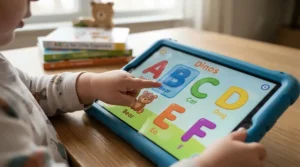
Two-year-olds are a special breed of tablet user. Their fine motor skills are still catching up to their curiosity, their attention spans reset every ninety seconds, and their grip strength is roughly equivalent to a toddler dropping something from shoulder height (because that’s exactly what will happen, repeatedly, on hardwood floors). This guide breaks down seven real, currently available tablets that hold up to that chaos, digs into what each one actually does well, and shows you how to separate genuine toddler-proof electronics from marketing fluff. We’ll also cover setup, common mistakes, and how much you should really expect to spend.
Quick Comparison Table
Before diving deep, here’s the fast version for parents skimming this at 11pm with a sleeping toddler on their chest.
| Tablet | Screen Size | Price Range | Best For |
|---|---|---|---|
| Amazon Fire 7 Kids | 7″ | $55-$80 range | Best all-around budget pick |
| onn. 7″ Kids Tablet | 7″ | $40-$80 range | Absolute lowest entry price |
| Contixo V8-2 | 7″ | $40-$70 range | Offline learning library |
| LeapFrog LeapPad Academy | 7″ | $50-$90 range | Closed, curated toddler ecosystem |
| Dragon Touch KidzPad Y88X | 7″ or 10″ | $70-$130 range | Toughest drop-resistant case |
| Amazon Fire HD 8 Kids | 8″ | $90-$110 range | Bigger screen, longer battery |
| Samsung Galaxy Tab A9+ Kids Edition | 11″ | $210-$270 range | Premium option that grows with your kid |
Look at the spread here and a pattern jumps out fast: the cheapest options aren’t necessarily the worst choices, and the priciest one isn’t automatically “best” — it’s just built for a longer runway. If you want a dedicated toddler tool with zero fuss, the Amazon Fire 7 Kids and Contixo V8-2 dominate the sub-$80 bracket. If your toddler is going to be handing this thing to a sibling in three years, the Samsung Galaxy Tab A9+ Kids Edition is the only one on this list with enough horsepower to still feel current by kindergarten.
💬 Just one click — help other parents make better buying decisions too!😊
Top 7 Budget Educational Tablets for a 2 Year Old: Expert Analysis
Here’s the deep dive. Each pick below has been chosen with a 2-year-old specifically in mind — not the “ages 3-12” catch-all category most of these products get lumped into on Amazon.
1. Amazon Fire 7 Kids — best all-around budget pick for toddlers
That “best all-around” tag isn’t a throwaway line — this is the tablet most pediatric occupational therapists quietly recommend when parents ask what to buy first. The current-generation Fire 7 Kids runs a quad-core processor that’s roughly 30% faster than its predecessor, paired with 2GB of RAM, which sounds unremarkable until you realize most sub-$80 kids’ tablets still ship with half that. In practice, that means apps open without the frustrating five-second freeze that makes toddlers slap the screen harder (which, ironically, makes everything worse). The 7-inch, 1024×600 display isn’t going to wow anyone used to a modern iPad, but for a kid who mostly cares about tapping colorful shapes, resolution is a non-issue.
What most buyers overlook about this model is the guarantee, not the specs. Amazon’s two-year worry-free replacement policy means if the tablet breaks — and with a 2 year old, “if” is generous — you get a free replacement with zero questions asked. That single feature changes the math on durability entirely; you’re not betting your money on the case holding up forever, you’re betting Amazon will make it right if it doesn’t. Reviewers consistently note that the case does its job for typical toddler drops, though a handful mention the corners show wear after a year of daily use, which tracks given how much handling a 2-year-old’s primary device gets.
Pros:
- ✅ Two-year no-questions-asked replacement guarantee
- ✅ Fastest processor in this price bracket
- ✅ One year of Amazon Kids+ included at purchase
Cons:
- ❌ 16GB base storage fills up fast with offline video
- ❌ Ecosystem locks you into Amazon’s content library
Around $55-$80 depending on storage tier and current promotions, this is the tablet to buy if you want one device that “just works” without a lot of setup fuss — and honestly, for most families, it’s the only one on this list you strictly need.

2. onn. 7″ Kids Tablet — most foldable-budget for cost-conscious families
Walmart’s in-house onn. line has quietly become the tablet equivalent of a store-brand cereal that tastes suspiciously close to the name brand. The 7-inch Kids Tablet ships with a 2.0GHz quad-core processor, 2GB of RAM, and 32GB of expandable storage — specs that, on paper, actually edge out the Fire 7 Kids in storage capacity for a comparable price. That extra headroom matters more than people expect: toddler apps with animated storybooks and offline video packs eat storage fast, and running out mid-flight-with-a-toddler is its own special kind of stress.
Based on the spec comparison, the trade-off here is polish rather than power. The onn. tablet runs closer to stock Android than Amazon’s Fire OS, which means the parental control dashboard isn’t as slick or centralized — you’re leaning more on Google Family Link than a purpose-built kids’ interface. Reviewers consistently note strong value for the price but flag that the bundled case, while functional, is thinner than what you get with Contixo or Dragon Touch. For a first tablet you’re testing the waters with, or a backup unit for grandma’s house, that’s a fair compromise.
Pros:
- ✅ Genuinely the lowest entry price on this list
- ✅ 32GB storage beats most rivals at this tier
- ✅ Wide availability at Walmart stores nationwide
Cons:
- ❌ Thinner protective case than dedicated kids’ brands
- ❌ Requires manual Family Link setup, less turnkey
Expect a $40-$80 range depending on which generation is in stock — check current price before buying, since older and newer onn. models get discounted differently at different times.
3. Contixo V8-2 — best preloaded offline learning library
Here’s what the spec sheet won’t tell you, but the product itself makes obvious the moment you unbox it: this tablet is built around the assumption that your kid will use it somewhere without Wi-Fi. The Contixo V8-2 comes preloaded with 50 Disney e-books that work completely offline, which is a genuinely clever answer to the classic road-trip problem — no buffering wheel, no “the video won’t load,” just books sitting locally on the device. Under the hood, you’re getting a 1.6GHz quad-core processor, up to 32GB of storage (expandable to 128GB via microSD), and a three-layer shatter-safe screen protector bonded directly to the display rather than added as an afterthought.
The honest downside, and reviewers are pretty consistent about flagging this, is battery life. Several real-world reports put runtime closer to 4-6 hours of mixed use rather than the marketing claims — fine for a car ride, tight for a full day out. What most buyers overlook is that the Android 11 Go edition underneath the kid-friendly shell still gives you full Google Play access, so as your toddler ages into preschool, you’re not stuck re-buying a device; you just loosen the parental controls.
Pros:
- ✅ 50 offline Disney e-books included at no extra cost
- ✅ Full Google Play access as your child grows
- ✅ Three-layer shatter-safe screen protection built in
Cons:
- ❌ Battery life runs shorter than advertised in real use
- ❌ Rear camera quality is noticeably weak
Priced in the $40-$70 range, the Contixo V8-2 earns its spot as the pick for families who do a lot of offline, on-the-go entertaining — flights, road trips, waiting rooms with no signal.
4. LeapFrog LeapPad Academy — best closed, curated toddler ecosystem
LeapFrog built its entire brand on one core idea: young kids do better with fewer choices, not more. The LeapPad Academy leans hard into that philosophy, shipping with roughly 20 educator-approved apps built specifically around early literacy, number sense, and problem-solving — not a Trojan horse app store dressed up as “educational.” The 7-inch display runs on a closed Android base with LeapSearch, a kid-safe browser that filters search results before a toddler ever sees them, rather than relying on a blocklist that can be bypassed by a curious 2-year-old mashing buttons.
What most buyers overlook about this model is exactly why it’s polarizing among parents: it’s genuinely limited on purpose. You can’t just sideload a random game or streaming app the way you can on a Fire tablet or a Contixo. For a 2-year-old specifically, that’s arguably a feature rather than a bug — reviewers with toddlers this young consistently note that the curated environment reduces the “wandering into inappropriate content” risk almost to zero, though parents of slightly older kids often report outgrowing the app selection within a year or two. Battery life sits around 5 hours, on the lower end for this list, and the trade-off is a device built to be genuinely toddler-simple rather than a scaled-down adult tablet.
Pros:
- ✅ Curated, educator-approved app library from day one
- ✅ LeapSearch filters content before it loads
- ✅ Includes a free multi-month LeapFrog Academy trial
Cons:
- ❌ Closed ecosystem limits long-term app growth
- ❌ Battery life trails most competitors on this list
Real-world pricing lands in the $50-$90 range depending on the retailer and bundle. If you want the single most locked-down, toddler-friendly interface on this entire list, this is it.
5. Dragon Touch KidzPad Y88X — toughest drop-resistant case on the market
If durability is your single deciding factor, stop scrolling — this is the toddler-proof electronics benchmark the rest of this list gets measured against. The KidzPad Y88X ships pre-installed inside a padded, recessed case with a built-in carry handle, and the tablet itself sits sunk into the case rather than flush with the edges, so a face-down drop lands on the bumper, not the glass. One reviewer who deliberately tested this by walking around and dropping the unit reported no damage at all — which, for a device whose entire job is surviving a toddler’s grip, is exactly the kind of real-world stress test that matters more than a lab spec sheet.
Here’s what the spec sheet won’t tell you, but reviewers do: the handle design has a minor quirk where the tablet can tip over when propped up using it as a kickstand, so you’ll want a flat surface for movie time rather than relying on the built-in stand. Inside, you’re getting a 1.3-1.5GHz quad-core processor, up to 32GB of expandable storage, and Disney audiobooks preloaded alongside two separate parental control apps for redundancy. That’s a smart touch for parents who don’t fully trust a single control layer with a device that’s about to get handed to a toddler.
Pros:
- ✅ Best-in-class recessed, drop-tested protective case
- ✅ Two independent parental control apps included
- ✅ Textured, easy-grip exterior built for small hands
Cons:
- ❌ Tips over easily when propped on its built-in stand
- ❌ Modest 2MP camera, weakest imaging on this list
Pricing runs $70-$130 depending on configuration and whether you’re buying the 7″ or 10″ version. For families whose toddler has already destroyed a previous tablet, this is the upgrade that finally ends the cycle.

6. Amazon Fire HD 8 Kids — best step-up for a bigger screen and longer battery
Think of this as the Fire 7 Kids’ older sibling — same reliable Amazon Kids ecosystem, same rock-solid parental dashboard, but scaled up where it counts. The 8-inch display gives noticeably more real estate for drawing apps and storybooks, and battery life jumps to a claimed 12 hours of mixed use, which in practice holds up better across long car trips than the smaller Fire 7. Storage starts at 32GB, double the base Fire 7 Kids, and the dual cameras (a small but real upgrade) make video calls with grandparents noticeably less blurry.
Based on the spec comparison against its smaller sibling, the extra $30-40 you’re spending buys you meaningfully more longevity — both in battery and in how long the device stays relevant before your kid outgrows it. Reviewers consistently note the same two-year worry-free guarantee applies here, which continues to be the single strongest durability argument on Amazon’s entire kids’ lineup: you’re not just trusting a case, you’re trusting a replacement policy.
Pros:
- ✅ 12-hour battery life, longest of the sub-$100 picks
- ✅ Same two-year worry-free replacement guarantee
- ✅ Double the base storage of the Fire 7 Kids
Cons:
- ❌ Bulkier and heavier for the smallest toddler hands
- ❌ Noticeably pricier than the standard Fire 7 Kids
Expect to pay in the $90-$110 range. If your 2-year-old already shows signs of being a heavy tablet user — long car commutes, frequent flights — the extra battery life alone justifies the upgrade.
7. Samsung Galaxy Tab A9+ Kids Edition — premium pick that actually grows with your child
Every list like this needs one “yes, but hear me out” splurge option, and the Samsung Galaxy Tab A9+ Kids Edition earns its spot by being the only tablet here that doesn’t feel like a toy your kid will outgrow by preschool graduation. Under the padded “Puffy Cover” — Samsung’s own name for the shockproof, flexible protective shell — sits genuinely adult-grade hardware: an 11-inch, 90Hz WUXGA display, a Snapdragon 695 chipset, 4GB of RAM, and 64GB of expandable storage. That’s specification territory most budget tablets on this list simply can’t touch.
What most buyers overlook is that the “Kids Edition” branding here is mostly software and accessories layered onto full-strength hardware, not a stripped-down toy chip inside a colorful shell. Samsung Kids (built into Android 14) handles the parental controls, screen-time limits, and app filtering, and it can be toggled off entirely later, letting this tablet transition seamlessly into a regular family device once your toddler grows past the need for training wheels. Reviewers highlight the large 7,040mAh battery and fast charging as standout strengths, though several note the 11-inch size and weight can be genuinely awkward for the smallest 2-year-old hands to manage solo.
Pros:
- ✅ Full-strength adult hardware, not a scaled-down chip
- ✅ Samsung Kids controls toggle off as your child ages
- ✅ Large 7,040mAh battery with fast charging support
Cons:
- ❌ Large 11-inch size is awkward for the smallest hands
- ❌ Highest price point on this entire comparison list
At $210-$270, this isn’t an impulse buy — but for a family that wants one tablet to last from toddlerhood through elementary school, the math genuinely works out favorably per year of use.
Setting Up Your Toddler’s New Tablet: A Practical Usage Guide
Getting a new tablet into a 2-year-old’s hands without chaos takes about fifteen extra minutes of setup, and skipping it is the single most common regret parents report after the fact.
Start by configuring parental controls before your toddler ever sees the box — not after the first tantrum over a locked app. Every tablet on this list has some flavor of a parent dashboard (Amazon’s Parent Dashboard, Google Family Link, Samsung Kids, or LeapFrog’s app manager), and all of them let you set daily time limits, approve individual apps, and block the web browser entirely, which for a 2-year-old, you should. Next, download 3-5 offline-capable apps before you leave the house for the first outing; nothing kills toddler patience faster than a buffering wheel on a road trip with no signal. Third, set a hard bedtime cutoff for the tablet itself, not just for screen time generally — toddlers associate glowing screens with stimulation, and cutting access 60-90 minutes before bed measurably helps sleep onset according to pediatric sleep researchers.
For the first 30 days, expect at least one drop, one attempt to submerge the device in bathwater, and one moment where your toddler discovers the volume button exists and refuses to let go of it. Keep the charging cable somewhere your toddler can’t reach — cable-chewing is shockingly common at this age — and resist the urge to buy a second, “nicer” case; the one that ships with most of these tablets has already been engineered around toddler drop patterns specifically.

Real-World Scenarios: Matching the Right Tablet to Your 2 Year Old’s Life
Every family’s situation is different, so here are three composite profiles built from the patterns above.
The budget-conscious first-timer, testing whether tablets are even right for their toddler before committing real money, should start with the onn. 7″ Kids Tablet or Amazon Fire 7 Kids. Both keep the financial risk low while still delivering a genuinely usable experience — and if your toddler barely touches it, you haven’t sunk $200 into an experiment.
The frequent traveler, with a toddler who spends serious hours in car seats or on planes, benefits most from the Contixo V8-2 or Amazon Fire HD 8 Kids — the former for its offline Disney library, the latter for its class-leading 12-hour battery. Both solve the “no Wi-Fi, no problem” scenario that road-tripping parents live in constantly.
The toddler with a track record of destroying things — the kid who’s already cracked a phone screen or drowned a toy in the dog’s water bowl — needs the Dragon Touch KidzPad Y88X. Its recessed, drop-tested case exists specifically for this personality type, and the redundant parental controls mean even a determined 2-year-old mashing buttons is unlikely to break past the guardrails.
How to Choose a Budget Educational Tablet for a 2 Year Old
A budget educational tablet for a 2 year old is a low-cost, kid-proofed tablet with parental controls, age-appropriate content, and a durable case designed to survive daily toddler handling without breaking the bank. Here’s how to actually pick one, step by step.
- Set a real budget ceiling first. Decide whether you’re spending under $80 for a “let’s see if this works” tablet or $200+ for something meant to last years — this single decision eliminates half the market instantly.
- Prioritize case durability over screen resolution. A 2-year-old will never notice pixel density, but they will absolutely notice — and cause — a cracked screen within the first month.
- Check the parental control system before checking the apps. A weak control panel means you’ll spend more time fighting the settings than your kid spends learning anything.
- Confirm offline content availability. Toddlers don’t understand “no Wi-Fi,” they just understand “broken,” so offline-capable apps and preloaded libraries matter enormously.
- Look at the warranty or replacement policy, not just the case rating. As shown above, a strong guarantee can matter more than the case itself.
- Match screen size to hand size. A 7-inch display is genuinely easier for a 2-year-old to hold one-handed than an 8- or 11-inch model.
- Decide if you want a closed or open ecosystem. Closed systems like LeapFrog limit risk; open systems like Fire OS or stock Android let the device grow with your child.
Durable Tablet for a 2 Year Old: What “Toddler-Proof Electronics” Actually Mean
The phrase toddler-proof electronics gets thrown around on packaging with almost no consistent standard behind it, which is frustrating when you’re trying to compare a durable tablet for a 2 year old against another one using nothing but marketing copy. In practice, real durability comes down to a handful of measurable things: a recessed screen that sits below the case’s raised edges (so face-down drops hit the bumper, not the glass), a shatter-resistant or laminated screen protector bonded during manufacturing rather than a cheap peel-and-stick add-on, and a case material — usually silicone or a rigid EVA foam — thick enough to absorb impact rather than just look padded.
What most buyers overlook is that camera bumps, headphone jacks, and charging ports are actually the most common failure points, not the screen itself. Dust and juice get into open ports constantly at this age, so look specifically for models with port covers or flush port design — the Dragon Touch KidzPad Y88X and Contixo V8-2 both handle this better than most budget competitors. A genuinely durable tablet for a 2 year old isn’t the one with the thickest-looking case in product photos; it’s the one whose case has been drop-tested against real toddler behavior, not a controlled lab bounce from twelve inches onto carpet.
Drop-Resistant Cases and the Common Mistakes Parents Make Buying Them
Buying drop-resistant cases as an afterthought is the single most common — and most expensive — mistake parents make with kids’ tablets. Several of the tablets on this list already ship with a purpose-built case, and swapping it for a generic third-party option almost always results in a worse fit, misaligned camera cutouts, or a case that doesn’t actually cover the vulnerable corners.
A second common mistake is assuming “shockproof” claims on a product listing have been independently verified; they usually haven’t, and the aggregated review sentiment across most budget kids’ tablets tells a more honest story than the bullet points do. A third mistake, and a subtle one, is buying a case that fits snugly enough to look premium but makes the tablet too slippery for small hands to grip securely — paradoxically increasing drop frequency rather than reducing damage from it. The textured, handle-equipped cases on the Dragon Touch KidzPad Y88X and the recessed bumper design on the Amazon Fire 7 Kids solve this by prioritizing grip alongside impact protection, rather than treating them as separate problems.

Toddler App Libraries and Interface Design: What Makes a Tablet Actually Toddler-Friendly
A toddler tablet with a toddler-friendly interface isn’t just a scaled-down version of an adult home screen — it’s built around the actual motor and cognitive limitations of a 2-year-old. That means oversized, high-contrast icons that don’t require precise taps, no nested menus more than one layer deep, and audio cues that confirm every tap so a toddler who can’t read yet still understands what just happened. The LeapFrog LeapPad Academy and Amazon Fire Kids interfaces both nail this; stock Android tablets dressed up with a “kids mode” app, by contrast, often still bury settings behind adult-oriented menu structures a toddler can accidentally stumble into.
Toddler app libraries matter just as much as the interface wrapped around them. The strongest libraries mix passive content (videos, audiobooks) with active, hands-on apps (shape sorting, simple puzzles, tracing) — Common Sense Media’s own research-backed guidance on toddler apps consistently emphasizes that open-ended, exploration-based apps outperform passive video for actual learning outcomes. On the privacy side, it’s worth knowing that any app or service marketed to children under 13 is legally required to follow the FTC’s Children’s Online Privacy Protection Rule, which restricts how much personal data can be collected from your toddler without your consent — a reassuring baseline layer that exists regardless of which tablet you choose.
Cheap Kids Tablet for Toddlers vs. Hand-Me-Down Adult Tablet
A lot of parents wonder whether a cheap kids tablet for toddlers is even necessary when there’s an old iPhone or iPad gathering dust in a drawer. It’s a fair question, and the honest answer is: it depends heavily on the specific device and how much you value your own sanity.
| Factor | Dedicated Kids Tablet | Hand-Me-Down Adult Tablet | Best For |
|---|---|---|---|
| Durability | Built-in shockproof case | Requires separate purchase | Dedicated tablets for daily toddler use |
| Parental Controls | Purpose-built, centralized | Retrofitted, often clunky | Dedicated tablets for hands-off management |
| Upfront Cost | $40-$270 range | “Free” if already owned | Hand-me-downs for one-time budget savings |
| Content Curation | Pre-vetted kids’ library | Requires manual setup | Dedicated tablets for busy parents |
Interpreting the table above: a hand-me-down adult tablet looks financially free, but by the time you’ve bought a case, set up parental controls from scratch, and manually curated an app library, you’ve often spent close to what a dedicated device like the onn. 7″ Kids Tablet or Contixo V8-2 would have cost outright — with a worse end result. The exception is families with an old, low-value iPad already sitting unused; in that specific case, adding an OtterBox-style kids’ case and Apple’s built-in Screen Time controls can genuinely rival a dedicated purchase.
Long-Term Cost & Maintenance: The Real Price of a “Budget” Tablet
Sticker price is only part of the actual cost of ownership here. Several of these tablets bundle a subscription (Amazon Kids+, LeapFrog Academy) that renews automatically after the free trial period, typically in the $3-8/month range — worth budgeting for, since content libraries thin out noticeably once the subscription lapses. Storage upgrades via microSD cards run another $10-20 one-time cost if your toddler burns through the base storage with offline video, which happens faster than most parents expect.
Maintenance-wise, screen protectors and replacement cases are the most common recurring expense, generally $10-25 per replacement depending on the model. Looking at the total cost of ownership over two years, the gap between the cheapest and most expensive options on this list narrows considerably once subscriptions and inevitable replacements are factored in — a $60 tablet with a $6/month subscription runs roughly $200 over two years, not far off from a one-time $210 premium purchase with no recurring content fees, like the Samsung Galaxy Tab A9+ Kids Edition.
Frequently Asked Questions
❓ What is a good budget educational tablet for a 2 year old?
❓ Is a 7 inch or 8 inch tablet better for a toddler?
❓ How much screen time is appropriate at age 2?
❓ Do kids tablets need Wi-Fi to work?
❓ Are cheap kids tablets durable enough for daily use?
Conclusion
There’s no single “correct” answer buried in this list — just a genuinely useful set of trade-offs depending on what your family actually needs. If you want the safest, most tested starting point, the Amazon Fire 7 Kids remains the easiest recommendation on this entire page, backed by that two-year replacement guarantee that quietly does more heavy lifting than any case material could. If durability is your single non-negotiable, the Dragon Touch KidzPad Y88X earns its reputation honestly. And if you’re thinking long-term — past toddlerhood, into elementary school — the Samsung Galaxy Tab A9+ Kids Edition is the rare “kids tablet” that doesn’t force you to buy a second, better one in three years.
Whatever you choose, remember that the device is only half the equation. A budget educational tablet for a 2 year old works best paired with reasonable time limits, some co-viewing, and the occasional “let’s put this away and go outside” moment — the same wisdom that applied before tablets existed, and probably will after whatever comes next replaces them too.
Recommended for You
- AR Storybook vs Traditional Picture Book For Kids 2026: 7 Best Picks
- Audio Books For Kids Road Trips: 7 Screen-Free Picks For 2026
- Interactive Storybook Tablet For Toddlers: 7 Best Picks (2026)
Disclaimer: This article contains affiliate links. As an Amazon Associate, I earn from qualifying purchases. If you purchase products through these links, we may earn a small commission at no additional cost to you.
✨ Found this helpful? Share it with another tired parent who needs it! 💬🤗
