
In This Article
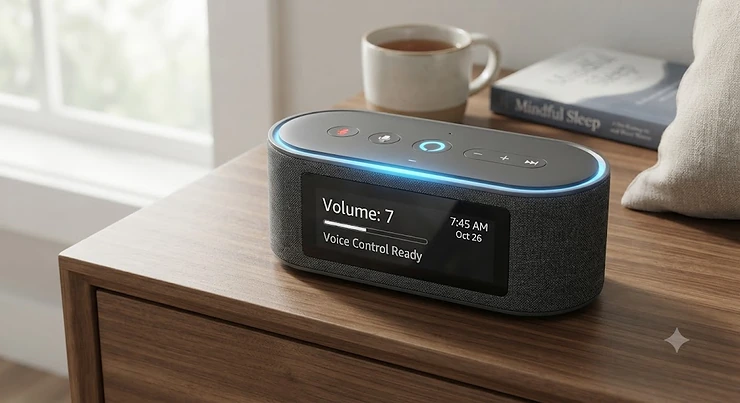
It’s 2:47 a.m., you’re holding a bottle in one hand and your phone in the other, and the last thing you want to do is fumble across a dark room to hit a tiny button on a nightstand. That single moment — the one where you just want to whisper “turn it up” instead of tiptoeing across a creaky floor — is basically the entire reason the alexa compatible sound machine category exists. These devices used to just make static-y fan noise. Now they connect to your Wi-Fi, sync with an app on your phone, and respond to Alexa voice commands, turning a formerly dumb little box into a genuinely useful piece of nursery infrastructure.
This guide digs into seven real, currently available devices — from $30 budget picks to premium sunrise-alarm hybrids — and evaluates them the way a tired, research-minded parent actually would: real specs, real aggregated review sentiment, and honest analysis about who each one is actually built for. We’ll also cover how these gadgets fit into a broader smart home nursery setup, what changes when you add Wi-Fi to a sound machine, and where the marketing hype quietly outpaces the real-world experience.
Whether you already own an Echo Dot on the dresser or you’re building a nursery smart-home setup from scratch, the goal here is the same: help you buy the right device once, instead of returning three of them.
Quick Comparison: Alexa Compatible Sound Machines at a Glance
Before the deep dive, here’s the short version for anyone skimming on a phone with one thumb free.
| Product | Best For | Price Range | Alexa/App Control |
|---|---|---|---|
| Hatch Rest+ 2nd Gen | Best all-around baby pick | $70–$90 range | App + Alexa skill |
| Hatch Restore 2 | Premium sunrise wake routines | Around $170 | App + Alexa skill |
| Yogasleep Dohm Connect | Purists who want real fan sound | $50–$65 range | App + Alexa (via skill/plug) |
| SNOOZ Pro | Travel-friendly premium fan noise | Around $130 | App scheduler + smart plug |
| Momcozy Baby Sound Machine | Budget sound variety | Under $50 | App remote |
| Babysense Dreamer 2.0 | Budget toddler wake-training | $40–$45 range | App remote |
| Safety 1st Smart Soother | Budget true Alexa + Google voice control | $30–$40 range | App + Alexa + Google |
A few things jump out here. First, “Alexa compatible” is doing a lot of quiet work in product listings — some devices genuinely respond to voice commands through a native skill, while others rely on a Wi-Fi smart plug as a workaround. Second, price doesn’t map cleanly onto smart-home depth: the budget-tier Safety 1st Smart Soother actually offers broader voice-assistant compatibility than some mid-range options, while the premium Hatch Restore 2 spends its price premium on sunrise-alarm hardware rather than deeper voice integration. If your top priority really is walking up to a Hatch Rest+ 2nd Gen or an equivalent and saying “Alexa, turn on the sound machine,” verify the specific skill support before you buy rather than assuming every “smart” label means the same thing.
💬 Found a favorite already? Skip ahead and grab it — your future 3 a.m. self will thank you.
Top 7 Alexa Compatible Sound Machines: Expert Analysis
1. Hatch Rest+ 2nd Gen — best all-around smart nursery pick
The standout here is balance: it’s the rare device that does scheduling, lighting, and sound without demanding you learn a clunky interface first. The Hatch Rest+ 2nd Gen connects over 2.4GHz Wi-Fi to the Hatch Sleep app and also works with Alexa, so routines can run automatically or get triggered with a voice command.
On the spec sheet, you’re looking at 15-plus sounds, a customizable color night light, and a 12-hour backup battery. That backup battery matters more than it sounds — a power blip at 1 a.m. that doesn’t interrupt the white noise means your baby’s sleep cycle doesn’t get a surprise wake-up call. Based on the feature set, this is built for parents who want to build a repeatable wind-down routine rather than just mask noise.
Reviewers consistently describe the app’s scheduling and remote-trigger functions as the standout feature — being able to start the machine from downstairs while carrying a sleeping baby up is a recurring theme in feedback. A recurring complaint, though, is occasional Wi-Fi reconnect delays after a router reboot or network change.
Pros:
- ✅ Automated routines plus Alexa voice control
- ✅ 12-hour backup battery for power outages
- ✅ Large sound and lighting customization library
Cons:
- ❌ Full content library requires a small monthly add-on
- ❌ Some users report slow Wi-Fi reconnects
At a price in the $70–$90 range, the Hatch Rest+ 2nd Gen earns its spot as the default recommendation for most nurseries building toward a connected sleep devices setup.
2. Hatch Restore 2 — best for sunrise wake routines
Where the Rest+ targets babies, the Hatch Restore 2 is Hatch’s adult-and-toddler sibling, and its standout feature is the gradual sunrise-simulation alarm layered on top of a full soundscape library. It’s covered in linen fabric across three colorways, which sounds cosmetic until you realize it’s meant to sit visibly on a nightstand rather than get tucked away.
The gradual light wake, paired with color-coded “time-to-rise” cues, is genuinely useful for toddlers transitioning out of a crib — the light glows a certain color when it’s still sleep time and shifts when it’s okay to get up, which sidesteps a lot of “is it morning yet?” negotiating. Like the Rest+, it connects over Wi-Fi and app, with Alexa skill support for starting or stopping routines.
Aggregated reviewer sentiment consistently praises the redesigned linen housing as a meaningful upgrade over earlier Hatch hardware, though some buyers note the reworked button layout takes a session or two to get used to.
Pros:
- ✅ Sunrise-simulation alarm for gentle wake-ups
- ✅ Color-coded time-to-rise cues for toddlers
- ✅ Deep soundscape and meditation library
Cons:
- ❌ Premium price around $170
- ❌ Full content library needs a modest monthly subscription
If your household is past the newborn stage and heading into toddler sleep-training territory, the Hatch Restore 2 solves a different problem than a baby-specific sound machine — and solves it well.
3. Yogasleep Dohm Connect — best for real fan-based sound
Every other machine on this list generates sound by playing a digital audio file on a loop. The Yogasleep Dohm Connect doesn’t — it spins a physical fan inside a plastic housing, and you twist the shell to change the pitch. The “Connect” version adds Wi-Fi and an app layer on top of that six-decade-old mechanical design, plus Alexa compatibility.
What most buyers overlook about this model is that non-looping analog sound behaves differently for light sleepers than a repeating digital track — there’s no subtle pattern for a half-awake brain to notice. On paper, this means less habituation-breaking than machines that use short looped audio clips. The 10 speed settings let you dial in tone and volume precisely rather than picking from preset “ocean” or “rain” tracks.
Reviewers frequently cite decades of trust in the Yogasleep/Marpac fan mechanism, with many describing multi-year, even multi-child, use of earlier Dohm models before upgrading to the Connect. A common complaint in user reviews is that, compared to digital multi-sound machines, the Connect offers far less variety — it’s fan noise, adjusted, and nothing else.
Pros:
- ✅ Genuine analog fan sound, not a digital loop
- ✅ Decades of proven brand reliability
- ✅ App scheduling plus Alexa voice control
Cons:
- ❌ Limited to fan-based sound only, no music or lullabies
- ❌ Costs more than the non-connected Dohm Classic
At $50–$65, the Yogasleep Dohm Connect is the pick for buyers who’ve already decided fan noise is what works and just want the smart-home layer added on top.
4. SNOOZ Pro Smart White Noise Machine — best for travel-ready premium sound
The SNOOZ Pro takes the same “real fan, not a recording” philosophy as the Dohm but adds a genuinely useful premium feature: volume memory paired with an app scheduler, plus a fitted travel case. What most buyers overlook here is how much friction volume memory removes — you’re not re-dialing the exact right setting every single night, which matters more than it sounds at 11 p.m. with a fussy toddler.
Ten distinct volume levels let you tune output precisely enough to mask a snoring partner or a noisy apartment hallway, and the app scheduler means it can start automatically before you’ve even walked into the bedroom. Based on the spec sheet, this leans toward buyers optimizing for consistency across locations — home, grandma’s house, and hotel rooms alike.
Aggregated review sentiment credits the SNOOZ Pro with reliably masking adjacent-room and snoring noise better than digital alternatives, while some reviewers note the price premium is hard to justify for what is, at its core, “just a fan.”
Pros:
- ✅ Volume memory removes nightly re-adjustment
- ✅ Travel case for consistent sound away from home
- ✅ App scheduler automates nightly routines
Cons:
- ❌ Premium price around $130 for a single-purpose device
- ❌ No dedicated night light or lullaby library
For families who travel frequently or split time between two homes, the SNOOZ Pro justifies its price by keeping the sleep environment identical everywhere it goes.
5. Momcozy Baby Sound Machine — best budget sound variety
The Momcozy Baby Sound Machine packs 34 sounds and a seven-color night light into a genuinely budget-friendly package, and its standout feature is simply how much variety you get for the price. This is the “try everything, see what actually settles your baby” option before committing to a pricier single-purpose fan machine.
The app remote control lets you adjust settings from your phone, which reviewers repeatedly single out as valuable for exactly the parent-carrying-a-sleeping-baby-upstairs scenario mentioned earlier. Here’s what to weigh: at this price point, you’re trading some long-term build-quality reputation for accessibility — this isn’t a device with decades of brand history behind it the way Yogasleep is.
Reviewers frequently mention the app’s ability to save favorite sound-and-light combinations, letting tired parents tap one saved preset instead of reconfiguring settings from scratch each night. A recurring theme in less favorable reviews is that voice-assistant control isn’t native — it typically requires pairing with a separate Wi-Fi smart plug rather than a dedicated Alexa skill.
Pros:
- ✅ Large 34-sound library at a low price
- ✅ App remote with saved favorite presets
- ✅ Adjustable seven-color night light
Cons:
- ❌ No native Alexa skill, smart plug workaround needed
- ❌ Shorter track record than legacy sound-machine brands
Under $50, the Momcozy Baby Sound Machine is a sensible entry point into app controlled sleep sounds without a big upfront commitment.
6. Babysense Dreamer 2.0 — best budget toddler wake-training pick
The Babysense Dreamer 2.0 leans into a specific use case: toddlers old enough to understand “wait for the light” but not old enough to read a clock. Its standout feature is the combined sound machine and toddler sleep-trainer functionality, wrapped into one app-controlled unit.
With 28 sounds, a night light, and 2.4GHz Wi-Fi app control, the spec sheet reads similarly to other budget entries — but the wake-training visual cue is what differentiates it in practice. What most buyers overlook is that this feature category (visual wake training) usually lives in a separate, pricier device; bundling it here is a meaningful value proposition for the price.
Because this is a newer entrant compared to established names like Hatch or Yogasleep, the review pool is smaller, and aggregated sentiment so far skews positive but without the multi-year durability track record that older brands have built up. Reviewers commonly cite ease of setup and straightforward app pairing as strengths.
Pros:
- ✅ Combines sound machine and wake-training in one device
- ✅ Straightforward app pairing and setup
- ✅ Budget-friendly $40–$45 price range
Cons:
- ❌ Smaller review history than established competitors
- ❌ Alexa/voice integration less mature than Hatch’s ecosystem
For families specifically working on toddler wake-time boundaries, the Babysense Dreamer 2.0 solves a fairly narrow but common parenting problem well.
7. Safety 1st Smart Soother — best budget true voice-control pick
Here’s what the spec sheet won’t tell you outright, but is arguably the most important thing about this device: the Safety 1st Smart Soother offers genuine Alexa and Google Home voice-activation compatibility at a genuinely budget price point, which is rarer than it should be in this category.
Twenty lullabies and natural sounds, adjustable light color and brightness, and a scheduled fade-out timer round out the core feature set, all managed through the Safety 1st Connected App. The child lock is a small but meaningful detail — it prevents an older sibling or curious toddler from accidentally powering the unit off or changing settings mid-nap. Multi-caregiver app access also means a grandparent or nanny can control the device without needing your personal login.
Reviewers frequently highlight the combination of true dual-voice-assistant compatibility and lower price as the standout value proposition compared to premium competitors. A less favorable but recurring theme is the absence of a battery backup, meaning a power outage stops the sound entirely rather than continuing on reserve power.
Pros:
- ✅ True Alexa and Google Home voice control
- ✅ Child lock and multi-caregiver app sharing
- ✅ Budget price in the $30–$40 range
Cons:
- ❌ No backup battery for power outages
- ❌ Corded electric only, not battery-portable
For anyone specifically prioritizing a voice activated sound machine on a tight budget, the Safety 1st Smart Soother currently offers the strongest voice-assistant credentials for the price.
Practical Setup & Optimization Guide
Getting any of these seven devices from box to bedside smoothly comes down to a few repeatable steps. First, connect to a 2.4GHz Wi-Fi network specifically — nearly every smart sound machine on the market, including everything covered above, requires the older 2.4GHz band rather than 5GHz, since it’s more power-efficient and has better wall penetration. If your router broadcasts a combined network name, you may need to temporarily split the bands in your router settings during setup.
Second, name the Alexa skill or routine something your household will actually remember at 3 a.m. — “turn on baby noise” beats a device’s exact model name every time. Third, build the schedule during a calm daytime moment rather than trying to configure it half-asleep; most of these apps let you set a recurring nightly start and stop time, which removes the nightly manual toggle entirely.
Common first-30-days mistakes: setting volume too high because the room feels loud during the day (crib rooms are usually quieter at night, and daytime testing often overestimates needed volume); forgetting to update the app after a firmware push, which can silently break the Alexa connection; and mounting the unit inside the crib rail where a curious toddler can reach the controls, defeating any child lock. A monthly firmware check and keeping the device on a stable Wi-Fi channel go a long way toward a maintenance-free experience.
Real-World Scenarios: Matching Families to the Right Machine
Consider three household profiles. A first-time parent with a newborn, living in an apartment with thin walls and unpredictable hallway noise, benefits most from something like the Hatch Rest+ 2nd Gen — the backup battery and full-color night light cover both sound-masking and middle-of-the-night visibility needs in one device.
A family transitioning a toddler out of a crib and into wake-time boundaries is a much better fit for the Hatch Restore 2 or the Babysense Dreamer 2.0, depending on budget — both offer visual wake cues that a plain white-noise machine simply doesn’t provide.
A frequent traveler or a household splitting time between two residences — say, co-parenting across two homes — gets the most value from the SNOOZ Pro‘s travel case and volume-memory feature, since consistency of sound matters more when the environment itself keeps changing. In each case, the “best” device isn’t the most expensive one; it’s the one solving the specific problem that household actually has.
Problem → Solution: Fixing Common Smart Sound Machine Headaches
Problem: the app won’t connect after a router reset. Most of these devices need to be manually re-paired after any significant network change; forgetting router credentials mid-setup is the single most common support complaint across the category.
Problem: Alexa hears the command but doesn’t trigger the machine. This is almost always a skill-linking issue rather than a hardware fault — check that the specific device skill (not just a generic “smart home” connection) is enabled in the Alexa app.
Problem: the sound machine is too loud at max volume. Nearly every device in this category can exceed recommended volume levels at their highest setting, so treat max volume as a ceiling to avoid, not a target.
Problem: night light disturbs sleep instead of helping. Dim the color temperature toward warmer tones and lower brightness; several devices, including the Hatch Rest+ 2nd Gen and Hatch Restore 2, allow this adjustment through the app rather than only at the unit itself.
Problem: backup battery drains faster than expected. This is typically tied to running the night light at high brightness during an outage; lowering brightness before a known storm extends runtime meaningfully.
What Is an Alexa Compatible Sound Machine?
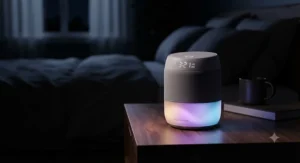
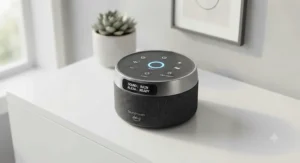
An alexa compatible sound machine is a white-noise or sleep-sound device that connects to Amazon’s voice assistant platform so it can be started, stopped, or adjusted using spoken commands through an Echo speaker or the Alexa app, rather than only physical buttons. Most models pair this voice layer with a companion smartphone app for scheduling and remote control over home Wi-Fi.
The category sits at the intersection of two older product types — the simple bedside white-noise machine and the broader smart home ecosystem — and inherits both. The upside is genuine hands-free convenience; the tradeoff is that these devices depend on a stable home network and, in some cases, a subscription for full feature access.
How to Choose an Alexa Compatible Sound Machine
- Decide if you need native Alexa support or a smart-plug workaround. Native skill support (like the Safety 1st Smart Soother or Hatch Rest+ 2nd Gen) is more reliable than routing power through a separate smart plug.
- Match sound type to your actual problem. Fan-based devices like the Yogasleep Dohm Connect mask ambient noise differently than digital multi-sound machines with lullabies and nature tracks.
- Check for a backup battery if outages are common in your area. This single feature separates a mild inconvenience from a full sleep-disruption event.
- Consider whether you need a night light, and how adjustable it is. Warmer, dimmer tones generally disturb sleep less than bright white or blue-toned lights.
- Factor in subscription costs before comparing sticker prices. Some premium devices unlock their full library only with an add-on membership.
- Read for review patterns, not individual complaints. A single one-star review means less than a recurring theme across dozens of buyers.
- Buy for the current stage, not just the newborn stage. Toddler-oriented features like sunrise wake cues become relevant faster than most first-time parents expect.
Wifi Sound Machine Baby: What a Network Connection Actually Buys You
Adding Wi-Fi to a baby sound machine changes more than convenience — it changes the entire relationship between parent and device. A wifi sound machine baby setup can be remotely started before you’ve even entered the room, scheduled to run automatically every night without a manual toggle, and monitored for connectivity status through an app rather than guessed at in the dark.
The tradeoff is dependency on your home network’s stability. If your router is older or your home has notoriously weak Wi-Fi in the nursery corner, a Wi-Fi-connected device can become more frustrating than a simple battery-powered fan machine with three buttons. Based on the spec comparison across this list, devices with a genuine backup battery — like the Hatch Rest+ 2nd Gen — handle Wi-Fi hiccups more gracefully than corded-only models, since core sound output typically continues even if the smart layer briefly drops.
App Controlled Sleep Sounds vs Voice Activated Sound Machine
These two control methods solve overlapping but distinct problems, and most households end up using both rather than choosing one exclusively. App controlled sleep sounds work well for detailed setup — building a specific schedule, picking exact color combinations, or fine-tuning volume levels — because a touchscreen simply handles complex settings better than voice commands do.
A voice activated sound machine wins in the moment-to-moment reality of parenting: you don’t want to unlock a phone with a baby in your arms, you want to say “turn it up” and have it happen. Here’s what to weigh: if your household leans heavily on one Echo device already sitting in the nursery, prioritize a model with confirmed native Alexa skill support, like the Hatch Rest+ 2nd Gen or Safety 1st Smart Soother. If precise scheduling matters more than in-the-moment voice control, app-first devices like the SNOOZ Pro deliver more granular control.
Smart Home Nursery: Building With Connected Sleep Devices
A genuine smart home nursery setup usually starts with one device — often the sound machine — and expands outward to include smart plugs, a video monitor, and sometimes a smart thermostat vent for temperature control. Connected sleep devices in this category generally share two things in common: they run on 2.4GHz Wi-Fi, and they benefit from being on a stable, ideally separate, network segment rather than sharing bandwidth with a household’s streaming devices.
Because these devices sit in a genuinely private space, network security is worth real attention rather than an afterthought. The FTC’s consumer guidance on securing connected home devices recommends disabling remote-management features you don’t actively use and keeping device firmware current, both of which apply directly to nursery sound machines as much as they do to smart cameras or thermostats. Building the nursery setup device by device, rather than all at once, also makes it easier to troubleshoot which specific gadget is causing a Wi-Fi slowdown if one appears.
Voice Command Baby Gear: Beyond the Sound Machine
Sound machines are usually the entry point into voice command baby gear, but they’re rarely the only device in a modern nursery that responds to spoken commands. Video monitors with Alexa-triggered camera panning, smart plugs controlling a bedside lamp, and even some bottle warmers now offer basic voice-triggered start functions.
The practical upside of expanding beyond just the sound machine is fewer separate apps to manage — many families end up consolidating control through a single Echo device or the Alexa app rather than juggling five different manufacturer apps. The tradeoff worth weighing honestly: more connected devices means more individual points where a firmware update or Wi-Fi hiccup can cause a temporary disconnect, so it’s worth expanding gradually rather than automating an entire nursery in one weekend.
Common Mistakes When Buying a Smart Sound Machine
The most frequent mistake is buying based on sound library size alone. A device with 40 preset sounds isn’t inherently better than one with 10 if the 10 are genuinely high-quality, non-looping recordings — quantity and quality aren’t the same axis.
A second common mistake is skipping the backup-battery question entirely, then discovering during the first storm-related outage that the “smart” features go dark along with the power. A third is assuming “works with smart home” on a listing means native Alexa support, when it frequently means a separate smart plug is required. Finally, many buyers underestimate how much the companion app’s design quality matters day to day — a device with mediocre hardware but a genuinely well-designed app can be less frustrating to live with than the reverse.
Long-Term Cost & Maintenance
Total cost of ownership for this category rarely stops at the sticker price. Premium devices like the Hatch Restore 2 and Hatch Rest+ 2nd Gen offer an optional monthly membership that unlocks additional soundscapes and routines — worthwhile for some families, entirely skippable for others who are happy with the free built-in library.
Maintenance itself is relatively low across the board: most devices need nothing beyond an occasional firmware check and a wipe-down of the exterior. Where cost differences really show up over time is durability — fan-based machines like the Yogasleep Dohm Connect have a genuinely long track record of multi-year, even multi-child, use, which can make their higher upfront price a better long-term value than a cheaper device that might need replacing within a year or two.
Safety, Privacy & Regulations Guide
Volume and placement matter more than most parents realize when it comes to sound machines. According to a 2023 American Academy of Pediatrics policy statement, infant sound machines can exceed hospital-recommended noise levels at their maximum output, and pediatric guidance generally recommends keeping volume at or below 50 decibels at crib level, with the device placed at least seven feet from a baby’s sleep space. None of the seven devices covered here are exempt from that guidance — max volume settings should be treated as a ceiling to avoid, not a target to reach.
On the connectivity side, the American Academy of Pediatrics has also raised broader concerns about noise exposure from consumer devices, reinforcing that volume control and duration of use both deserve regular attention rather than a one-time setup decision. Combine that guidance with basic Wi-Fi hygiene — unique router passwords, current firmware, and disabling remote access you don’t use — and a smart sound machine can be both effective and genuinely safe.
Features That Actually Matter (And Those That Don’t)
A backup battery matters. A wide color-changing night light is mostly cosmetic once you find one color that works. Native Alexa skill support matters if you’ll actually use it daily; it’s dead weight if your household barely touches your Echo device already.
App scheduling matters — it’s the single feature most likely to get used every single night without fail. A huge sound library matters less than most listings imply; most families settle into one or two go-to sounds within the first couple of weeks and rarely touch the rest. Sunrise-alarm functionality matters a great deal for toddlers navigating wake-time boundaries, and barely at all for a newborn who isn’t yet parsing light cues.
Frequently Asked Questions
❓ Do all Alexa compatible sound machines need Wi-Fi?
❓ Can I control a sound machine with just my voice and no app?
❓ Are wifi sound machine baby monitors safe from hacking?
❓ What's the difference between app controlled sleep sounds and Alexa skills?
❓ How much does a good voice activated sound machine cost?
Conclusion
Across budget, mid-range, and premium tiers, the throughline is the same: the best alexa compatible sound machine for your household depends on which specific problem you’re solving, not which device has the longest feature list. A newborn’s household benefits most from reliability and backup power. A toddler transitioning out of a crib benefits from visual wake cues. A frequent traveler benefits from consistency across locations more than from a bigger sound library.
The Hatch Rest+ 2nd Gen remains the most balanced all-around pick for most nurseries, the Safety 1st Smart Soother is the strongest budget option for genuine dual-voice-assistant support, and the Yogasleep Dohm Connect and SNOOZ Pro serve buyers who’ve already decided real fan noise beats digital loops. Whichever you choose, pair it with sensible volume and placement habits, and it’ll quietly do its job for years rather than months.
✨ Don’t Miss These Exclusive Deals!
🔍 Take your nursery setup to the next level with these carefully selected sound machines. Click on any highlighted product above to check current pricing and availability, and build the calmer, quieter bedtime routine your whole household deserves.
Recommended for You
- Nature Sounds Sleep Machine Baby: 7 Trusted Picks for 2026
- 7 Best Travel White Noise Machines for Restful Sleep in 2026
- 7 Best Non Looping White Noise Machines for Baby (2026)
Disclaimer: This article contains affiliate links. As an Amazon Associate, I earn from qualifying purchases. If you purchase products through these links, we may earn a small commission at no additional cost to you.
✨ Found this helpful? Share it with your friends! 💬🤗
